The direct answer
To use the words-to-pages calculator, pick the direction, words to pages or pages to words, then set the spacing, font, size, paper and margins as your brief asks. A page of 12pt Times New Roman holds about 500 words single spaced and about 250 double spaced, so 1,500 words is about 3 pages single spaced and about 6 double spaced.
Read the result as a range, not a single number: about 0.92 to 1.12 of the central figure, because fonts and margins vary. Your settings are saved in your browser for next time. The final check is always your own document.
The system in short
- Read the brief and find out what counts towards the limit.
- Pick the direction: words to pages, or pages to words.
- Set the spacing, font, size, paper and margins exactly as the brief asks.
- Read the range the calculator gives, not a single page number.
- Check the quick reference table for 500 to 5,000 words.
- Use the answer to split the essay into sections, then check again at draft stage.
Step 1: Read the brief and find out what counts towards the limit
Before you open the calculator, read the assignment brief and answer two questions. The first is whether the limit is a word count or a page count. Many students skip this and convert in the wrong direction. If the brief says 2,000 words, you need words to pages. If it says 8 to 10 pages, you need pages to words.
The second question is what counts towards the limit. Does the title page count? Does the reference list count? Do tables, figures and appendices count? A brief that says 2,000 words usually means the body text, with the reference list excluded, but that is a usual rule, not a universal one. Ask your tutor if the brief does not say.
Write the answers down next to the limit: the number, the unit, and what counts. That one line is the whole input for the calculator. How to write a coursework essay starts the same way, with the brief read before a word is written.
Step 2: Pick the direction: words to pages, or pages to words
Open the words-to-pages calculator and pick the direction that matches your brief. Words to pages is for when you have a word count and want to know how long the essay will look. Pages to words is for when you have a page limit and want a word target before you start writing.
Words to pages is for checking a draft: you have written 1,500 words and want to know whether that is 3 pages or 6. Pages to words is for planning: you have a limit of 8 pages and want a word target before you write. Most students need the second direction first and the first direction later.
Enter the number from your brief, not a round number you guessed. If it says 6 to 8 pages, enter both ends and note the two word counts. Aim for the middle of the range, not the top, so a paragraph that runs long does not push you over the limit.
Step 3: Set the spacing, font, size, paper and margins exactly as the brief asks
Now set the format. The calculator offers spacing of 1, 1.5 or 2, a choice of font including Times New Roman and Arial, sizes from 10pt to 14pt, and paper in A4 or US Letter. Set each one to match your brief, not the default.
Spacing changes the answer most. A page of 12pt Times New Roman holds about 500 words single spaced and about 250 double spaced, so doubling the spacing doubles the pages. At 1.5 spacing the same page holds about 333 words, which is why 1,500 words is about 4.3 pages at 1.5 spacing on A4. If your brief does not state the spacing, check before you assume double spacing.
Font and size change the answer next. In 11pt the same page holds about 600 words single spaced, and in Arial about 440, against about 500 for 12pt Times New Roman. Arial adds about 0.4 of a page to a 1,500-word essay single spaced. Paper matters less: a page of A4 single spaced in 12pt Times New Roman holds about 520 words, against about 500 on US Letter. Set the paper you will actually print on.
Step 4: Read the range the calculator gives, not a single page number
The calculator gives its results as a range, about 0.92 to 1.12 of the central figure, because fonts and margins vary. A 1,500-word essay that is about 6 pages double spaced is really about 5.5 to 6.7 pages, and one that is about 3 pages single spaced is really about 2.8 to 3.4 pages. The range is the honest answer.
Plan to the top of the range when the limit is a minimum, and to the bottom when the limit is a maximum. If the brief asks for at least 6 pages, plan for 6.7, so a draft that comes in short still clears the minimum. If the brief allows at most 8 pages, plan for the bottom of the range, so a draft that runs long still fits.
Do not stretch the essay to fit the range. Changing the font size or the margins to make an essay look longer is visible to the marker. If the essay is short, it needs more content, not a bigger font. If it is long, it needs cutting, not smaller margins.
Step 5: Check the quick reference table for 500 to 5,000 words
The calculator includes a quick reference table covering 500 to 5,000 words, in 12pt Times New Roman. Use it for a fast answer, or to check the calculator’s result against a second source. The table below repeats its figures for the most common essay lengths.
| Words | Single spaced | Double spaced |
|---|---|---|
| 500 | 1 page | 2 pages |
| 1,000 | 2 pages | 4 pages |
| 1,500 | 3 pages | 6 pages |
| 2,000 | 4 pages | 8 pages |
| 3,000 | 6 pages | 12 pages |
| 5,000 | 10 pages | 20 pages |
Use the table for planning and the calculator for the exact brief. The table assumes 12pt Times New Roman, so if your brief asks for Arial or 11pt, trust the calculator instead. If the two disagree by more than a page, check the format settings first: the spacing is usually set to the wrong value.
The table is also the fastest way to judge a new brief. A 3,000-word essay is 6 pages single spaced and 12 double spaced, and a 500-word essay is 1 page single spaced. Knowing the shape of the answer before you start stops the two classic errors: writing 3,000 words for a 500-word brief, and 500 words for a 3,000-word brief.
Step 6: Use the answer to split the essay into sections, then check again at draft stage
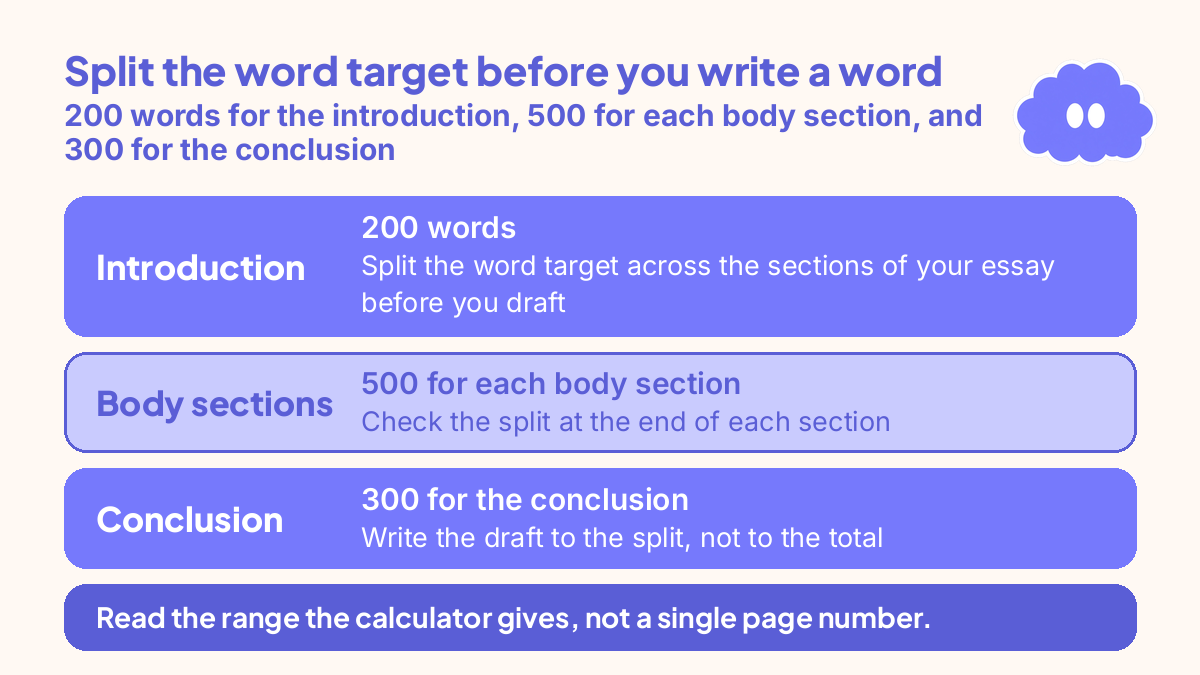
The page count is only useful if it changes how you write. Split the word target across the sections of your essay before you draft. A 2,000-word essay with an introduction, three body sections and a conclusion might split as 200 words for the introduction, 500 for each body section, and 300 for the conclusion. That split tells you when a section has run long while there is still time to fix it. How to plan your dissertation word count uses the same split for longer pieces. For a reflective piece, where the sections are looser, How to write a reflective essay shows how to hold the same structure.
Write the draft to the split, not to the total. A student who writes to the total writes one long section and three thin ones. Check the split at the end of each section: count the words, compare them with the target, and adjust the next section, not the one you have finished.
Then check again at draft stage. When the draft is complete, enter the real word count into the calculator with the real format. If the draft is 2,200 words against a 2,000-word limit, cut 200 words now. If it is 1,800 words, add a paragraph where the argument is thinnest. Check again after proofreading, because cutting and adding change the count.
A worked example: a 1,500-word essay due on Friday
Your situation: First-year student, a 1,500-word coursework essay due on Friday. The brief says double spaced, 12pt Times New Roman, A4, 2.54 cm margins, references excluded. You have not started writing.
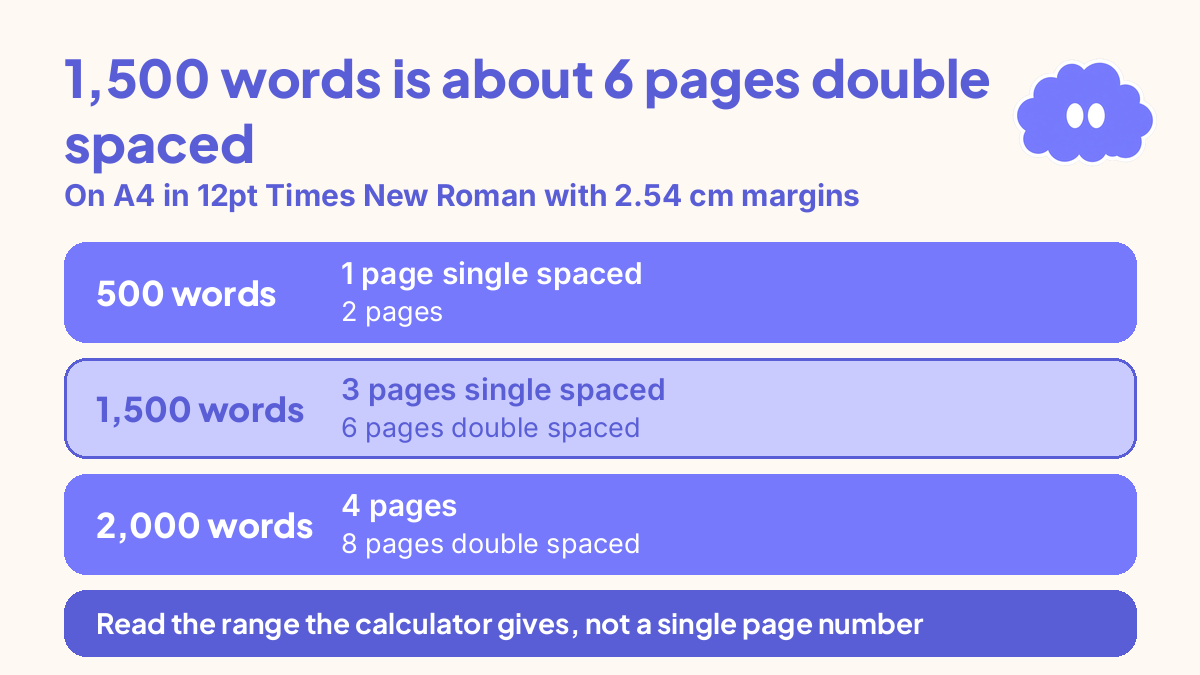
- Monday, 30 minutes: Read the brief and write down the limit: 1,500 words, body text only, references excluded, double spaced, 12pt Times New Roman, A4. Open the calculator, pick words to pages, enter 1,500, set the format. The result is about 6 pages double spaced, in a range of about 5.5 to 6.7 pages.
- Monday, 15 minutes: Work backwards as a check: at 1.5 spacing the same essay is about 4.3 pages, and single spaced it is about 3 pages.
- Tuesday, 45 minutes: Split the 1,500 words across the essay: 150 for the introduction, 400 for each of three body sections, 150 for the conclusion. Write the introduction and the first body section, 550 words in total.
- Wednesday, 45 minutes: Write the second body section, 400 words. Count the words so far: 950. On track.
- Thursday, 45 minutes: Write the third body section and the conclusion, 550 words. Total 1,500 words. Enter the real count into the calculator: about 6 pages double spaced.
- Friday, 30 minutes: Proofread, cut 60 words from the second section, and check the count again: 1,440 words, about 5.8 pages. Submit.
The essay came in at 1,440 words, about 5.8 pages double spaced, inside the range the calculator gave on Monday. The split caught the long second section on Thursday, while there was still time to cut it.
When it goes wrong
The brief gives a page limit and you plan in words without converting. A limit of 8 pages double spaced is about 2,000 words in 12pt Times New Roman, not 4,000. Convert first, in the pages-to-words direction, and split the word target before you write. Essay exam system for students starts from the same conversion when the limit is set in pages.
Your essay is a page longer than the calculator said. Headings, short paragraphs, quotations and lists all add white space, so real pages vary. Check the format settings first, then count the words in your own document. If the format is right and the essay is still long, the fix is cutting, not a smaller font.
You changed the font to make the essay look longer. Do not. Markers notice. If the essay is short, it needs more content: add a paragraph where the argument is thinnest, and check the count again.
The title page and reference list push you over the page limit. Check the brief before you submit. If they count towards the limit, the calculator should have been run on the total, not the body alone. If they do not count, the body count is the one that matters. How to manage references for a thesis covers the same counting question for longer pieces.
You only check the page count after submitting. Check at draft stage and again after proofreading. A count checked twice catches a long section while it can still be cut.
Weekly review checklist
- Did I read the brief and write down what counts before I converted anything?
- Did I pick the right direction, words to pages or pages to words, for the brief I have?
- Did I set the spacing, font, size, paper and margins to match the brief exactly?
- Did I read the range, and plan to the right end of it for a minimum or a maximum?
- Did I split the word target across sections before I started drafting?
- Did I check the real word count in my own document before submitting?
Downloadable infographic spec: one vertical image, title “How to use the words-to-pages calculator”, with the six steps from “The system in short” and the six review questions above, in Thynq cream, Cloud Purple, Dark Purple and pink, with the Cloud mascot. Text taken word-for-word from this article.
What this system is not
It is not an exact page count. The calculator gives a range because real pages vary with headings, paragraphs and quotations, and no calculator can see your document. It is not a way to make a short essay look long: changing the font or the margins is visible, and the fix for a short essay is more content. It does not replace the brief, which is the only source for the limit and the format, and it does not check your argument.
Sources
- Thynq words-to-pages calculator (tool page on thynq.org). The calculator’s two-way conversion, format settings, base figures, worked example, quick reference table and range described in this article.
- Dunlosky, J., et al. (2013). Improving students’ learning with effective learning techniques. Psychological Science in the Public Interest, 14(1), 4-58. Practice testing and distributed practice rated high, which supports drafting in sections and checking each one.
For the wider writing system behind this one, start with How to write a coursework essay.
Questions
How many pages is 1,500 words?
On A4 in 12pt Times New Roman with 2.54 cm margins, 1,500 words is about 3 pages single spaced and about 6 pages double spaced, or about 4.3 pages at 1.5 spacing. The calculator gives a range, about 0.92 to 1.12 of the central figure, because fonts and margins vary.
How do I turn a page limit into a word count?
Switch the calculator to pages to words and enter the page limit with your exact format. A page of 12pt Times New Roman holds about 500 words single spaced and about 250 double spaced, so an 8-page double-spaced limit is about 2,000 words. Always check whether the title page and reference list count towards the limit.
Does the font change how many pages my essay fills?
Yes. In 11pt the same page holds about 600 words single spaced, and in Arial about 440, against about 500 for 12pt Times New Roman. Arial adds about 0.4 of a page to a 1,500-word essay single spaced. Set the font and size your brief asks for before you read the result.
Is the words-to-pages calculator exact?
No, it is an estimate, and it says so. Headings, short paragraphs, quotations and lists all add white space, so real pages vary. Use the result to plan the essay, then check the page count in your own document before you submit.