The direct answer
To learn how to study with slow internet, split every lesson into online and offline tasks, and do the online tasks in one weekly download window. Download the week’s lessons in that window, then study offline for the rest of the week. Slow internet is a problem when you need it all the time, not for one hour a week.
The mistake is treating slow internet as a reason to study less. Students on slow connections often open a lesson, wait for the video to load, give up, and call it a day. The lesson is still there, in text, in a downloadable file, or in a transcript. The system below moves the connection to the edge of your study week, where it does the least damage.
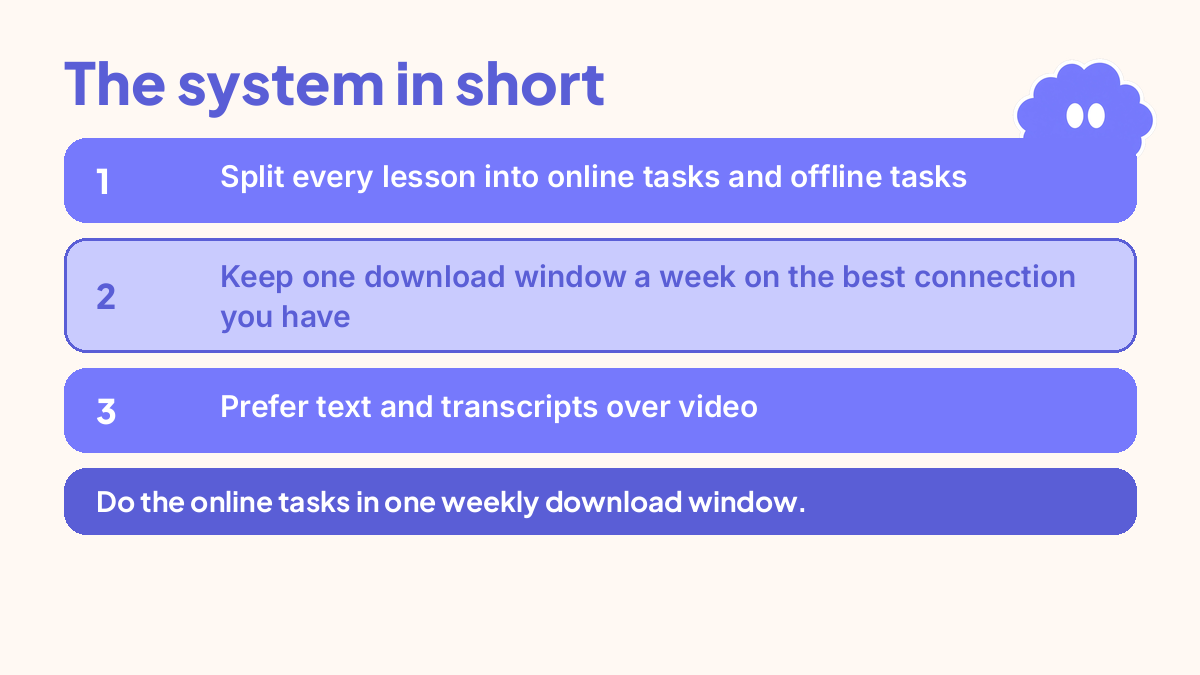
The system in short
- Split every lesson into online tasks and offline tasks.
- Keep one download window a week on the best connection you have.
- Prefer text and transcripts over video.
- Write assignments offline and paste them in when connected.
- Take quizzes only when the connection is steadiest.
- Keep a paper list of deadlines and submission dates.
Step 1: Split every lesson into online tasks and offline tasks
Open your course for the week and sort each lesson into two columns. The online column holds only the things that truly need a connection: downloading the lesson files, watching a live session, submitting an assignment, and taking a timed quiz. The offline column holds everything else: reading, making notes, drafting answers, practising problems, and testing yourself from memory.
Most students are surprised by the split. In a typical week, only one or two hours genuinely need a connection, and the other eight or ten hours do not. Reading a downloaded PDF needs no internet. Writing an essay needs no internet. Answering practice questions from memory needs no internet. Once you see the split written down, the week stops feeling blocked by the connection.
Write the split down for each lesson, not just in your head. A written split is a plan you can follow on a bad-connection day, when you will not remember which parts can be done offline.
Step 2: Keep one download window a week on the best connection you have
Pick one hour a week, on the best connection you can reach, and make it your download window. That might be a library, a college computer room, a friend’s house, a cafe, or the one spot in your home where the signal holds. The place matters less than the routine: same day, same time, every week.
In that window, download everything you need for the coming week: lesson files, readings, transcripts, assignment briefs, and any practice sets. Download them all before you open any of them, then check every file opens, with all its pages there. A file that fails to open at home on Sunday night is a lesson lost; a file that fails to open in the library on Saturday morning is a file you can download again on the spot.
While you are connected, do your other online errands too: submit finished work, send questions to your tutor, and copy the week’s deadlines onto your paper list. One connected hour, used well, covers the whole week. If you study mostly from a phone, Study with the phone you already have fits here, and if that phone is shared with your family, Study on a shared phone with your family covers how to protect your study time and your files on a shared device.
Step 3: Prefer text and transcripts over video
Video is the worst format for a slow connection. It needs a steady stream of data for an hour, it stalls, it buffers, and it eats a data allowance in one sitting. Text does none of that: a written lesson loads in seconds, a transcript downloads in seconds, and both work offline once saved.
So use text first. Read the written lesson before you touch any video. Check whether the course provides a transcript for each video, and download the transcript instead of the video whenever one exists. If a video has no transcript, download the video once during your download window and watch it offline, rather than streaming it at home.
This is not a lesser way to learn. Reading a transcript takes less time than watching the video, and it lets you reread a hard paragraph instead of scrubbing back through a timeline. If a diagram only exists in the video, screenshot it during your download window and study the screenshot offline. Study with Google Docs you already have is useful here, because a document you already own can hold your downloaded readings and your notes in one place that works offline.
Step 4: Write assignments offline and paste them in when connected
Never write an assignment in a browser window on a slow connection. A dropped connection can lose an hour of work, and a page that reloads can lose a whole draft. Write every assignment offline, in a document on your own device.
Draft offline in full: introduction, argument, examples, and conclusion, with your references noted beside each claim. Save the file with the date in its name so you always know which version is newest. When the draft is finished, read it once through, fix what needs fixing, and only then go online to paste it into the submission form.
Pasting takes a minute, and it is the only part of the assignment that needs a connection. If the connection drops while you paste, your draft is safe on your device, and you can try again. Keep a copy of the submitted version too, with the submission date in the filename. For the wider skill of finishing what you start, How to finish an online course covers the week-by-week structure that keeps a course from stalling.
Step 5: Take quizzes only when the connection is steadiest
Quizzes and timed tests are the one part of studying that cannot be done offline, and they are the part where a dropped connection costs the most. A quiz that times out halfway through can lose your answers, lock you out, or record a fail. So take quizzes only when your connection is at its steadiest.
Before you start, close every other app and tab that uses data, and plug the device in so a low battery cannot shut it down mid-quiz. Save nothing else, download nothing else, and do not switch networks halfway through. Answer each question once and move on, because each page change is another chance for the connection to fail.
If the course allows it, ask your tutor in advance what happens if the connection drops during a quiz. Some courses allow a retake, some take your best attempt, and some do not. Ask in writing, during your download window, and keep the answer.
Step 6: Keep a paper list of deadlines and submission dates
Copy every deadline and submission date from the course site onto paper during your download window: every assignment, every quiz, every live session, with its date and time. Pin the list where you study, and check it every morning before you start.
A paper list works when the connection does not. It cannot be lost to a dead battery, a failed login, or a course site that will not load. It also shows you the whole week at a glance. Update it every week in your download window, crossing off what is done and adding what is new.
This list is also your early warning system. If two deadlines land on the same day, you see it on Monday, not on Thursday night when the connection is down and you cannot check. How to stay accountable when studying alone covers the wider habits that keep a solo student on track, and a paper deadline list is the simplest of them.
A worked example
Your situation: You are a student on an online business course, studying from home on a capped mobile data plan of 2 GB a month. The course has three lessons a week, each with a video and a reading, plus one assignment due at the end of the month. Your home connection drops most evenings.
First, work out the data budget. You have 2 GB for the month, which is about 500 MB per week. That is your hard limit, so every download must earn its place: readings and transcripts first, because they are small and essential; videos only where no transcript exists; nothing streamed, ever.
Next, split the week. Online tasks: download three readings, three transcripts, and one practice set. Offline tasks: read the three lessons, make notes, draft the assignment outline, and test yourself from the notes. The offline work is about nine hours. The online work is about one hour.
- Saturday, 9.00 to 10.00 am, at the library: download window. Download all three readings, all three transcripts, and the practice set, and check every file opens. Copy the assignment deadline and next week’s quiz date onto the paper list. Send one question to the tutor about the assignment brief.
- Monday, 7.00 to 8.30 pm, at home, offline: read lesson 1 and make notes.
- Tuesday, 7.00 to 8.30 pm, at home, offline: read lesson 2 and make notes, then draft the assignment outline in a document.
- Wednesday, 7.00 to 8.00 pm, at home, offline: read lesson 3 and test yourself from memory on lessons 1 and 2.
- Thursday, 7.00 to 8.00 pm, at home, offline: answer the practice set on paper, then mark it from the answer key you downloaded on Saturday.
- Friday, 7.00 to 7.30 pm, at home, offline: finish the assignment draft and save it with the date in the filename.
- Next Saturday, 9.00 to 10.00 am, at the library: paste the finished assignment into the submission form, download next week’s files, and update the paper list.
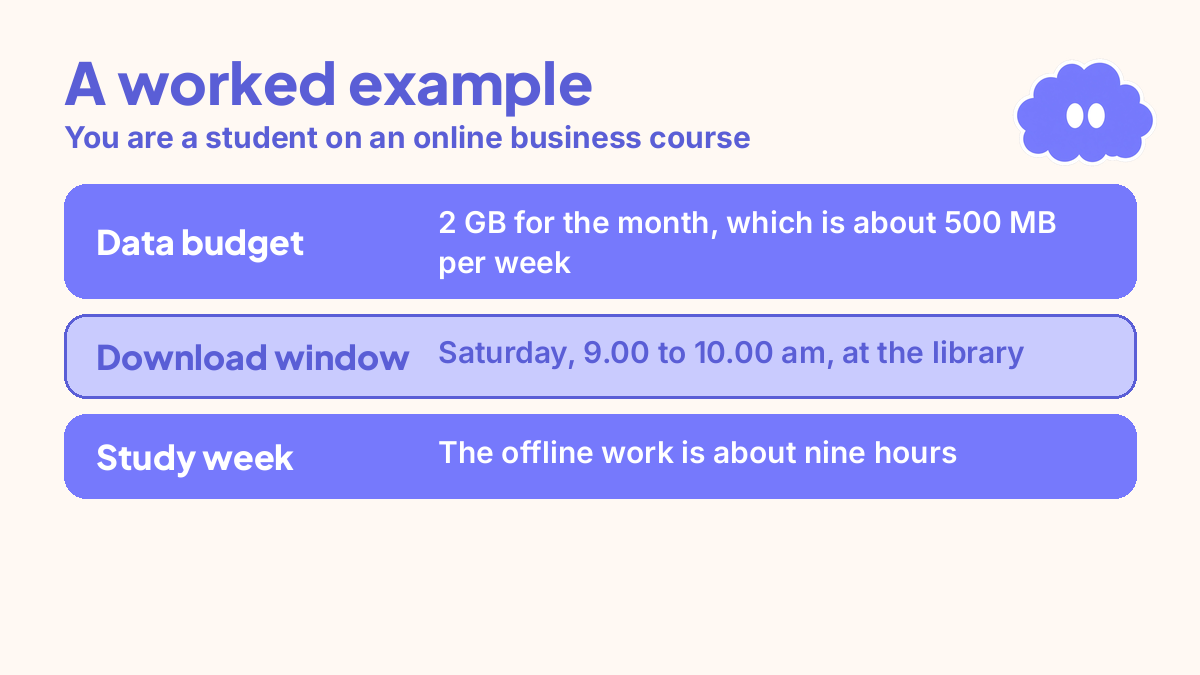
The week uses one hour of library internet and no home data at all, because every file was downloaded once and studied offline. The assignment is in on time, the practice set is done, and the data allowance still has room for next week.
When it goes wrong
The download window gets missed. Do not try to catch up by streaming at home. Use the next best connection as soon as you can, even a short one, and download only the next lesson, not the whole week.
A file will not open after you get home. Go back to the download window location and download it again. If you cannot go back, ask a classmate for a copy, or use the course transcript instead of the video.
The connection drops during a quiz. Stop, note the time, and contact your tutor in writing as soon as you can. Do not retake the quiz until you know the rule.
You run out of data before the month ends. Stop all downloads and work from what you already have: reread saved lessons, redo practice questions from memory, and draft assignments offline.
The video has no transcript and will not download. Watch it once, in short sections, during your download window, and take notes as you go.
Weekly review checklist
- Did I keep my download window this week, on the same day and time?
- Did every file I downloaded open correctly before I left?
- Did I study mostly offline, or did I keep going back online out of habit?
- Did I use text and transcripts instead of streaming video?
- Did I write my assignments offline and paste them in when connected?
- Did I take any quiz on an unsteady connection, and what happened?
- Is my paper deadline list up to date, with every date for next week?
Downloadable infographic spec: A vertical infographic in Thynq colours (cream background, dark purple title, cloud-purple steps, pink accents) with the cloud mascot at the top, titled “How to study with slow internet”. It lists 6 steps: split every lesson into online tasks and offline tasks; keep one download window a week on the best connection you have; prefer text and transcripts over video; write assignments offline and paste them in when connected; take quizzes only when the connection is steadiest; keep a paper list of deadlines and submission dates. It ends with 6 review questions: Did I keep my download window this week? Did every file I downloaded open correctly? Did I study mostly offline? Did I use text and transcripts instead of streaming video? Did I write my assignments offline? Is my paper deadline list up to date?
What this system is not
This system is not a fix for bad internet. It does not make your connection faster, and it does not make a course that requires live video every day workable on a connection that drops every evening. If a course genuinely requires a live connection for most of its hours, it is a bad fit for your connection, and no system changes that.
It is not a reason to accept poor access without asking for help. Many colleges have computer rooms, libraries, and loan schemes that exist for exactly this situation, and many tutors will extend a deadline or offer an alternative format if you ask early.
It is also not a second-class way to study. Reading, drafting, practising, and testing yourself from memory are the parts of learning that matter most, and they never needed a connection in the first place.
Sources
- Gollwitzer, P. M., & Sheeran, P. (2006). Implementation intentions and goal achievement: A meta-analysis of effects and processes. Advances in Experimental Social Psychology, 38, 69-119. Supports the use of specific if-then plans, such as a fixed weekly download window at a set time and place, to turn an intention into action.
For the full system behind this method, start with How to build a study system that fits your life.
Questions
How can I study online with slow internet?
Split every lesson into online tasks and offline tasks. Do the online tasks, such as downloading files and submitting work, in one weekly window on the best connection you have. Do everything else offline: reading, drafting, practising, and testing yourself from memory.
Should I watch course videos on slow internet?
Only if you have no text alternative. Prefer written lessons and transcripts, which load fast and work offline once saved. If a video is the only version, download it once during your download window instead of streaming it.
What if my internet cuts out during a quiz or exam?
Take quizzes and exams only when your connection is steadiest, and only after you have saved everything else offline. If the course allows it, ask the tutor in advance what happens if the connection drops, so you know the rule before it happens.
How do I keep track of deadlines without being online?
Keep a paper list of every deadline and submission date, copied from the course site during your download window. Check it every morning. A paper list works when the connection does not, and it cannot be lost to a dead battery or a failed login.