The direct answer
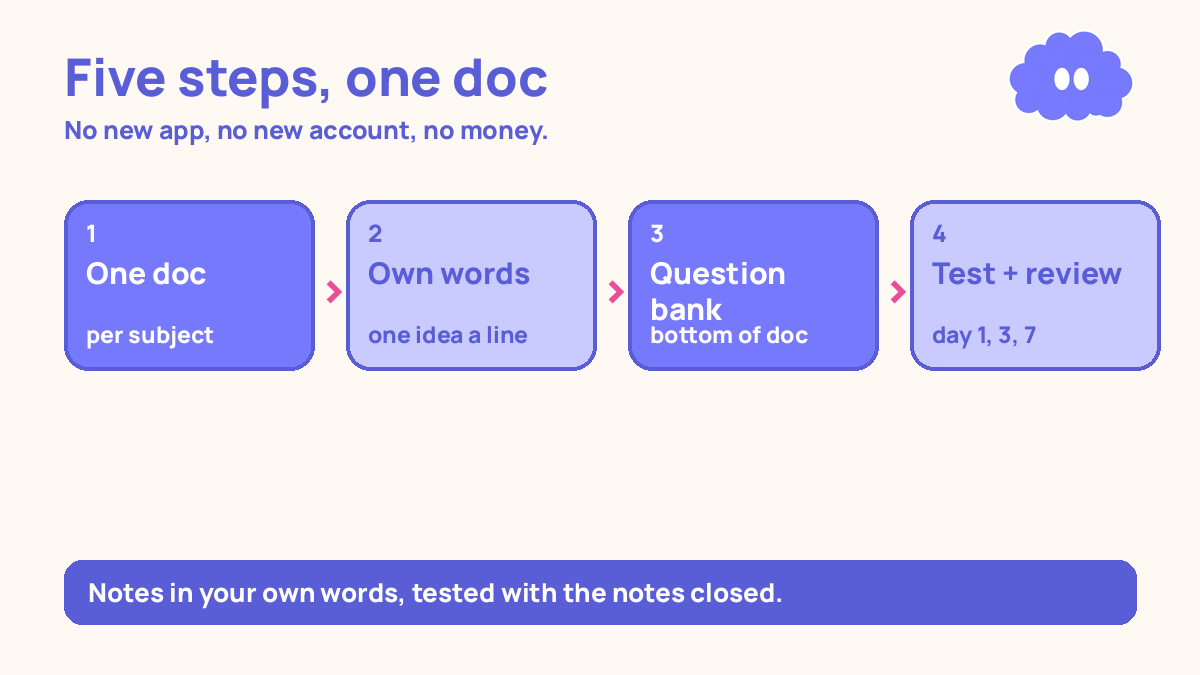
Study with Google Docs you already have: one doc per subject, notes written in your own words, a question bank at the bottom of each doc that you test yourself on with the notes closed, and reviews on day 1, day 3, and day 7. No new app, no new account, no money spent.
You have no money for study apps. Every free tier stops where the useful part starts, and the paid tier costs more than a week’s food. So you re-read notes, highlight, and hope it sticks.
The problem is not that you need a better app. Re-reading is a weak way to learn. In a 2013 review, Dunlosky and colleagues rated ten common study techniques, and only two received a high utility rating — practice testing and distributed practice. Re-reading was rated low. The studying that works is testing yourself, with gaps between the tests.
The system in short
- One doc per subject, named so you can find it in ten seconds.
- Notes in your own words, in short lines, one idea per line.
- A question bank at the bottom of every doc, written as you study.
- Comments for the questions you cannot answer yet, resolved when you can.
- Test yourself on day 1, day 3, and day 7, with the notes closed.
Step 1: One doc per subject, named so you can find it
Make one doc per subject — not one per chapter, not one giant doc for everything. Name it so you will actually search for it: “Chemistry — acids and bases”, “History — the Cold War”.
At the top of each doc, put three lines: the exam date, the topics in the subject, and the one topic you are weakest on. That is the whole header. It answers the only question that matters when you open the doc: what am I working on, and when does it end? Notes you cannot find are notes you never test — the notes system that you can actually review says the same.
Step 2: Write the notes in your own words
Write the notes in your own words, one idea per line. Not the textbook’s sentences copied out. Not a wall of text.
Explaining something in your own words forces you to notice what you do not understand. In one small study of 8 students, the ones who explained worked examples the most solved problems best, and a 2018 meta-analysis of about 5,917 learners found prompting self-explanation gave a moderate average benefit (Bisra et al., 2018).
So the rule is simple. Read a section once. Close the book. Write what it said, in your words. Then check what you missed. The lines you got wrong are the lines that matter — add them, in your words, and move on. Do not highlight. Highlighting feels like learning and is rated low utility by Dunlosky and colleagues — a highlighted page is decorated, not learned.
Step 3: Build a question bank at the bottom of every doc
At the bottom of each doc, under a heading that says “Questions”, write the questions you will test yourself on — ten per topic is a good starting number. Write them as you study: every line of notes should raise a question.
Write short-answer questions, not multiple choice. Across 61 studies, testing beat restudying by a medium amount, and the advantage was larger with feedback than without it (Rowland, 2014). Short answer beats multiple choice as practice: multiple choice lets you recognise the answer, short answer makes you produce it.
Each question gets a short answer, written under it in the doc, in your own words — that is the feedback, so you can check yourself. A test without checking is only half a test: the wrong answers stay wrong. Write the questions while the book is open — later, they will test what you remember, not what the topic contains.
| Question | Short answer |
|---|---|
| What is an acid, in your own words? | A substance that gives hydrogen ions in water. |
| What does pH 7 mean? | Neutral — neither acidic nor alkaline. |
| What happens when an acid meets a base? | They neutralise, making a salt and water. |
Step 4: Comments are questions to yourself — resolve them when you can
In this system, comments have one job: they hold the questions you cannot answer yet. When you hit something you do not understand, do not skip it. Highlight the line, add a comment with the question in plain words — “Why does this step happen before that one?” — and keep going. When you can answer it, write the answer in the notes and resolve the comment.
This is also where AI fits — and only here. Paste the confusing line into an AI chat app and ask it to explain that one idea in simple words, then check the explanation against your textbook before writing it in, because AI gets things wrong. AI is for explaining and drafting questions, not for writing your notes, and not to be trusted without checking — the same rule as how to take notes from online courses.
Do not use comments for anything else — no reminders, no to-do lists. Version history is the other feature you already have and never look at. Docs saves every version automatically. Once a week, compare the doc with seven days ago and count the questions then and now. That is your progress, in numbers you made yourself.
Step 5: Test yourself on day 1, day 3, and day 7
Testing once is not enough. Test the topic on the day you study it, again three days later, and again seven days later. That 1-3-7 pattern is a practical starting schedule, not a research rule — the research says spacing beats massing, and the right gap grows with how long you need to remember the material (Cepeda et al., 2006).
Here is how a test works. Open the doc on your phone, scroll to the question bank, and cover the answers — hand over the screen, or scroll so only the questions show. Answer each question out loud or on paper, notes closed, then check. Mark each right or wrong, and write the score at the top of the question bank: “Day 1: 5 of 12”. Feeling fluent right after re-reading is not the same as remembering a week later (Roediger & Karpicke, 2006).
When you get a question wrong, do not re-read the whole topic. Read the one line of notes it came from, fix it in your own words, and test it again tomorrow. Re-reading the whole topic turns a ten-minute test into an hour of re-reading. Use a 25-minute timer — a practical timer, not a prescription from research; the 25-minute length was Cirillo’s practical choice, not a number from cognitive science.
If you miss a day, do the next test, not a double day to catch up. A daily habit takes weeks to feel automatic — in one study the median was 66 days, range 18 to 254 — and one missed day does not reset it (Lally et al., 2010).
A worked example: chemistry, one doc, three tests
This is a worked example, with the article’s own numbers — not a real student, and not a promise of a grade.
You have a chemistry exam in three weeks, no study app, and no money for one. You open Google Docs on your phone and make one doc called “Chemistry — acids and bases”. At the top you write the exam date, the four topics, and the weakest one: acids and bases.
Monday, day 1. You study acids for 25 minutes, write 20 lines of notes, and add 12 questions with short answers. Two lines confuse you, so you add two comments. That evening you test yourself: 5 right out of 12. You write “Day 1: 5 of 12” at the top of the question bank, and fix the seven lines behind the wrong answers.
Thursday, day 3. You test the same 12 questions, notes closed: 8 right out of 12. You resolve one comment, and fix the four lines behind the wrong answers.
Next Monday, day 7. You test a third time: 11 right out of 12. The last comment resolves. You add the next topic — bases — with its own 12 questions, and the cycle starts again.
| Test | Questions right | What changed |
|---|---|---|
| Day 1, Monday | 5 of 12 | First test — gaps are the study list |
| Day 3, Thursday | 8 of 12 | Seven lines fixed, one comment resolved |
| Day 7, next Monday | 11 of 12 | Last comment resolved, next topic started |
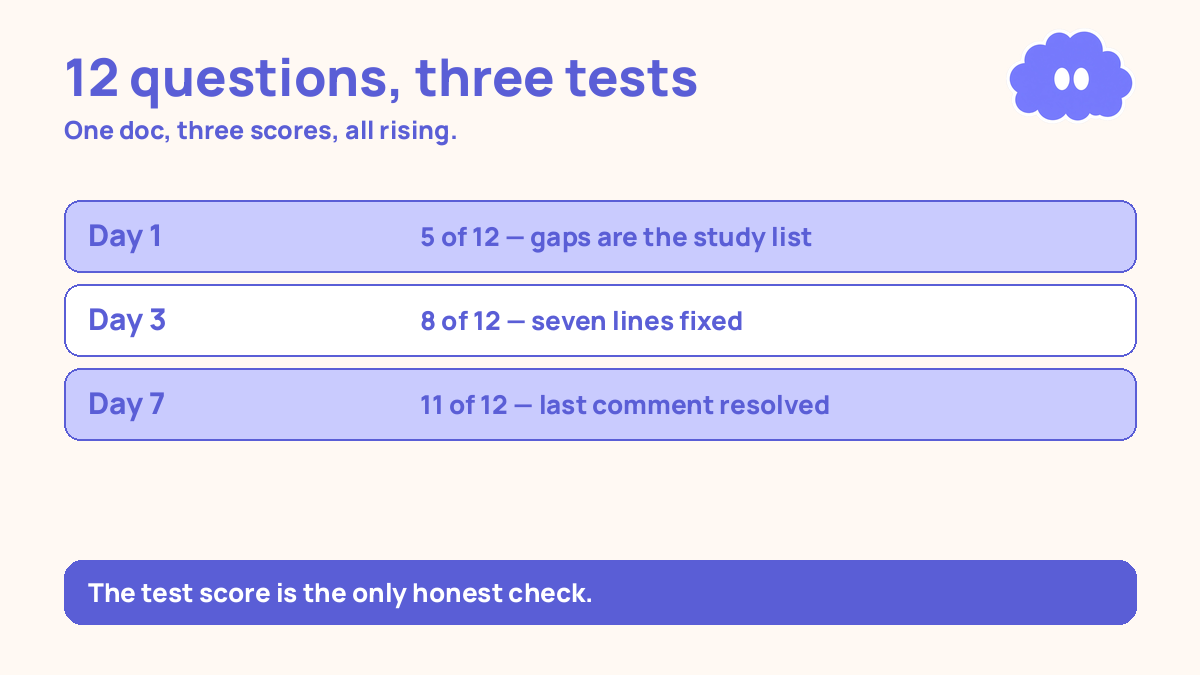
Three tests, one doc, and the only thing you paid for was the phone you already had.
When it goes wrong
You copy the textbook into the doc. The doc fills up fast, and none of it is in your words. You re-read it before the exam, it feels familiar, and then the questions ask you to produce the answer, not recognise it. Delete the copied lines and write the topic again in your own words.
You write the questions but never test yourself. The question bank grows, the scores stay blank, and the doc is a prettier version of the same re-reading habit. A question bank you do not test on is decoration. Test on day 1, even if the score is low — that low score is the system working.
You test without checking. You answer in your head, feel good about most of them, and move on. That is not a test. Check every answer — Rowland (2014) found the testing advantage was larger with feedback than without it.
You add a new app halfway through. A friend shows you a flashcard app, or a new AI tool, and you move everything across. You lose a week rebuilding, and the old doc is abandoned. Do not move. The doc you have, with its questions and scores, is worth more than a new tool with none of them.
You study on your phone with every notification on. The test takes twice as long because the phone keeps pulling you away. Put it on silent. The doc is on both.
Weekly review checklist
Copy this list and use it each Sunday:
- How many questions did I test this week?
- Did my day 1, 3, and 7 scores rise?
- How many comments did I resolve this week?
- What did version history show — did the doc actually grow this week?
- What one change will I make next week?
What this system is not
It is not a promise of a better grade, and it is not a claim that Google Docs is the best study tool. It is a free tool you already have, used the way the research says works: testing yourself, with gaps between the tests, in your own words, with feedback. The doc is already on your phone.
Sources
- Dunlosky, J., et al. (2013). Psychological Science in the Public Interest, 14(1), 4-58. Practice testing and distributed practice rated high utility; rereading rated low.
- Rowland, C. A. (2014). Psychological Bulletin, 140(6), 1432-1463. Across 61 studies, testing beat restudying, and the advantage was larger with feedback.
- Cepeda, N. J., et al. (2006). Psychological Bulletin, 132(3), 354-380. Spaced practice beat massed practice; the right gap grows with how long you need to remember the material.
- Roediger, H. L., & Karpicke, J. D. (2006). Psychological Science, 17(3), 249-255. Retrieval practice beat restudying after a delay, despite restudiers feeling more confident immediately.
- Bisra, K., et al. (2018). Educational Psychology Review, 30(3), 703-725. Self-explanation gave a moderate average benefit across 64 reports, about 5,917 learners; Chi et al. studied 8 students.
- Lally, P., et al. (2010). European Journal of Social Psychology, 40(6), 998-1009. The median time for a behaviour to feel automatic was 66 days, range 18 to 254 days.
Questions
Do I need to pay for anything to study this way?
No. Google Docs is free with a Google account, in a browser and on your phone. This system uses only Docs — one doc per subject, a question bank, comments, and version history. Nothing to pay for.
Is Google Docs a study tool, or just for writing essays?
On its own, it is a writing tool. What makes it a study tool is how you use it: notes written in your own words, a question bank you test yourself on with the notes closed, and reviews spaced a few days apart. The tool does not do the studying. The testing does.
What if I study mostly on my phone and Docs feels slow?
Use the phone for the short jobs — testing yourself on ten questions takes a minute — and a laptop or library computer for writing notes. Split the work by device.
What if my notes are already in a notebook or another app?
Do not retype everything. Start with the next topic you study, and build that one the Docs way. Move only a topic’s question bank into Docs when it comes up for review.