
The direct answer
How to format your thesis for submission comes down to working from your university’s regulations in passes, not in one sitting. First turn the regulations into a checklist, then set up the template, the front matter, the figures and tables, and the references, and finish with a check of the final PDF.
Each pass builds on a stable document instead of breaking the last one.
The system in short
- Get your university’s regulations and turn them into a written checklist.
- Set up the document template: page size, margins, fonts, spacing, and heading styles.
- Build the front matter in the right order, with the right page numbers.
- Format headings, figures, and tables consistently through the whole document.
- Run the references, contents, and cross-reference check.
- Do the final PDF check: read the file you will actually submit.
Step 1: Get your university’s regulations and turn them into a written checklist
Before you touch a single margin, find the document that governs your thesis: the thesis regulations or thesis manual, on your graduate school or registry website. If you cannot find it, ask your supervisor or the graduate office.
Read the regulations once through and copy every formatting rule into a checklist of your own. It should cover: page size, margins, font, spacing, the order of the front matter pages, page numbers, heading numbering, figure and table numbering, the references list, where the appendices go, and the word limit. The University of Nebraska at Omaha’s published guide lists the same items: page numbering, margins, spacing, and the order of the front matter pages. Write the checklist as a table: the rule, the value your university wants, and a tick box. Keep it open for the whole job.
Step 2: Set up the document template: page size, margins, fonts, spacing, and heading styles
Do this before you format a single chapter, on a copy of your thesis, not the original. Set the page size first, A4 or US Letter as the regulations say, then the margins, exactly as the checklist says. A wider left margin is common where the thesis will be bound, and it applies to every page unless the regulations say otherwise.
Then set the font: a readable font at 11 or 12 point, used consistently through the whole document, including headings, captions, and footnotes. Rice University’s thesis guidelines, for example, accept Times New Roman, Helvetica, Arial, or Calibri at 12 point. Check that the font is embedded when you export the PDF. Then set the line spacing as a paragraph style: double spacing or 1.5 spacing for the main text, with single spacing allowed for footnotes, long quotations, table contents, and reference entries.
Then define the heading styles: a style for each heading level, with the size, weight, and spacing the regulations ask for. Apply the styles to every heading, and do not format headings by hand. Finally, turn on the formatting marks in your word processor and leave them on: most formatting errors are invisible with the marks off.
Step 3: Build the front matter in the right order, with the right page numbers
The front matter is the set of pages before the first chapter, and its order is fixed by your regulations. A typical order is: title page, approval page, dedication, acknowledgements, table of contents, list of tables, list of figures, list of abbreviations, abstract. Your university’s order may differ, and the regulations win. Write the order on your checklist and build the pages in that order.
The title page carries the full title, your name, the degree, the department, the university, and the month and year of submission. Check the title against your submission form, word for word, and the month: some universities want the month of submission, others the month the degree will be conferred. This page has no page number on it.
Page numbers are where most theses break, so set them up deliberately. The usual pattern is: no number on the title page, small Roman numerals (i, ii, iii) for the front matter, and Arabic numerals (1, 2, 3) for the main text, starting at 1 on the first page of the introduction. Each change of numbering needs a section break in the right place. Put the breaks in first, then check the numbers, and recheck them after any edit to a section break. Build the table of contents from the heading styles in Step 2, not by typing it by hand. How to write a research abstract covers what the abstract itself should contain; this step is about where it sits and how it is numbered.
Step 4: Format headings, figures, and tables consistently through the whole document
Work through the document chapter by chapter. Headings first: every heading uses the style for its level, the numbering is consistent, and no heading sits alone at the bottom of a page. Fix an orphaned heading with the setting that keeps it with the next paragraph, not by pressing Enter until it moves.
Figures and tables come next. Every figure and table needs three things: a number, a title, and a mention in the text before it appears. Number them consecutively through the whole thesis, or by chapter if your regulations ask for that. Put the title below a figure and above a table. Place each figure or table as close as possible to the place it is first mentioned, and never before it. If a figure is too wide for the page, turn that page to landscape. If a table runs over more than one page, repeat the header row on each page. Then check the captions against the lists: every figure in the document must be on the list of figures, with the same number, title, and page, and the same for tables.
Step 5: Run the references, contents, and cross-reference check
This pass is about the links inside the document: the references list, the contents list, and every cross-reference. Start with the references: every source cited in the text must appear in the list, and every entry in the list must be cited somewhere, in a consistent style. If you use reference management software, let it rebuild the list now, then read the rebuilt list through. How to manage references for a thesis covers the record-keeping that makes this pass short.
Then regenerate the table of contents and the lists of tables and figures. A contents list is only right if it was generated after the last edit, so do this pass after the last content edit. Then check the cross-references: every “see Chapter 4”, “as shown in Figure 3”, and “in Table 2”. If your word processor inserts these as fields, update all fields. If you typed them by hand, search for “Chapter”, “Figure”, “Table”, and “Appendix” and check each one. End this pass with the word count, counted the way your regulations count it. If you are over the limit, cut words from the main text now; an appendix cannot carry your argument.
Step 6: Do the final PDF check: read the file you will actually submit
Export the PDF, and then check the PDF, not the word processor document: the conversion can introduce errors the original never had, such as a font that did not embed, a figure that shifted, or a table that split across pages. Open it on a different computer if you can.
Read the PDF from the title page to the last appendix. Check the title page, then the contents list, then skim every chapter start, then check every figure and table for legibility and captions, and spot-check the page numbers in each section. Then check the file itself: is it one file, and do the embedded figures look sharp rather than blurred? Then send the PDF to your supervisor for the final read, and ask for the formatting check specifically. How to handle supervisor feedback on a thesis applies here too: ask for the comments early enough to act on them.
A worked example: two weeks to format a finished thesis
Your situation: Final-year masters student, thesis written: 74 pages, 6 chapters, 12 figures, 9 tables, one appendix. Submission in two weeks. Your university wants A4, a wider left margin, 12 point font, 1.5 spacing, Roman numerals for the front matter, and Arabic numerals from the first chapter.
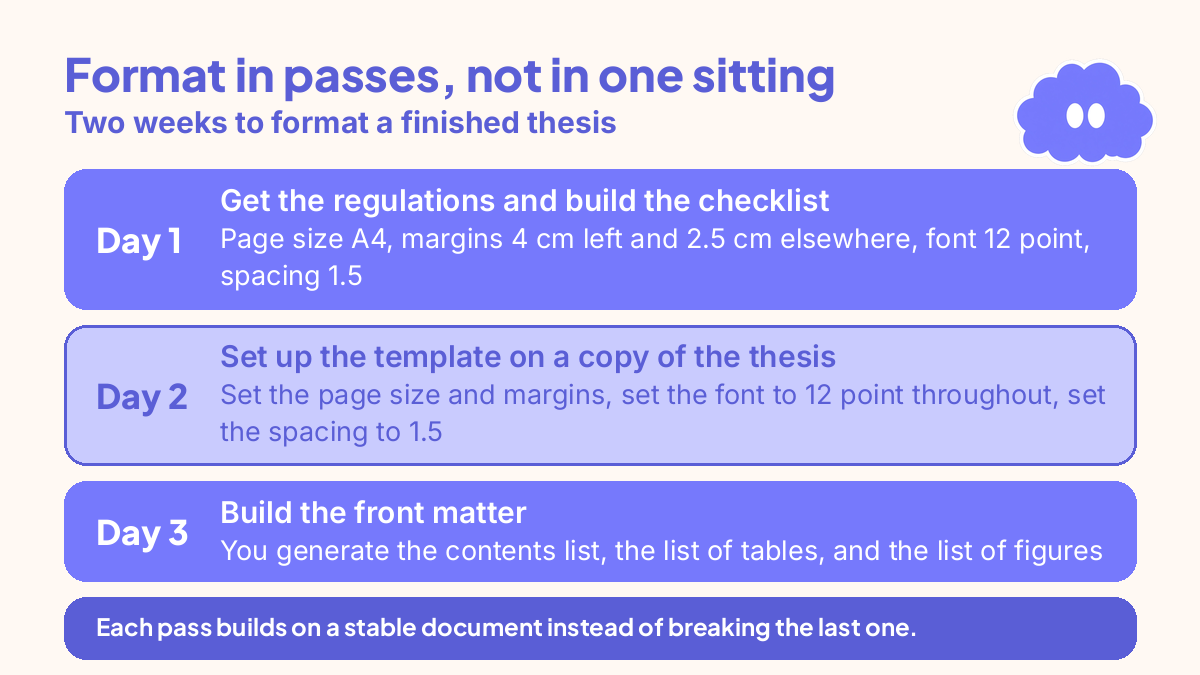
- Day 1: Get the regulations and build the checklist. You copy every formatting rule into a table: page size A4, margins 4 cm left and 2.5 cm elsewhere, font 12 point, spacing 1.5, and the front matter order.
- Day 2: Set up the template on a copy of the thesis. You set the page size and margins, set the font to 12 point throughout, set the spacing to 1.5, and define three heading styles. You turn on the formatting marks and leave them on.
- Day 3: Build the front matter. You check the title page against the submission form, word for word. You generate the contents list, the list of tables, and the list of figures. You set the section breaks so the front matter is numbered i to vii and the main text starts at 1.
- Day 4 and 5: Work through the chapters, one pass for headings and one for figures and tables. You renumber two figures, move one table to sit after the paragraph that mentions it, and turn one wide table to landscape.
- Day 6: Run the references and cross-reference check. You rebuild the references list and find three cited sources missing from it. You update all fields and check every cross-reference. One reference says Figure 7 when the figure is now Figure 8, and you fix it.
- Day 7: Export the PDF and read it through. The title page is right, the contents list matches, and every figure is legible. But one table has split across two pages with no repeated header, and you fix it and re-export.
- Day 8: Send the PDF to your supervisor and ask for a formatting read. She replies: the abstract is 40 words over the limit, and one chapter heading is in the wrong style. You fix both and re-export.
- Day 9: Final check: you open the new PDF, check the title page, contents list, and page numbers, and submit with five days to spare.
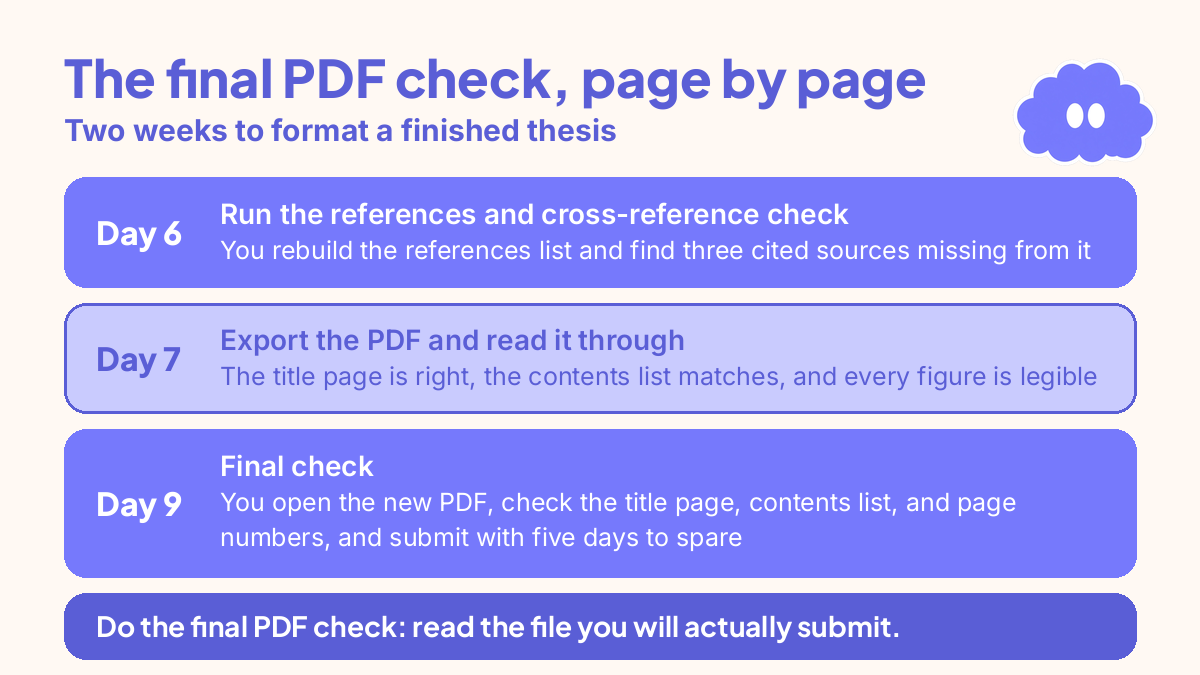
The nine days held no heroics: a checklist, a template, the front matter, the figures, the references, and the PDF. Both catches were found in the PDF check, which is why the check is a step of its own.
When it goes wrong
You formatted the whole thesis, then found the margins were wrong. Go back to the checklist and fix the template first, then reapply the styles, then regenerate the contents list. Fixing the template fixes every page at once.
The page numbers restart in the middle of a chapter. A section break is in the wrong place, or one was deleted during an edit. Turn on the formatting marks, find the breaks, and check each one: only the break before the first chapter should restart numbering at 1.
A figure looks fine in the word processor and blurred in the PDF. The figure was pasted at low resolution, or the export compressed it. Replace it with the original file at full resolution.
Your supervisor’s formatting comments arrive the day before submission. Send the PDF a week early. If the comments still come late, fix the things that break the regulations first: the margins, the page numbers, and the front matter order.
Weekly review checklist
- Is every rule on my checklist copied from my university’s regulations, not from another university’s template?
- Are the page size, margins, font, and spacing set in the template and applied to every page?
- Is the front matter in the right order, with the title page unnumbered and the main text starting at 1?
- Does every figure and table have a number, a title, and a mention in the text before it appears?
- Do the contents list, the list of tables, and the list of figures match the document after the last edit?
- Have I read the final PDF from the title page to the last appendix, and is it the file I am submitting?
Downloadable infographic spec: one vertical image, title “How to format your thesis for submission”, with the six steps from “The system in short” and the six review questions above, in Thynq cream, Cloud Purple, Dark Purple and pink, with the Cloud mascot. Text taken word-for-word from this article.
What this system is not
It is not a substitute for your university’s regulations, which override everything in this article, including the examples. The margins and fonts named here are examples from real university guides, not rules for your thesis. It is not an editing system: fixing the layout does not fix the language, and How to edit and proofread a thesis covers that separately. Formatting alone will not pass your thesis; a well-formatted thesis with weak content is still a weak thesis. And it does not cover the submission portal, the forms, or the fees, which are your university’s process.
Sources
- University of Nebraska at Omaha, Office of Graduate Studies. Thesis and Dissertation Support. Page numbering, a wider left margin for binding, and the set order of the front matter pages.
- Rice University, Graduate and Postdoctoral Studies. Thesis Format Guidelines. Font choices at 12 point, 1.5 or double spacing, and checking the regulations before submitting.
- Dunlosky, J., et al. (2013). Improving students’ learning with effective learning techniques. Psychological Science in the Public Interest, 14(1), 4-58. Distributed practice rated high and rereading rated low, which supports formatting in separate passes rather than one long sitting.
For the wider thesis system behind this one, start with How to build a study system that fits your life.
Questions
What should I check first when formatting a thesis?
Your university’s thesis regulations, before you change anything. Margins, fonts, spacing, page numbers and the order of the front matter all vary by university, and the regulations are the only source that counts. Copy the rules into a checklist and work from that, not from memory.
How long does formatting a thesis take?
A full formatting pass on a finished thesis takes two to three days of steady work, done in passes: one pass for the template and styles, one for the front matter and page numbers, one for figures and tables, and one for the final PDF check. Formatting in one panicked sitting is how page numbers break.
Should I format as I write or at the end?
Set up the template and styles at the start, and leave the detail to the end. If your heading styles, margins and page size are right from the first chapter, the final formatting pass is checking, not rebuilding. Formatting every page as you write it wastes the writing time.
What is the most common formatting mistake in a thesis?
Page numbers that restart in the wrong place, or do not restart at all. Front matter in small Roman numerals, main text in Arabic numerals from 1, and a title page with no number at all is the usual pattern, and it breaks whenever a section break is added or deleted. Check the numbers after every edit.