The direct answer
To use the reading schedule calculator, list every book with its total, how much you have already read, and its deadline, and the calculator tells you how many pages a day will finish each book on time. It plans each book separately and re-plans when you miss a day.
Until you take its one-minute speed test, the calculator assumes about 300 words a page and 200 words a minute, as a starting point, not a measure of you. Your books, plans and speed are saved in your own browser, and Clear my data deletes all of it.
The system in short
- List every book with its real numbers: total, already read, and deadline.
- Read the daily pages number for each book, and check whether the total fits your day.
- Take the one-minute speed test so the time estimates use your own pace.
- Put the daily number into a fixed slot in the day, not into the week in general.
- Log the pages you read each day, and tap “I missed today” when a day slips.
- Review every week: re-plan the list, drop what is finished, and print the plan.
Step 1: List every book with its real numbers: total, already read, and deadline
Open the reading schedule calculator and start with the whole list, not one book at a time. A reading list is a set of deadlines that compete with each other, and planning one book alone hides the competition. Three books due in the same fortnight need a shared plan.
For each book, enter its name, its total in pages or words, how much you have already read, and its deadline. Use the edition in your hands, not a page count from another edition, because editions differ and a wrong total gives a wrong daily number. If the book is measured in words, enter the word total instead. If you have already read 60 pages of a 300-page book, enter 60.
Enter the real deadline for each book, not the date you hope to finish. A seminar date, an exam date and a library return date are three different deadlines, so the calculator needs the true one. If two books share a deadline, enter both with the same date. The combined daily number is the first honest test of the plan: a list that asks for 60 pages a day is not a plan, it is a warning, and it is better to see it now than on the day before the deadline.
Step 2: Read the daily pages number for each book, and check whether the total fits your day
For each book, the calculator divides the pages left by the days left and gives you a daily pages number. A book with 240 pages left and 20 days to the deadline needs 12 pages a day. The total is the size of your reading day.
Judge the total against your real day, not against your hopes. Twelve pages a day is a short session. Twenty pages a day is a real evening commitment. Forty pages a day across two books is a part-time job, and if the total comes out that high, the deadline is the problem, not your discipline. The honest fixes are a later target date, a shorter book, or accepting that one deadline will move.
Round the daily number up to a whole page. A division that gives 15.6 pages a day is a plan for 16 pages a day, because rounding down leaves pages unread on the deadline day. The calculator’s number is already the rounded figure, so use it as it stands. If the total is more than you can hold, cut the list before you cut the days.
Step 3: Take the one-minute speed test so the time estimates use your own pace
Pages per day tells you how much to read, not how long it will take, and a plan without a time estimate is a plan you cannot fit into a day. The calculator offers a one-minute reading speed test for exactly this: read a passage at your normal pace for one minute, then tap the last word you reached.
Take the test on the kind of text you will actually read. A novel and a dense textbook chapter are different speeds, and a test taken on easy text will flatter a plan built on hard text. Read at your normal pace, not your fastest. The test measures speed, not understanding.
Until you take the test, the calculator assumes about 300 words a page and 200 words a minute. Treat those as a starting point, not a measure of you. At 200 words a minute, 22 pages a day is about 6,600 words, which is about 33 minutes of reading. If the calculator says 22 pages a day and your evening holds 30 minutes, the plan fits. If it says 40, it does not. Retake the test when the material changes.
Step 4: Put the daily number into a fixed slot in the day, not into the week in general
A daily pages number only works if it has a time and a place. Choose a fixed slot in the day for reading and attach the number to it: 22 pages, every evening, from 7.00 to 7.35, in the same chair. A number without a slot is a wish, and one with a slot is a habit.
Read in the order the deadlines demand, not in the order you like the books. The book due first gets read first in the slot, and the book due later gets the time that is left. If two books share a deadline, split the slot in the same proportion as their daily numbers: 12 pages of one and 10 of the other. A slot that moves is a slot that disappears.
Keep the reading and the note-taking together. Read the day’s pages, then close the book and write what you remember in two or three lines. That short step turns pages read into material you can use, and it costs five minutes at the end of the slot. The SQ3R reading system for students builds the same habit into a full method, and How to take notes from a textbook shows how to keep the notes short.
Step 5: Log the pages you read each day, and tap “I missed today” when a day slips
Each day, log the pages you read. The calculator keeps a log per book, so the plan always starts from where you actually are, not from where the original plan said you would be. A log takes ten seconds, and without it a missed day is invisible until the deadline arrives.
When a day slips, tap the “I missed today” button. It re-plans the days left by spreading the missing pages over the days that remain, with no doubling up. A missed day on a 20-day plan for a 240-page book moves the pace from 12 pages a day to about 13, not 24. Doubling up after a miss is how reading plans die, because a 24-page day after a missed day is a day you will skip too.
Log honestly, including the days you read less than the target. A day of 8 pages against a target of 12 is still 8 pages read, and the calculator will spread the 4 missing pages over the days left. A day of 0 pages logged as 12 is a lie the plan cannot recover from. The log only works if it tells the truth.
Step 6: Review every week: re-plan the list, drop what is finished, and print the plan
Once a week, spend ten minutes reviewing the list. Check each book: pages left, days left, and the daily number now. Drop the books you have finished, and re-plan the ones that remain.
Use the review to ask the hard question: is the total still realistic? If the daily number has crept up after two missed days, decide now whether to move a deadline, drop a book from the list, or add a second reading slot. Research reading system for students makes the same weekly check for research papers.
Print the plan when you review it, and keep the printed copy where you read. A printed plan on the desk is easier to follow than a plan in a browser tab you have to reopen. When a book is finished and the list is done, Clear my data deletes all of it, and the next list starts clean.
A worked example: two books, 20 days, one evening slot
Your situation: Second-year student, two books to finish in 20 days. Book one is a course textbook, 300 pages, 60 already read, seminar in 20 days. Book two is a novel for a book club, 200 pages, not started, meeting in 20 days. One free evening slot, 7.00 to 7.35.
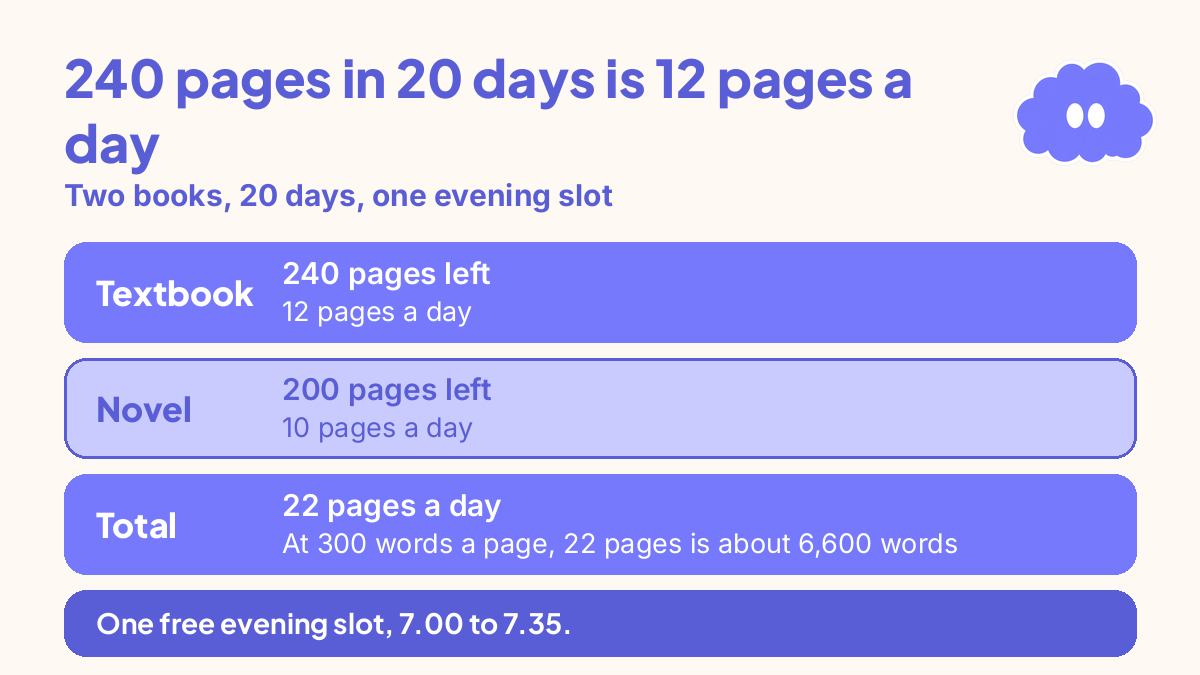
- Monday, 7.00 to 7.35 pm: Enter both books. Textbook: 240 pages left, 20 days, 12 pages a day. Novel: 200 pages left, 20 days, 10 pages a day. Total 22 pages a day. Speed test on the textbook: 190 words a minute, close to the default. At 300 words a page, 22 pages is about 6,600 words, about 35 minutes.
- Tuesday, 7.00 to 7.35 pm: Read 12 pages of the textbook, then 10 of the novel. Log both, and write two lines of notes on the textbook chapter.
- Wednesday: Missed. A shift ran late and the slot disappeared. Tap “I missed today”. The missing 22 pages spread over the 19 days left, so Thursday’s target is 13 pages of the textbook and 11 of the novel.
- Thursday, 7.00 to 7.40 pm: Read 13 pages of the textbook and 11 of the novel. Log both.
- Friday, 7.00 to 7.35 pm: Read 12 pages of the textbook and 10 of the novel. Log both.
- Saturday, 10.00 to 10.35 am: Weekend slot, same numbers: 12 and 10, logged, then review the week.
- Sunday: Day off reading. Fourteen days left, still 12 and 10 a day.
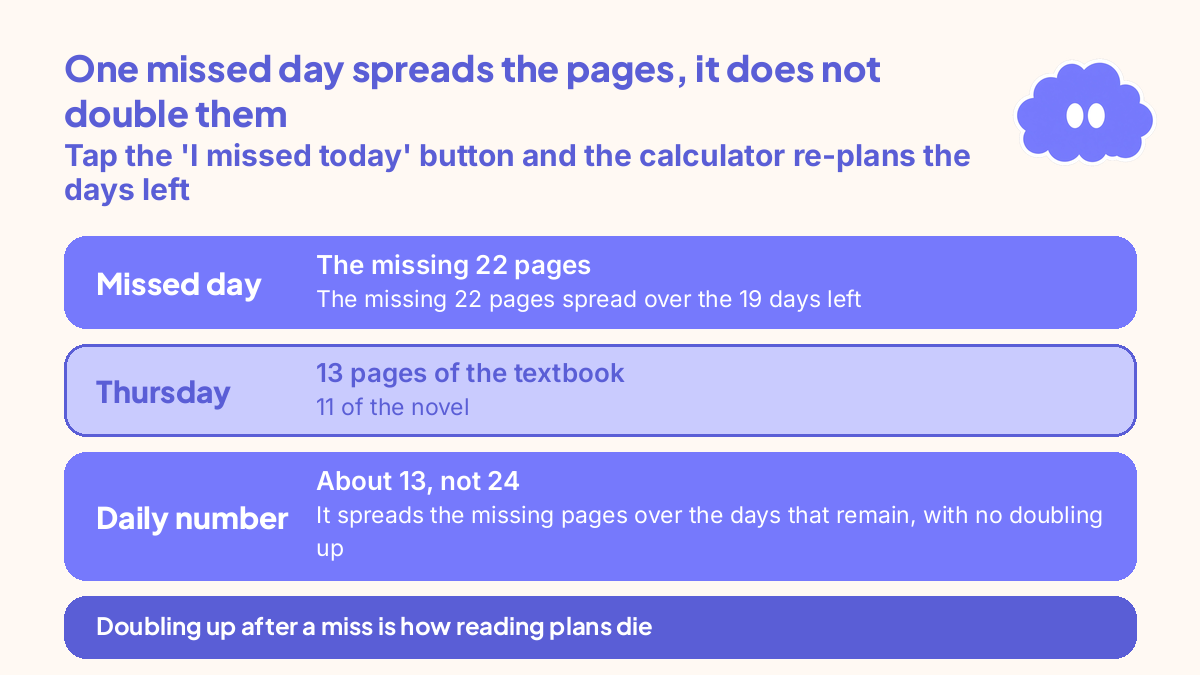
The two books finish on the same day, 20 days after the plan started, because the daily numbers were set from the real deadlines and the missed day was spread instead of doubled.
When it goes wrong
The daily total is more than you can read in a day. Do not read faster. Move a deadline, drop a book from the list, or add a second slot. A total of 40 pages a day against a 30-minute evening is information about the deadline, not about your discipline.
You miss three days in a row and the daily number jumps. Re-plan from where you actually are, and ask whether the deadline still fits. Three missed days on a 20-day plan is a real loss. Moving the deadline a few days is better than a week of doubled sessions that never happen.
You log pages you did not read. Stop. The plan only works from true numbers. Log the real number, tap “I missed today” if the day slipped, and let the plan adjust.
The speed test says you read slowly and the time estimate looks bad. The test is one sample, not a verdict. Retake it on the kind of text you will actually read, and remember the defaults are a starting point. A slow speed on dense text is normal, and the fix is a smaller daily number or an earlier start, not faster reading.
You switch editions mid-book and the page count changes. Re-enter the new total and your current position as a fresh remainder. The plan restarts from the pages left in the edition you are holding. How to read research papers for a thesis covers the same restart for papers.
Weekly review checklist
- How many pages did I read this week, against the daily numbers the calculator set?
- Did I log every day honestly, including the days I read less than the target?
- Did a missed day get re-planned with “I missed today”, or did I try to double up?
- Is the daily total still realistic for the time I actually have each day?
- Is any book finished and ready to drop from the list?
- Is there a deadline in the next two weeks that needs moving, or a book that needs starting earlier?
Downloadable infographic spec: one vertical image, title “How to use the reading schedule calculator”, with the six steps from “The system in short” and the six review questions above, in Thynq cream, Cloud Purple, Dark Purple and pink, with the Cloud mascot. Text taken word-for-word from this article.
What this system is not
It is not a speed reading course, and a one-minute test is a sample, not a training programme. It is not a comprehension test: it will not look up your book or check whether you understood what you read, and logging pages is not the same as learning them. It does not make a 40-page-a-day deadline fit a 30-minute evening. What it does is smaller: it turns a list and two deadlines into a daily number you can hold, and it re-plans honestly when a day slips.
Sources
- Thynq reading schedule calculator (tool page on thynq.org). The calculator’s reading list, per-book plans, daily pages figure, missed-day button, page logging, speed test, defaults, privacy and printing described in this article.
- Dunlosky, J., et al. (2013). Improving students’ learning with effective learning techniques. Psychological Science in the Public Interest, 14(1), 4-58. Practice testing and distributed practice rated high, which supports closing the book and writing what you remember after each day’s pages.
- Cepeda, N. J., et al. (2006). Distributed practice in verbal recall tasks. Psychological Bulletin, 132(3), 354-380. Spaced practice beat massed practice, which supports a steady daily pages number.
For the wider reading system behind this one, start with How to build a study system that fits your life.
Questions
How many pages a day do I need to read to finish by my deadline?
Divide the pages you still have to read by the days left, and round up. A book with 240 pages left and 20 days to the deadline needs 12 pages a day. The calculator does that division for every book on your list at once.
What happens if I miss a day of reading?
Tap the ‘I missed today’ button and the calculator re-plans the days left. It spreads the missing pages over the days that remain, with no doubling up, so the daily number rises a little.
How does the one-minute reading speed test work?
Read a passage at your normal pace for one minute, then tap the last word you reached. The calculator uses your own speed from that one sample. Until then it assumes about 300 words a page and 200 words a minute, stated as a starting point, not a measure of you.
Is my reading list private in the reading schedule calculator?
Yes. Your books, plans and speed are saved in your own browser on the device, and nothing is sent anywhere. Clear my data deletes all of it.