The direct answer
How to make a revision timetable that works: start from your real hours, put the hardest topic first, and leave gaps. Take your fixed commitments, count the hours that are actually free, split them into 90-minute blocks, one topic per block, and leave one day a week free. Then fix the timetable every Sunday. That is the whole system.
You have made a timetable before. It was beautiful: colour-coded, every hour planned, eight hours of study a day, starting at 7am. By Wednesday you had missed two blocks, by Friday you had stopped looking at it, and by the next Monday it was a piece of paper you felt guilty about. The timetable did not fail because you are lazy. It failed because it was built for a person who does not exist — one with no classes, no tiredness, and no life.
A timetable that works is built the other way round. It starts from the life you actually have: the classes you cannot move, the work shifts, the meals, the sleep. It counts the hours that are really free, and it plans fewer of them than you think you have. It sits inside how to revise for exams without cramming, and it is the weekly version of the month plan in how to revise when you have one month left.
The system in short
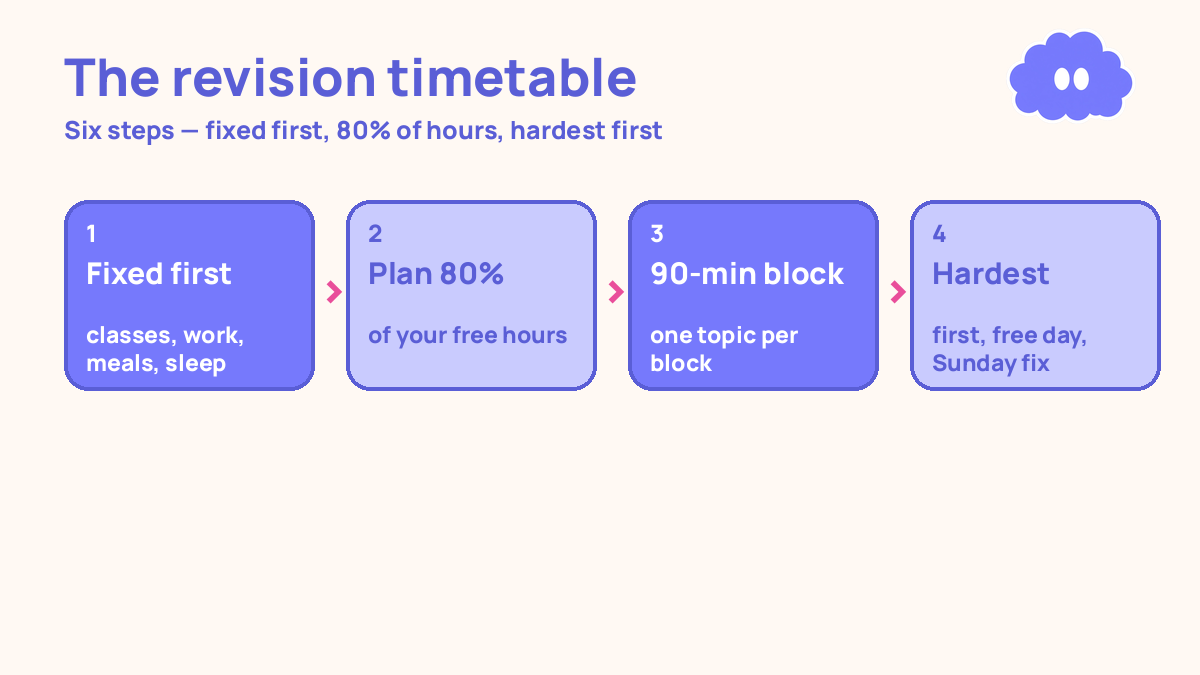
- Write down every fixed commitment first: classes, work, meals, sleep, travel.
- Count the hours that are actually free, then plan only 80% of them.
- Split the free hours into 90-minute blocks, one topic per block.
- Put the hardest topic in the first block of the day.
- Leave one full day a week free, and leave 30-minute gaps between blocks.
- Fix the timetable every Sunday: keep what worked, move what did not.
Step 1: Write down every fixed commitment first
Open a blank week and fill in what you cannot move before you plan any study. Classes, lectures, labs. Work shifts. Meals, with real times. Sleep — eight hours, with a fixed bedtime and wake time. Travel time. Anything else fixed, like prayers, family commitments, or a regular appointment.
This step is first because it is the step everyone skips. A timetable built on top of your commitments works. A timetable built as if your commitments do not exist fails on day one, because the first class you have to attend breaks it. Be honest about the fixed things. A timetable that pretends you have no classes is a fantasy, and a fantasy timetable is worse than no timetable.
Step 2: Count the hours that are actually free, then plan 80% of them
Add up the free hours. A typical student with classes might have 20 to 25 free hours a week. A working student might have 12. Whatever your number is, plan only 80% of it. If you have 20 free hours, plan 16. If you have 12, plan 10.
The 20% you leave unplanned is not laziness. It is the space for the things that always happen: a class that runs over, a bad night’s sleep, a friend who needs help, a day when you are simply tired. A timetable with no slack breaks the first time life happens. A timetable with slack bends and keeps going.
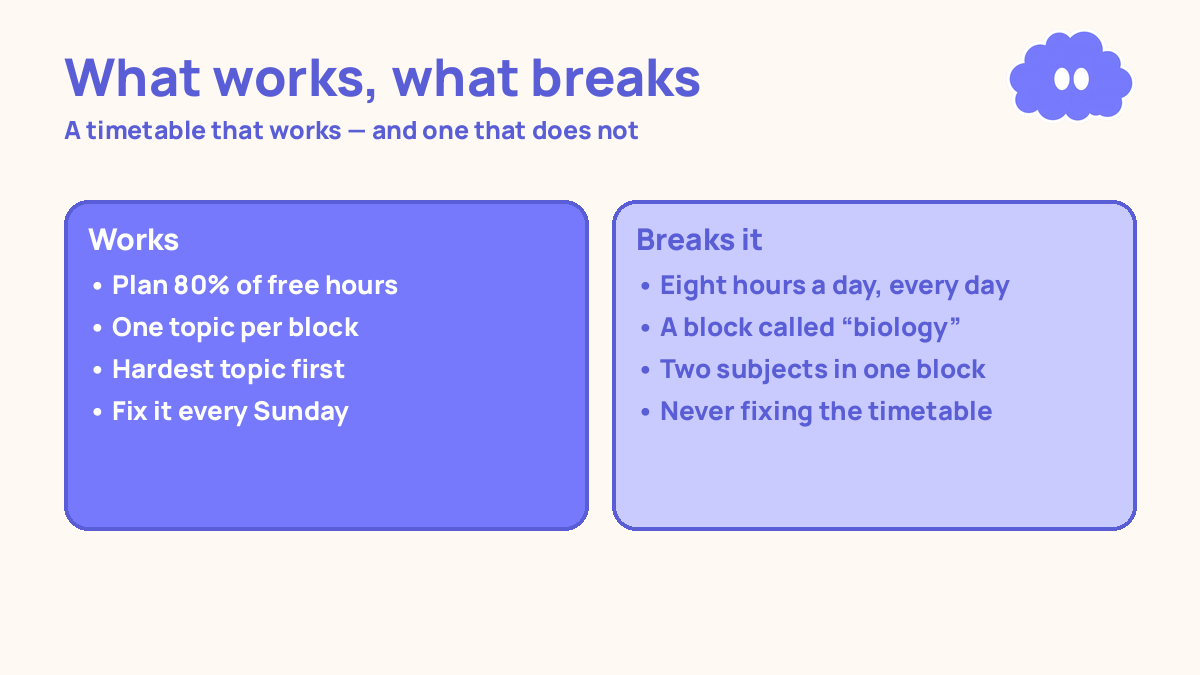
This is also the step where you stop lying to yourself about how many hours you can do. Eight hours a day, seven days a week, is 56 hours. Nobody studies 56 hours a week. Three to four focused hours a day, six days a week, is 18 to 24 hours — a serious amount of revision.
Step 3: Split the free hours into 90-minute blocks, one topic per block
Divide the planned hours into 90-minute blocks. A 90-minute block is long enough to do real work and short enough to finish. Each block holds one topic, and only one topic. “Monday 9:00–10:30: cell division” is a block. “Monday 9:00–10:30: biology” is not — it is a wish with a time attached.
Each block has the same shape: 10 minutes to look at the notes, 50 minutes to test yourself from memory, 30 minutes to check your answers. The 50 minutes of testing is the work — in a 2013 review, Dunlosky and colleagues rated practice testing and distributed practice as the only two high-utility techniques; re-reading was rated low.
Write the blocks on the timetable with the topic name, not the subject name. “Cell division” tells you what to do when you sit down. “Biology” tells you nothing, and you will spend the first ten minutes of the block deciding what to do — which is how blocks get wasted.
Step 4: Put the hardest topic in the first block of the day
The first block of the day gets the hardest topic. Not the easiest, not the one you like most — the one you are worst at, the one you have been avoiding, the one worth the most marks. Do it first, while you have the most energy and the fewest distractions.
The rule also works in reverse: the last block of the day gets the easiest topic, or a re-test of something you already covered. Ending the day with something you can do well means you finish with a finished block instead of a failed one, so you start tomorrow willing to sit down again.
Step 5: Leave one full day free, and gaps between blocks
Leave one day a week free. Not a light day — a free day. No blocks, no guilt, no “just one hour”. The free day is rest, and it is the catch-up day: if you missed a block during the week, the free day is when you do it, without breaking the timetable.
Leave 30-minute gaps between blocks. A block that ends at 10:30 and the next one that starts at 10:30 is a timetable that assumes you teleport, eat nothing, and never need a break. A 30-minute gap is for food, water, a walk, and the phone. It is also for the block that runs over — and blocks run over.
One missed day does not reset anything. Keep going the next day.
Step 6: Fix the timetable every Sunday
A timetable is not a document. It is a draft, and the draft gets fixed every Sunday. Sit down for 20 minutes and ask four questions: which blocks did I actually do, which did I miss, which topics are still weak, and what changes next week?
Keep what worked. If the 9am block worked and the 4pm block never happened, move the 4pm block to the morning. If a topic took two blocks instead of one, give it two blocks next week. If a topic is done — you tested it twice and got everything right — take it off the timetable and put a weaker topic in its place. The weekly study planner for students is the same fix in planner form.
Write the changes as if-then plans: “If I sit down at 9am on Monday, then I test myself on electrolysis.” An if-then plan names the cue and the action in advance, so starting does not need a fresh decision. Across 94 studies, if-then plans raised goal attainment by a medium-to-large amount (d = 0.65) over holding the goal alone (Gollwitzer & Sheeran, 2006).
When the deadline is one exam rather than a week, the arithmetic gets tedious: which topic on which day, and when each re-test falls. The revision planner does that part — exam date and topic list in, day-by-day blocks out, with the reviews spaced for you.
Coursework deadlines sit around the exam too, and they are easy to lose track of while you build the timetable. The assignment and deadline tracker keeps every one in a single list, sorted by due date, with what is due this week at the top and overdue work in red — so the timetable is built on the real list, not on memory.
A worked example: how to make a revision timetable that works — a week with morning classes
You have classes Monday to Friday, 8:00–12:00. Your exam is in three weeks. You have 20 free hours a week, so you plan 16 — eight 90-minute blocks, with two spare hours left unplanned. Each topic gets a first block and a re-test block two days later. Saturday is the past-paper day. Sunday is free, with a 20-minute fix in the evening. The two unplanned hours are the slack — if a class runs over on Tuesday, the Tuesday 4:00 block slides into the slack instead of breaking the week.
| Day | Block 1 | Block 2 | Notes |
|---|---|---|---|
| Monday | 2:00–3:30 cell division | 4:00–5:30 osmosis re-test | Hardest topic first |
| Tuesday | 2:00–3:30 genetics | 4:00–5:30 cell division re-test | Re-test after 2 days |
| Wednesday | 2:00–3:30 ecology | 4:00–5:30 genetics re-test | Re-test after 2 days |
| Thursday | 2:00–3:30 electrolysis | 4:00–5:30 ecology re-test | Re-test after 2 days |
| Friday | 2:00–3:30 mole calculations | 4:00–5:30 electrolysis re-test | Re-test after 2 days |
| Saturday | 9:00–10:30 timed past paper | 11:00–12:30 fix wrong answers | Past-paper day |
| Sunday | Free | 20 min evening fix | Fix next week’s timetable |
Before you fill the grid, it helps to know how much grid there is. The exam countdown turns the days left into focus sessions from the days and minutes you can actually study, and the spaced repetition scheduler tells you which topic to re-test on which day once the timetable is running.
When it goes wrong
You plan eight hours a day and do three. The timetable was built for a person who does not exist. Cut it to the hours you actually did this week, not the hours you wished you did. A timetable with three hours that you follow beats one with eight hours that you abandon.
You miss a day and try to do two days of work the next day. Do not. Two days of work in one day is how you burn out and miss the day after that too. Do the next block when you can, and let the missed block go — or move it to the free day. One missed day does not reset anything.
Every block is “biology” with no topic named. You sit down, spend ten minutes deciding what to do, and the block is half gone before you start. Fix it on Sunday: every block gets a topic name, not a subject name. “Cell division” tells you what to do. “Biology” does not.
You never fix the timetable, so it slowly stops matching your life. A class moves, a topic takes longer than planned, and the timetable becomes a document you ignore. The Sunday fix is the system. Twenty minutes, four questions: which blocks did I do, which did I miss, which topics are still weak, what changes next week?
Weekly review checklist
Copy this list and use it each week:
- How many of the planned blocks did I actually complete this week?
- Which topics got a re-test two days after the first block, and which did not?
- What is still weak after two passes, and does it need a third block next week?
- What one change will I make to the timetable next week: a moved block, a cut topic, or an earlier start?
Downloadable infographic spec: one vertical image, title “The revision timetable”, with the six steps — fixed commitments first, plan 80% of free hours, 90-minute blocks one topic each, hardest topic first, one free day a week, fix it every Sunday — and the rule “one topic per block, never two” in Thynq cream, Cloud Purple, Dark Purple and pink, with the cloud mascot. Text taken word-for-word from this article.
What this system is not
It is not a promise of a grade, and it is not a claim that a timetable alone makes you revise. A timetable is a plan, not work. It is a way to make sure the hours you have go to the topics that need them most, in blocks you can actually finish, with gaps for the life that always happens. If the timetable does not match your real week, fix the timetable — do not blame yourself for not matching it.
Sources
- Dunlosky, J., et al. (2013). Psychological Science in the Public Interest, 14(1), 4-58. Only practice testing and distributed practice rated high utility; rereading rated low.
- Lally, P., et al. (2010). European Journal of Social Psychology, 40(6), 998-1009. Median 66 days for a new behaviour to feel automatic, range 18-254; one missed day did not reset it.
- Gollwitzer, P. M. & Sheeran, P. (2006). Advances in Experimental Social Psychology, 38, 69-119. Across 94 studies, if-then plans raised goal attainment (d = 0.65).
Questions
How many hours a day should a timetable have?
As many as your real life allows. For most students that is three to four focused hours a day. A timetable with eight hours you never follow is worse than one with three hours you do.
What if I miss a day on my timetable?
Nothing breaks. One missed day does not reset a habit, and it does not ruin a timetable. Do the next block when you can, and do not try to do two days of work in one day to catch up.
Should I timetable every hour of the day?
No. Timetable the study blocks and the fixed commitments — classes, work, meals, sleep. Leave the rest blank. A timetable that plans every hour is a timetable you will abandon by Wednesday.
How do I fit in two subjects?
Give each subject its own block, never two subjects in the same block, and rotate them across the week. Monday and Wednesday for biology, Tuesday and Thursday for chemistry, for example — one subject per block, every time.