
The direct answer
To cite a website in Harvard style, write (Author, Year) in your text and add one full entry to your reference list: Author (Year) Title of page. Available at: URL (Accessed: Day Month Year). Collect the author, year, page title, URL and access date before you write, and check which Harvard version your university uses first.
Learning how to cite a website in Harvard style starts with one fact: a book has a fixed author, year and pages, but a web page can be updated, moved or deleted, its author is often an organisation, and its date is often missing. This article gives you that system, and shows you how the citation generator does the same job.
The system in short
- Check which Harvard your university wants before you write anything.
- Collect the five details the reference needs: author, year, page title, URL and access date.
- Write the in-text citation as you draft, beside every fact the page gave you.
- Build the reference list entry from one template, with the page title in italics.
- Handle the awkward cases: no author, no date, organisation as author, quoting.
- Run the five-minute check, then let the tool build the list.
Step 1: Check which Harvard your university wants
Harvard is a family of styles, not one single rulebook. Most UK and Australian universities follow Cite Them Right, but your university’s own guide always wins where the two differ.
Open your university’s referencing guide and find its website page. Note three things: the exact form of the access date (Cite Them Right writes (Accessed: 17 October 2026)); what it wants when there is no date (Cite Them Right writes (no date), some guides write (n.d.)); and whether it wants the website name written separately (Cite Them Right does not).
If your course handbook names APA or MLA instead of Harvard, stop: the rules here do not apply, and APA usually drops the access date. Do not mix styles in one essay.
Step 2: Collect the five details before you write
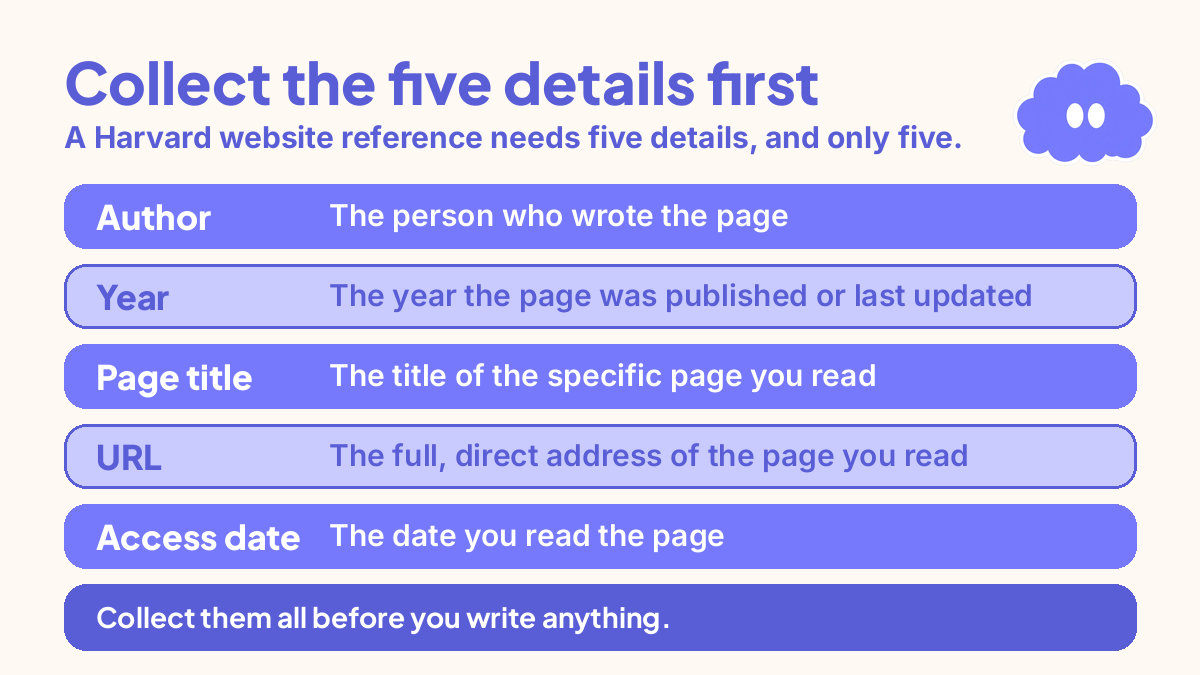
A Harvard website reference needs five details, and only five. Collect them all before you write anything.
Author. The person who wrote the page, or the organisation that published it. Look at the byline, the footer and the About page. An organisation is a perfectly good author. A search engine is never the author: Google is the tool you used to find the page, not the page itself.
Year. The year the page was published or last updated. Prefer “last updated” when it is given.
Page title. The title of the specific page you read, exactly as printed. Take it from the page itself, not the browser tab, which often shortens it.
URL. The full, direct address of the page you read. No link shorteners, and no homepage when you read a deep page.
Access date. The date you read the page, in the form Day Month Year. This is the detail students most often drop, and it is not optional decoration.
Keep a running list as you research: one line per page, five details, in the order above. How to manage references for a thesis shows how to grow that list as you read.
Step 3: Write the in-text citation as you draft
The in-text citation is the short pointer inside your text. For a website it is only ever the author and the year, never the URL. The URL lives in the reference list, and nowhere else.
Write the citation as you draft, beside every fact the page gave you. Do not leave it until the end.
The forms are simple. One author: (Nguyen, 2025), or Nguyen (2025) argues that, when the name belongs in the sentence. Two authors: name both, joined by “and”, as in (Patel and Brooks, 2024). Three authors: name all three. Four or more: name the first author only, followed by et al., as in (Sharma et al., 2026).
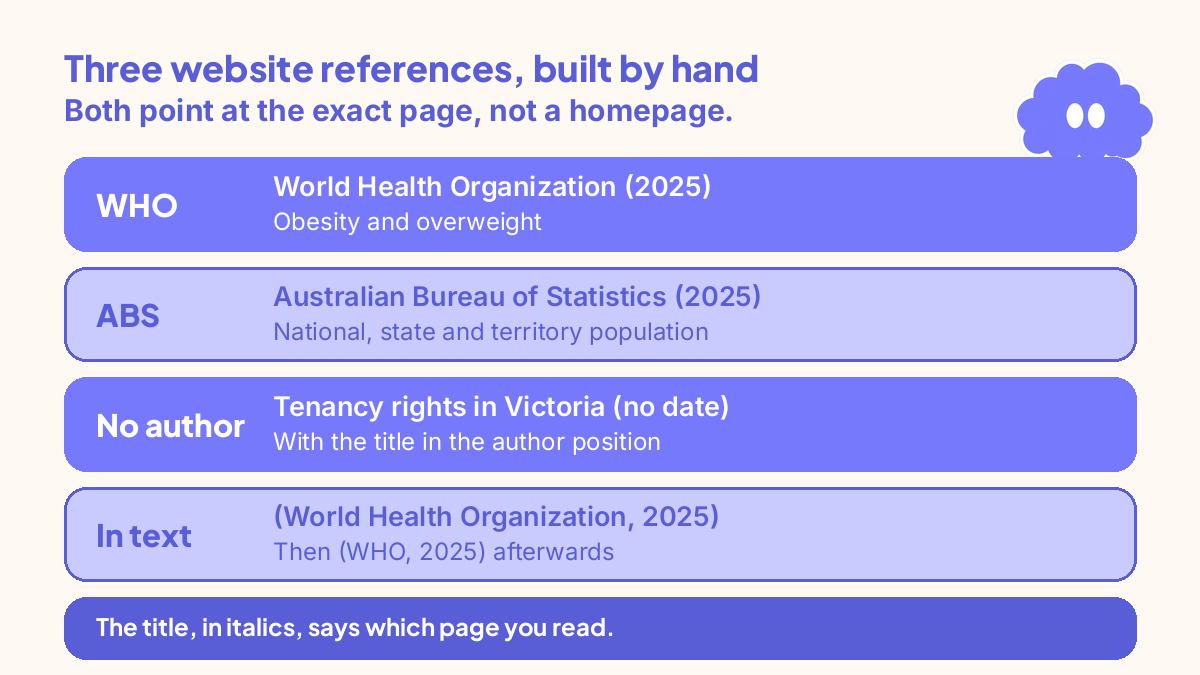
An organisation as author is cited in full the first time, with an abbreviation if you will reuse it: (World Health Organization [WHO], 2025), then (WHO, 2025) afterwards. A page with no author is cited by its title, in italics, as in (Tenancy rights in Victoria, no date). A page with no date uses (no date) in place of the year. Quoting from a web page needs the paragraph number, because pages have no page numbers: (Nguyen, 2025, para. 4).
Step 4: Build the reference list entry from the template
The reference list sits at the end of your work, in alphabetical order by author surname or organisation name. Books, articles and websites sit in the same list.
The template for a website in Cite Them Right Harvard is one line:
Author Surname, Initial. (Year) Title of page. Available at: URL (Accessed: Day Month Year).
Each part earns its place. The author and year let the reader find the entry from your in-text citation. The title, in italics, says which page you read. “Available at:” introduces the full URL, and the access date records the version you saw. Nothing else goes in: no publisher and no place of publication, because a web page has neither.
The italics go in one place only. The page title is italic. The URL, the access date and “Available at:” are plain text.
Two worked entries:
World Health Organization (2025) Obesity and overweight. Available at: www.who.int/news-room/fact-sheets/detail/obesity-and-overweight (Accessed: 17 October 2026).
Australian Bureau of Statistics (2025) National, state and territory population. Available at: www.abs.gov.au/statistics/people/population/national-state-and-territory-population (Accessed: 17 October 2026).
Both use an organisation as author, written in full, and both point at the exact page, not a homepage. If you cite a book chapter as well as websites, the rules change: the chapter needs an editor, a book title and a page range. How to cite a chapter in an edited book works through that format the same way.
Step 5: Handle the awkward cases with a fixed rule each
Most website references are standard. The ones that cost marks are the awkward ones, and each has one fixed rule.
No author. Use the organisation that published the page, named in the header, footer or About page. If no author or organisation can be found at all, move the page title into the author position, keep it in italics, and alphabetise by the title’s first main word: Tenancy rights in Victoria (no date) Available at: www.tenancyvictoria.example.org/rights (Accessed: 17 October 2026).
No date. Write (no date) in place of the year, in the reference list and in your in-text citations. Check the page footer, the article header and any “last updated” note first. If none exists, (no date) is the honest answer. Some university guides write (n.d.) instead, which is why Step 1 matters. Use your guide’s form.
Organisation as author. Write the organisation in full, exactly as it writes its own name. Do not shorten it in the reference list.
A blog post, a news article or a PDF report. A blog post follows the same shape as any page: the post’s author, the post’s title in italics, the URL and the access date. A news article uses the journalist as the author, not the outlet; only use the outlet when there is genuinely no byline. A PDF report uses the URL of the PDF itself, not the landing page you downloaded it from.
Step 6: Run the five-minute check, then let the tool build the list
When every entry is drafted, run the same five-minute check on each one before you submit. Author found on the page itself, spelled as the page spells it? Year taken from the page or its release note, or honestly marked (no date)? Page title copied in full, in italics? Full direct URL, no shortener, pointing at the page you read? Access date in the (Accessed: Day Month Year) format? In the text, only (Author, Year), with no link anywhere in the sentence?
The citation generator formats references in APA 7, MLA 9 and Harvard, and it covers four source types: book, journal article, website, and chapter in an edited book. It does not cover magazine articles or encyclopaedia entries. For a website in Harvard, it asks for the author, the year, the page title, the URL and the date you looked at it. It does not ask for the site name in Harvard: Cite Them Right does not use it. Your references stay in a list on the device, sorted A to Z, ready to copy or print.
Two honest limits. The tool formats what you type. It cannot check your author or year, and it cannot look up a DOI, an ISBN or a web address and fill in the details for you. Run the five-minute check on the tool’s output exactly as you would on your own. For essays that lean heavily on websites, how to write a literature review system shows how to turn a pile of sources into an argument.
A worked example: an essay on obesity and population health
Your situation: Maya is a second-year student with an essay on obesity and population health due in ten days. She has three web sources: a World Health Organization fact sheet, an Australian Bureau of Statistics population page, and a tenancy rights page with no author and no date, for a second essay on housing.
7.00 to 7.15. Maya opens her university guide. It follows Cite Them Right Harvard, writes (no date) for undated pages, and wants the access date as (Accessed: Day Month Year).
7.15 to 7.45. Maya collects the five details for each page. WHO fact sheet: World Health Organization, 2025, Obesity and overweight, www.who.int/news-room/fact-sheets/detail/obesity-and-overweight, accessed 17 October 2026. Statistics page: Australian Bureau of Statistics, 2025, National, state and territory population, www.abs.gov.au/statistics/people/population/national-state-and-territory-population, accessed 17 October 2026. Tenancy page: no author, no date, Tenancy rights in Victoria, www.tenancyvictoria.example.org/rights, accessed 17 October 2026.
7.45 to 8.15. Maya drafts two paragraphs and writes the in-text citations as she goes: (World Health Organization, 2025) beside the obesity figures, and (Australian Bureau of Statistics, 2025) beside the population figures. Then she builds the two reference entries from the template. The tenancy page becomes its own entry for the housing essay, with the title in the author position and (no date) in place of the year.
8.15 to 8.45. Maya checks the awkward cases. The WHO page is an organisation as author, written in full in the list and shortened to (WHO, 2025) only in later in-text citations.
8.45 to 9.00. Maya types all three into the citation generator to check her formatting. Two entries match her hand-built versions exactly. The third shows her she had forgotten the access date, and she adds it.
When it goes wrong
You cite the homepage, not the page. You read one article and cite the site’s front page. The reader cannot find your claim. Fix it by citing the exact page you read.
You guessed the year. The page showed no date and you copied the year from a search result. Fix it by writing (no date).
You pasted the URL into your sentence. Fix it by deleting the URL from the text and putting it only in the reference list entry, after “Available at:”.
You used the website name as the author. The entry reads “BBC (2025)” when the article has a named journalist. Fix it by using the byline as the author and letting the URL carry the site name.
You left out the access date. Fix it by adding (Accessed: Day Month Year).
You mixed two Harvard versions. Half the entries write (no date) and half write (n.d.). Fix it by picking your university’s version in Step 1 and checking every entry against it.
Weekly review checklist
- Does every website entry in this week’s essays have all five details, including the access date?
- Is every in-text citation for a website just (Author, Year), with no URL in any sentence?
- Does every reference list entry have the page title in italics and nothing else italicised?
- Did you check your university guide’s Harvard version before writing, or after?
- Which mistakes appeared this week, and are they on your list?
- Are the five details for every website saved together?
Downloadable infographic spec: one vertical image, title “How to cite a website in Harvard style”, with the six steps from “The system in short” and the six review questions above, in Thynq cream, Cloud Purple, Dark Purple and pink, with the Cloud mascot. Text taken word-for-word from this article.
What this system is not
This system is not a substitute for your university guide. Harvard is a family of styles, and your guide wins wherever it differs from Cite Them Right. It is not a way to make weak sources strong. A page with no author and no date is still weak evidence. The tool does not check your work for you: it formats what you type, so a wrong author typed carefully still comes out wrong.
Sources
- Thynq citation generator. The tool page on thynq.org, read 18 November 2026. Supports the tool description in this article: four source types, three styles, the website fields, and the list, copy, print and export features.
- RozContent Study Blog. How to Cite and Reference a Website in Harvard Style (Format + 8 Worked Examples). Read 18 November 2026. Supports the Cite Them Right Harvard website format and the worked examples.
For the full system behind this method, start with how to build a study system that fits your life.
Questions
How do I cite a website in Harvard style?
Write (Author, Year) in your text, then add one full entry to your reference list: Author (Year) Title of page. Available at: URL (Accessed: Day Month Year). The page title goes in italics. Collect the author, year, page title, URL and access date before you write, and check which version of Harvard your university uses first.
Do I need an access date for a website in Harvard style?
Yes. In Cite Them Right Harvard, every website reference ends with the date you read the page, written as (Accessed: Day Month Year). Web pages change or disappear, so the access date records the version you actually used. Books and journal articles do not need one, because they do not change after publication.
What do I do if a website has no author in Harvard style?
Use the organisation that published the page as the author, written in full. If no author or organisation can be found, move the page title into the author position, keep it in italics, and alphabetise the entry by the title’s first main word. Never use a search engine as the author.
What do I do if a website has no date in Harvard style?
Write (no date) in place of the year, in the reference list and in your in-text citations. Check the page footer and any last updated note first. If none exists, (no date) is the honest answer. Never guess a year, because a copied or estimated year is worse than admitting there is none.