The direct answer
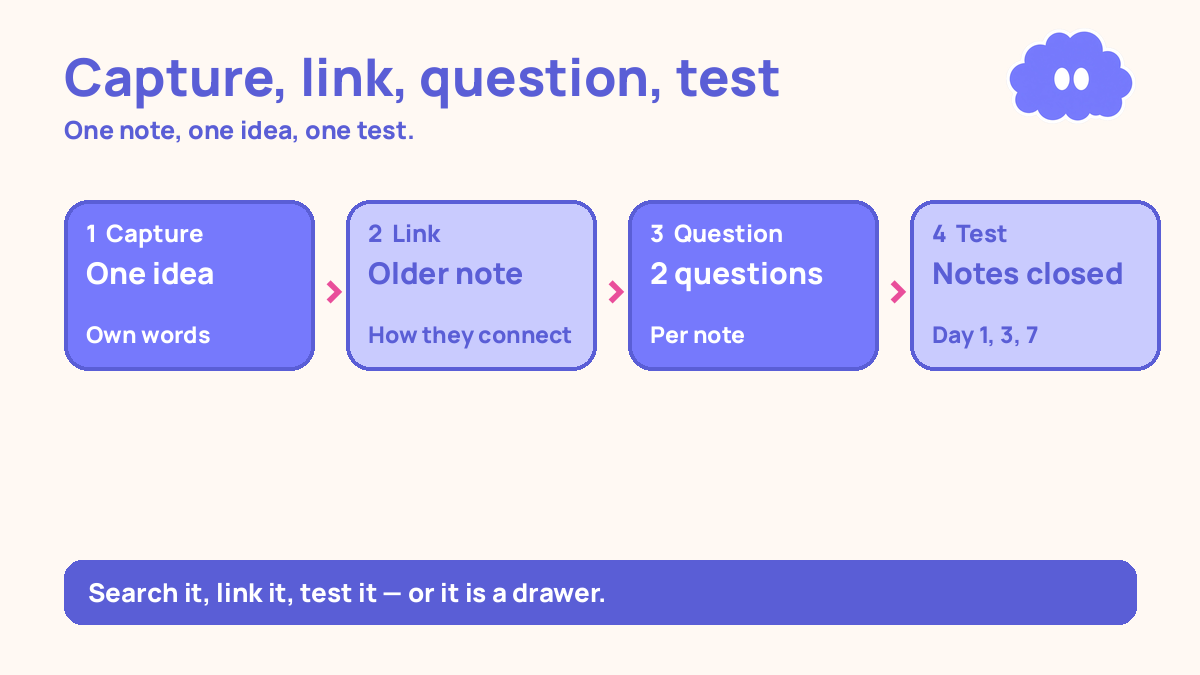
Use your laptop’s notes app as a second brain: capture every idea in one app, in your own words, on one page per idea — then search it, link notes about the same idea together, and test yourself from it every week. That is the whole system.
The notes app already on your laptop is the most boring tool you own, and that is why it works. It opens fast, it searches everything you have written, and it is already there — no account, no new app to learn, no money. The problem is how most students use it: as a drawer. Lecture notes go in, the drawer fills up, and nothing ever comes back out.
A second brain is not a drawer. It is a place where notes get used: searched when you forget, linked when two ideas connect, and turned into questions you test yourself on. If a note is never searched for and never tested, it is storage, not study. In one study, students who practised free recall remembered far more a week later than students who built concept maps, even though the concept-mappers felt most confident (Karpicke & Blunt, 2011).
This system is different from the notes system that you can actually review, which is about writing notes you will come back to. This one is about what the notes app itself does: search, links, and a weekly test. It also feeds the research reading system for students — every paper you read becomes one note, linked to the notes it agrees or disagrees with.
The system in short
- Pick one notes app already on your laptop, and put the week’s notes there.
- Capture one idea per note, in your own words, with a title you would actually search for.
- Link each new note to one older note about the same idea, with one line saying how they connect.
- Turn every note into two questions, written at the bottom of the note.
- Once a week, search the app for the week’s ideas and test yourself on the questions, notes closed.
Step 1: Pick one app and put the week’s notes there
Pick one notes app already on your laptop — the one that came with it. Not the best notes app, not the one a video recommended. The one you already have, that opens in one click.
Put this week’s notes in that one app, and nowhere else. If your notes are spread across three apps, do not spend the week moving them. Moving old notes feels productive and teaches nothing. New notes go in the one app. Old notes stay where they are until you need one — then you move just that one.
Give the app one job for the week: hold this week’s ideas, in a form you can search and test. If the app has folders, make three: this week, questions, and archive. Do not build a folder system with twelve categories. Three folders is a system; twelve is a project, and the project will eat the week.
Step 2: One idea per note, in your own words
Write one idea per note. Not one lecture per note, not one chapter per note — one idea. A lecture covers ten ideas, and a note that holds all ten is a page you will never re-read, because re-reading a whole lecture feels like work and teaches little. One idea per note is a page you can test yourself on in two minutes.
Write the idea in your own words, not copied from the slides. Copying is storage. Writing it in your own words is the first test: if you cannot say it in your own words, you do not know it yet. That is self-explanation — explaining why each step works, in your own words — and across 64 reports it produced a moderate average benefit (Bisra et al., 2018).
Title the note with words you would actually search for later. Not “Lecture 7” — you will never search for that. Title it with the idea: “Why spaced practice beats cramming”. The title is how you find the note again, and a note you cannot find is a note you never wrote.
Step 3: Link each new note to one older note
When you write a new note, link it to one older note about the same idea, and write one line saying how they connect: “This agrees with the note on testing, but adds the gap rule”. The link is the thinking. Two notes with no link are two separate facts. A link between them is an idea you can use.
Do not link everything to everything. One link per new note, to the single older note it connects to most. One link is a decision: this new idea belongs with that old one, for this reason. If you cannot find an older note it connects to, the idea is new, and it needs a question of its own before it needs a link.
This is where the “second brain” name earns itself. A brain is not a drawer full of facts. It is facts connected to each other, so that thinking of one brings the other. The links do that work, one line at a time.
Step 4: Turn every note into two questions
At the bottom of every note, write two questions the note answers. Not a summary — questions. “What two techniques did Dunlosky rate high utility?” A summary is something you read. A question is something you answer, and answering from memory is the test.
Write the questions so the answer is the idea in the note — not a single word, and not the whole note. A question whose answer is one word tests recognition. A question whose answer is the whole note tests nothing. A question whose answer is the idea, in two or three sentences, is a test you can actually do.
Do this when you write the note, not later. Later never comes, and a note without questions is a note you will re-read instead of testing yourself on. In a 2013 review, Dunlosky and colleagues rated practice testing as one of only two high-utility techniques, and re-reading as low.
Step 5: Once a week, search and test
Once a week, sit down with the app and test yourself. Search for the week’s ideas and see whether the right notes come up. If they do not, the titles are wrong, and you fix them now, while the ideas are still fresh.
Then test yourself on the questions. Pick the week’s notes, close them, and answer the two questions on each one from memory. Score yourself honestly: right, half-right, wrong. The wrong ones go back on next week’s list, each with a new question targeting exactly what you got wrong.
Test each note on day 1, day 3, and day 7 — a practical starting schedule, not a research rule. The research says spacing beats massing, and the right gap grows with how long you need to remember the material (Cepeda et al., 2006). If practice feels easy and fluent, that is performance, not learning — the test after a gap is the honest check (Bjork & Bjork, 2011).
A worked example: 12 notes, 24 questions, one week
This is a worked example, with the article’s own numbers — not a real student, and not a promise of a grade.
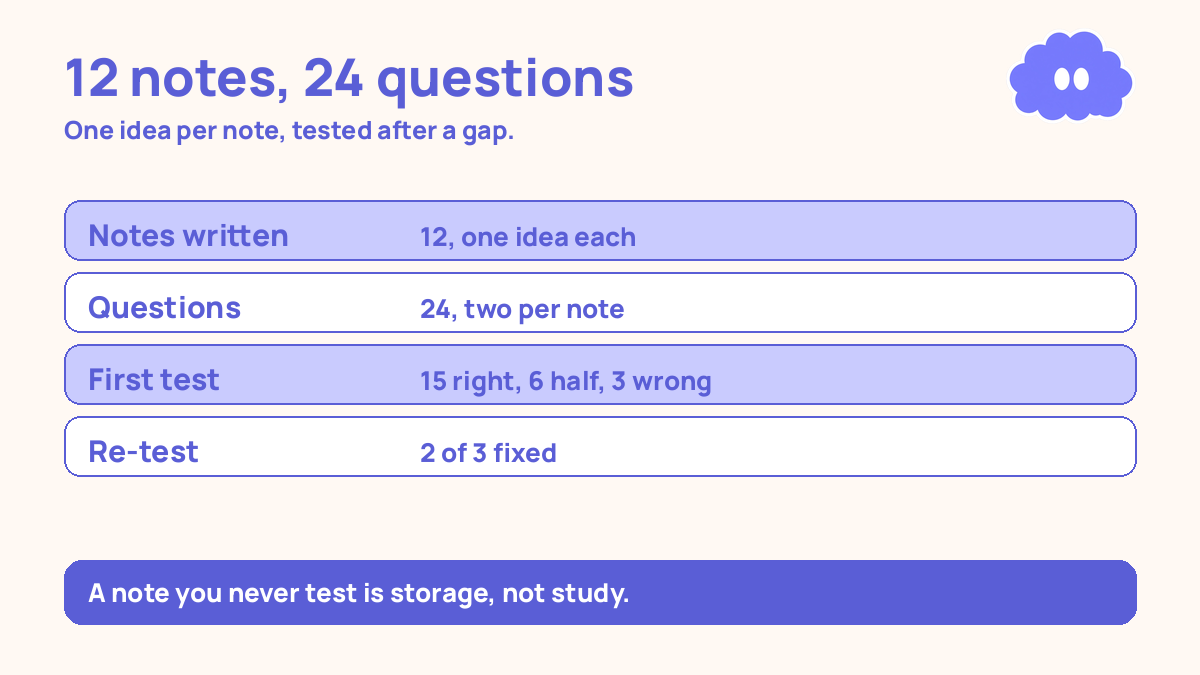
You are studying psychology, and the week’s topic is how memory works. Monday to Friday, you write two notes a day in the notes app already on your laptop. Twelve notes by Friday, one idea each.
Monday to Friday — capture: Each note gets a title you would search for, one link to an older note, and two questions at the bottom. Twelve notes, twelve links, twenty-four questions. About fifteen minutes a day, on top of the reading.
Saturday — the weekly test: You search the app for “testing” and “spacing” and the right notes come up first. Then you close the notes and answer all twenty-four questions from memory. First try: 15 right, 6 half-right, 3 wrong. The three wrong ones go back on next week’s list, each with a new question targeting the exact gap.
Sunday — the check: You re-test just the three wrong questions. Two right, one still wrong. That one stays for Monday.
| What you counted | The week’s numbers |
|---|---|
| Notes written | 12, one idea each |
| Questions written | 24, two per note |
| First weekly test | 15 right, 6 half-right, 3 wrong |
| Re-test of the wrong 3 | 2 right, 1 still wrong |
| Notes found by search | 11 of 12 on the first try |
When it goes wrong
You copy the slides into the app. Then the app is a drawer, and the notes are storage. Write each idea in your own words, one idea per note.
You build a folder system with twelve categories. Then the week goes into organising, and nothing goes into testing. Three folders: this week, questions, archive. The questions are the system, not the folders.
You link everything to everything. Then the links are decoration, and none of them is a decision. One link per new note, to the single older note it connects to most, with one line saying how.
You write the questions later, and later never comes. Then the notes have no test, and you re-read them instead. Write the two questions when you write the note. It takes two minutes.
You test yourself the same day and call it done. A test on the same day is a test of what you just read, not what you remember. Test on day 1, day 3, and day 7.
Weekly review checklist
Copy this list and use it each week:
- How many notes did I write, and is each one a single idea in my own words?
- Did my searches find the right notes, or do the titles need fixing?
- How many questions did I answer right on the weekly test, and which ones are still wrong?
- What one change will I make next week: better titles, sharper questions, or fewer notes?
What this system is not
It is not a promise that a notes app will remember things for you, and it is not a claim that organising notes is the same as learning them. An app that holds twelve perfect notes you never test yourself on has taught you nothing. This system is a loop, not a library: capture one idea in your own words, link it to one older idea, turn it into two questions, and test yourself on those questions after a gap. If the weekly test score rises, the system worked.
Sources
- Karpicke, J. D. & Blunt, J. R. (2011). Science, 331(6018), 772-775. Retrieval beat concept mapping by about half as much again a week later, on verbatim and inference questions — and the students who felt most confident had done worst.
- Dunlosky, J., et al. (2013). Psychological Science in the Public Interest, 14(1), 4-58. Only practice testing and distributed practice rated high utility; rereading rated low.
- Cepeda, N. J., et al. (2006). Psychological Bulletin, 132(3), 354-380. Spaced practice beat massed practice, and the right gap grows with how long you need to remember the material.
- Bisra, K., et al. (2018). Educational Psychology Review, 30(3), 703-725. Across 64 reports, prompting self-explanation produced a moderate average benefit (g = 0.55).
- Bjork, E. L. & Bjork, R. A. (2011). Making things hard on yourself, but in a good way. Performance is what you can do right now; learning is what you can still do weeks later.
For the notes system this builds on, read the notes system that you can actually review, and for turning reading into notes, read the research reading system for students.
Questions
Is this about buying a second-brain app?
No. Use the notes app already on your laptop — the one that came with it. The system is capture, search, link, and test. A new app does not do any of those for you, and learning a new app costs the week you could have spent using the one you have.
How is this different from just taking notes?
Taking notes stores information. This system turns notes into questions you test yourself on, and links notes about the same idea together so you can find them again. A note you never search for and never test yourself on is storage, not study.
How many notes should I write in a week?
About two a day is a practical starting point — one page per idea, not one page per lecture. Ten to twelve notes a week is enough to test yourself on. More than that, and the review list grows faster than you can test it.
What if my notes are a mess across three apps?
Pick one app for this week and put the week’s notes there. Do not spend the week moving old notes. New notes go in the one app, old notes stay where they are until you need them — then you move just that one.