The direct answer
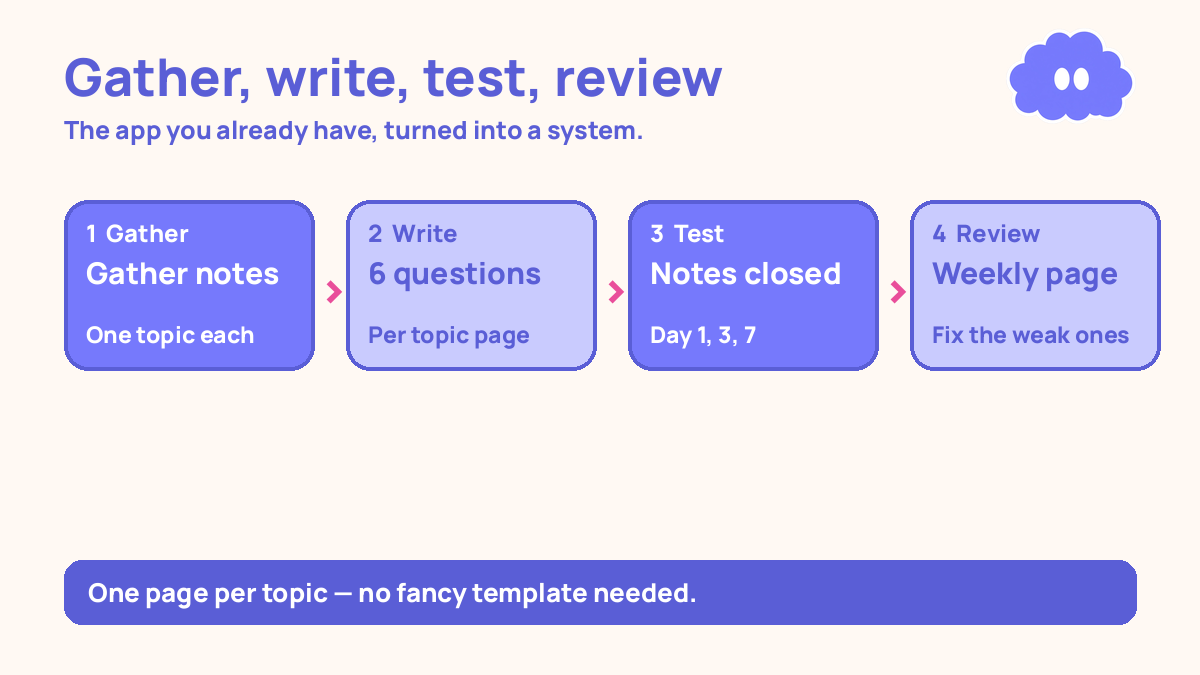
Turn the Notion you already have into a revision system: one page per topic, each with a short test bank of questions you answer from memory, and one weekly review page that sends you back to the topics you got wrong. No new app, no paid plan, no fancy template — just the notes app already on your phone, used for testing instead of storing.
Your notes are in Notion already. They are scattered across pages, half finished, and you never look at them again after the lecture ends. Buying a new app does not fix this. A new app just gives you a new place to pile notes.
The fix is not a better app. It is a different job for the app you have. Right now Notion is a filing cabinet. This system turns it into a test bank: every topic page ends with questions you answer from memory, and a weekly review page tells you which topics to test again.
The system in short
- Pick one subject and list its topics — eight topics is a practical starting point.
- Make one page per topic in Notion, and move your existing notes for that topic onto its page.
- Add a test bank of six questions to each topic page, written so you can answer them from memory.
- Add a simple checklist at the top of each page: day 1, day 3, day 7.
- Set one if-then plan for when you will revise: “When I sit down after breakfast, I will test one topic page.”
- Once a week, open the review page, look at the scores, and re-test the topics you got wrong.
Step 1: Pick one subject and list its topics
Start with one subject, not all of them. Eight topic pages is a practical starting point — a subject usually breaks into six to ten topics.
Step 2: Make one page per topic
For each topic on your list, make one page in Notion and move the notes for that topic onto it. Do not retype them. Copy, paste, drag — whatever is fastest.
Keep the notes short. A topic page should fit on one phone screen of scrolling: the key ideas in your own words, one or two diagrams if you have them, and nothing else. If a page is three screens long, you have copied a textbook. Cut it down to what you actually need to answer questions on.
Step 3: Add six test questions to each page
At the bottom of each topic page, add a test bank: six questions you can answer from memory, notes closed. Write them as questions your exam could actually ask, not as prompts to yourself. “Explain why the rate of photosynthesis falls when light intensity falls” is a test question. “Photosynthesis” is not.
Mix the question types. Two short recall questions, two explanation questions, and two application questions. Exams mix them too, and a page of only recall questions tests memory, not understanding.
Write the questions yourself, from the notes on the page. If you cannot write six questions about a topic, you do not know it well enough yet — that is useful information, not a failure. Read the notes once, close them, and write the questions from what you remember.
Put the answers below the questions, but keep them hidden while you test. In Notion, a toggle block works: question on the outside, answer inside the toggle, closed by default. In any other app, put the answers at the very bottom of the page, below a line.
This step is the whole system. In a 2013 review, Dunlosky and colleagues rated practice testing and distributed practice as the only two high-utility techniques they reviewed, and rereading as low. A page of notes you re-read is low utility. The same page with six questions you answer from memory is practice testing.
Step 4: Add the day 1, day 3, day 7 checklist
At the top of each topic page, add three checkboxes: day 1, day 3, day 7. Each time you test a topic, tick the box for that day and write your score next to it — “4/6”, “5/6”. The score is the feedback that tells you whether the topic is sticking.
The 1-3-7 pattern is a practical starting schedule, not a research rule. The research says spacing beats cramming. Day 1, day 3, and day 7 is a starting point you can try for a week: test the topic the day you make the page, again three days later, and again a week after that. If a topic is still weak on day 7, test it again the following week.
Do not test every topic every day. Eight topics at six questions each is 48 questions — about forty minutes, and too much for one sitting. Test two topics a day, fifteen minutes, and the whole subject gets covered in four days.
Step 5: Set one if-then plan for when you revise
A system with no fixed time dies in three days. Decide now, in one sentence, when you will test: “When I sit down after breakfast, I will test one topic page before I open anything else.” That is an if-then plan — the cue is sitting down after breakfast, the action is testing one topic page.
Across 94 studies, if-then plans raised goal attainment by a medium-to-large amount over holding the goal alone (Gollwitzer & Sheeran, 2006). The plan works because it names the cue and the action in advance, so starting needs no fresh decision every morning.
Pick a cue that already happens every day. After breakfast, after lunch, on the bus home — whatever is already in your day. Do not pick a cue that needs willpower to reach, like “when I finish all my homework”, because on a bad day that cue never arrives. And rehearse the plan once: say it out loud, or write it at the top of your revision page.
Step 6: Build the weekly review page
Make one more page, called “Weekly review”, with a list of all eight topic pages and their latest scores. Once a week — Sunday evening is a practical starting point — open it and look at the numbers.
The review has one job: pick the two weakest topics and re-test them next week. Do not re-test everything. The topics scoring 5 or 6 out of 6 are done for now; the ones scoring 3 or 4 are the work.
This is the same weekly review the weekly study review system describes, applied to one subject’s pages. If you already use a weekly review for your other subjects, fold these eight pages into it instead of running two reviews.
Add one line to the review page each week: what you changed. “Added two questions on gas exchange.” The system improves by one small fix a week, not by a rebuild.
A worked example: biology, eight topics, one week
This is a worked example, with the article’s own numbers — not a real student, and not a promise of a grade.
You pick biology. Eight topics: cell structure, photosynthesis, respiration, gas exchange, digestion, the heart, hormones, and plant responses. You make one page per topic, move your notes onto each page, and write six test questions per page. That is 48 questions in total, built over two evenings.
Your if-then plan is: “When I sit down after lunch, I will test two topic pages.” You test cell structure and photosynthesis on day 1, respiration and gas exchange on day 2, and so on. Each test takes about ten minutes: six questions, notes closed, then check the answers.
Day 1 scores: cell structure 5/6, photosynthesis 3/6, respiration 4/6, gas exchange 4/6, digestion 5/6, the heart 3/6, hormones 4/6, plant responses 4/6. Total: 32 out of 48. The weak topics are photosynthesis and the heart.
Day 3, you re-test all eight pages. Photosynthesis rises to 5/6, the heart to 4/6, and the total to 38 out of 48.
Day 7, you test again. The total is 43 out of 48. Photosynthesis is 6/6, the heart is 5/6, and the only topic still below 5 is plant responses, at 4/6. Your weekly review picks it for next week.
| Topic | Day 1 | Day 3 | Day 7 |
|---|---|---|---|
| Cell structure | 5 / 6 | 5 / 6 | 6 / 6 |
| Photosynthesis | 3 / 6 | 5 / 6 | 6 / 6 |
| Respiration | 4 / 6 | 5 / 6 | 5 / 6 |
| Gas exchange | 4 / 6 | 4 / 6 | 5 / 6 |
| Digestion | 5 / 6 | 5 / 6 | 6 / 6 |
| The heart | 3 / 6 | 4 / 6 | 5 / 6 |
| Hormones | 4 / 6 | 5 / 6 | 5 / 6 |
| Plant responses | 4 / 6 | 4 / 6 | 4 / 6 |
| Total | 32 / 48 | 38 / 48 | 43 / 48 |
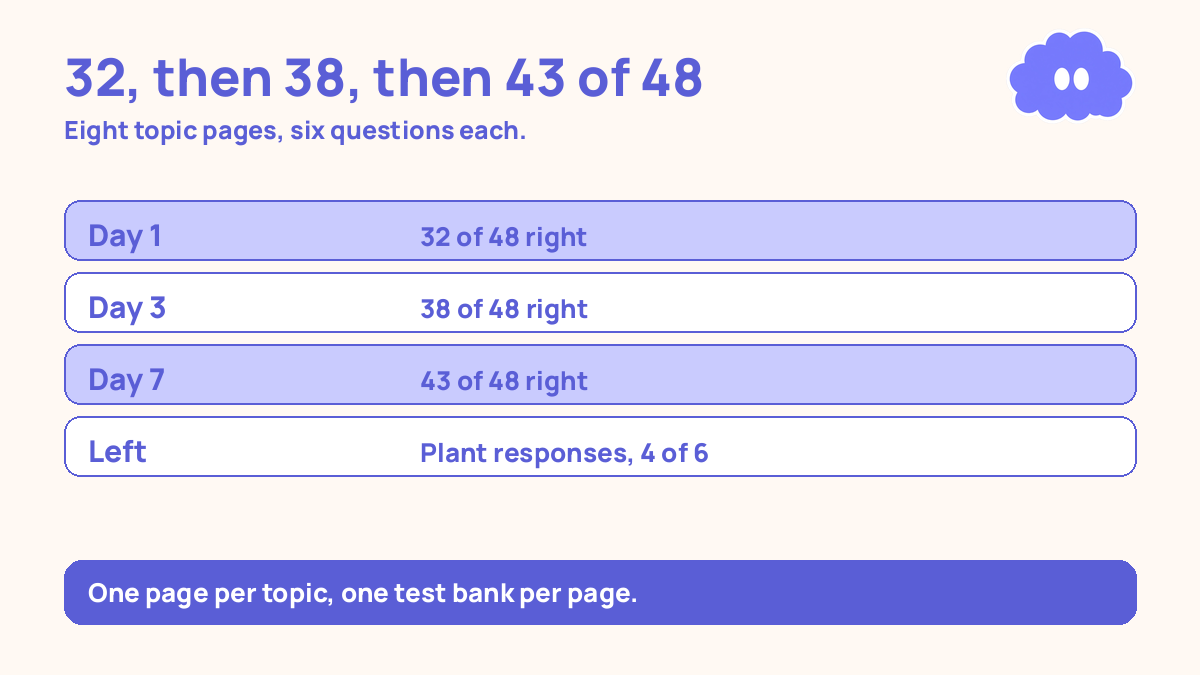
Notice what the table does not say. It does not say you are ready for the exam — 43 out of 48 on your own questions is a check on eight topics, not a grade. The numbers went up because you tested, found the weak topics, and tested them again. The system is the testing, not the app.
When it goes wrong
You spend a week building the perfect template. A database with relations, a progress bar, a dashboard with a cover image — and no questions written. If the setup takes longer than writing the first six questions, stop setting up. One plain page with notes and six questions is the system.
You copy notes in and never write questions. The pages look finished, so the work feels done. It is not. A page without questions is a filing cabinet again. If a topic page has no test bank, it is not part of the system yet — write the six questions first.
You test every topic every day. Eight topics, 48 questions, forty minutes — and by day four you have stopped entirely. Two topics a day, fifteen minutes. The system has to fit in a normal day or it will not survive a normal week.
You miss a day and quit. One missed day is not a failed system. In a study of 96 people building a daily habit, the median time for the behaviour to feel automatic was 66 days, range 18 to 254 — and missing a single day did not measurably hurt the process (Lally et al., 2010). Test the next day.
You pay for a plan you do not need. The free version of Notion does everything in this article: pages, toggles, checkboxes. If a video or a template seller tells you the system needs a paid plan, that is a sales pitch, not a requirement.
Weekly review checklist
Copy this list and use it each week:
- Did I test two topic pages a day, notes closed, and write the scores on each page?
- Which two topics scored lowest this week, and are they at the top of my review page?
- Did I miss a day — and if so, did I test the next day instead of starting over?
- Is any topic page still missing its six questions?
Downloadable infographic spec: one vertical image, title “Use Notion you already have for revision”, with the six steps and the rule “One page per topic, six questions, test from memory” in Thynq cream, Cloud Purple, Dark Purple and pink, with the cloud mascot. Text taken word-for-word from this article.
What this system is not
It is not a promise of a better grade, and it is not a recommendation of Notion over any other app. Notion is not the best revision app — there is no best revision app, only the one you already open.
Sources
- Dunlosky, J., et al. (2013). Psychological Science in the Public Interest, 14(1), 4-58. Only practice testing and distributed practice rated high utility; rereading rated low.
- Gollwitzer, P. M. & Sheeran, P. (2006). Advances in Experimental Social Psychology, 38, 69-119. Across 94 studies, if-then plans raised goal attainment by a medium-to-large amount.
- Lally, P., et al. (2010). European Journal of Social Psychology, 40(6), 998-1009. Median 66 days for a behaviour to feel automatic, range 18-254; one missed day did not measurably hurt the process.
For a notes system that works the same way on paper, read the notes system that you can actually review, and for the weekly review itself, read the weekly study review system.
Questions
Do I need the paid version of Notion?
No. Everything in this system uses plain pages, text, and checkboxes — all free. A paid plan adds nothing this system needs.
What if my notes are a mess?
You do not tidy them first. Pick one subject, make one page per topic, and move the notes for that topic onto its page. The mess in other subjects can wait.
How many questions should each topic page have?
Six questions per topic page is a practical starting point — enough to test the topic properly, few enough to answer in ten minutes.
What if I do not have Notion?
Use any notes app you already have. The system is one page per topic, a test bank of questions, and a weekly review — the app does not matter.