The direct answer
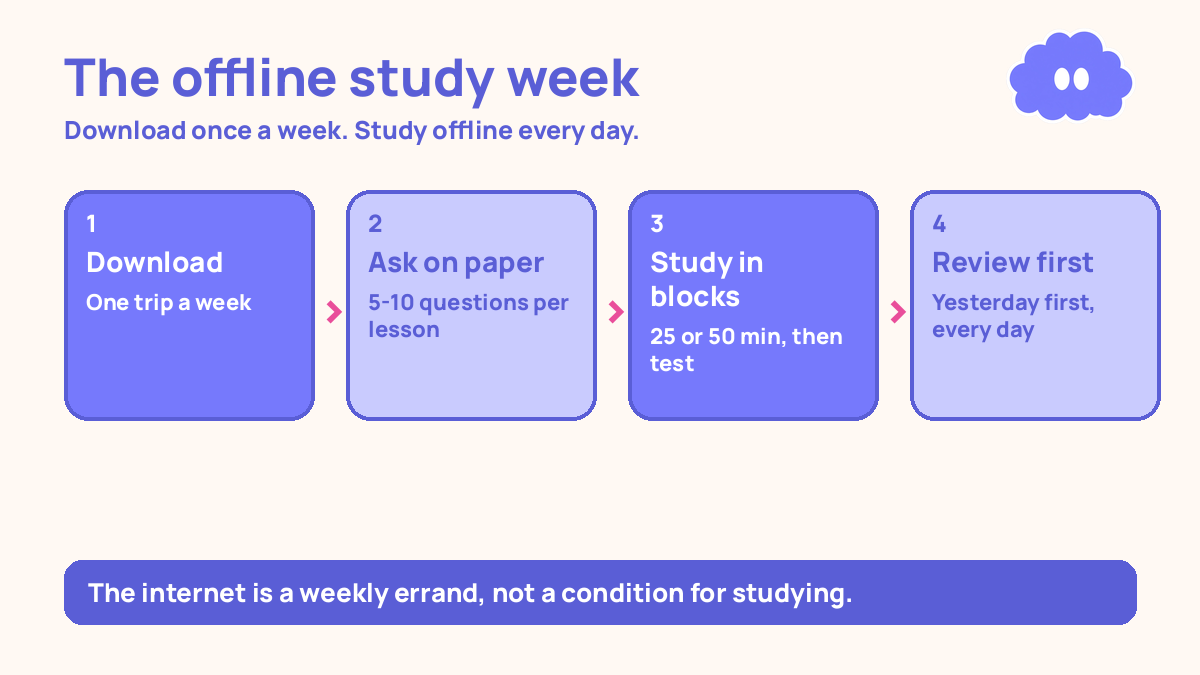
Download everything you need when you do have a connection, then study offline from paper and saved files for the rest of the week. Go online once or twice a week to collect the next batch of lessons and send any work in. Keep a paper question bank for testing yourself, and review yesterday’s material from memory before you start anything new. That is the whole system: the internet becomes a weekly errand, not a condition for studying.
You need material you can open without it, a way to test yourself without an app, and a routine for the days when the signal is gone.
Why no internet feels like no study
Most study advice assumes you are always online. Watch the video, take the online quiz, check the forum, sync your notes. When your connection is slow or missing, that advice falls apart, and it starts to feel as if you cannot study at all.
That feeling is wrong. If every lesson lives on a website you cannot reach, then of course you cannot start. The fix is to move the learning off the connection. A downloaded video plays exactly the same as a streamed one. A question written on paper tests you just as well as a quiz on a screen. You need three things to study: something to learn from, something to practise with, and a way to check whether you remember it. None of those needs a live connection.
The system in short
- Once a week, go where the connection is and download the next week’s lessons, readings and practice questions. Save them on your device and print what you can.
- Build a paper question bank: for every lesson, write questions on cards or in a notebook, answers on the back or on a separate page.
- Study offline in blocks of 25 or 50 minutes. Watch a downloaded lesson or read, then close it and test yourself from memory.
- Review yesterday’s material first, every day, before you start anything new.
- Keep a list of everything you need the internet for — questions to ask, work to send, material to download — and clear it in your weekly online trip.
The same no-internet rules work on the move — see Study system for studying on your commute for a commute version. A practical starting schedule is to review after one day, then after three days, then after seven days.
Step 1: Make the weekly download trip
Pick one fixed time each week when you can reach a connection: the library, your campus, a friend’s house, a café, anywhere the signal is steady. Treat it like a class you cannot miss. This trip is the whole system’s supply line. If it slips, the week after it slips too.
Before you go, write down exactly what to download. Do not browse and hope. Your list should name the lessons, the readings, and the practice questions for the coming week. Save each one properly — a video file on your device, a PDF in a folder — and check that it actually opens before you leave. While you are online, send anything that needs sending: homework, an assignment, a message to a teacher.
Step 2: Turn every lesson into paper questions
A downloaded lesson you only watch is a lesson you will forget. Watching feels like learning, but it is not. In a 2013 review, Dunlosky and colleagues rated ten common study techniques, and only two received a high utility rating: practice testing and distributed practice. Re-reading and highlighting were rated low. What you do after watching matters more than the watching itself.
So after every lesson, close it and write questions — not notes copied from the screen, but questions you would have to answer from memory. If the lesson was about the causes of a war, your questions might be: “Name three causes”, “Which cause mattered most and why”, “What happened first”. If it was a maths lesson, your questions are problems to solve, not the worked examples copied out. Aim for five to ten questions per lesson, answers on the back of the card. This is your question bank, and it is the heart of the system. Testing yourself is one of the two techniques learning researchers rated highest in a 2013 review by Dunlosky and colleagues.
Step 3: Study offline in blocks, and test yourself in every block
A study block is 25 minutes or 50 minutes — both are practical timers, not prescriptions, so pick the length that fits the task. A 25-minute block suits reading and short practice. A 50-minute block suits writing and problem sets. Set a timer and work until it rings.
Each block has the same shape. First, learn something new: watch a downloaded lesson, read a chapter, work through an example. Then close it and test yourself. Answer your paper questions from memory, without looking. Then check your answers and mark what you got wrong. That last step matters: testing yourself without checking is only half the job. In a 2014 meta-analysis, Rowland found that testing beat restudying by a medium amount (g = 0.50), and that the benefit was larger with feedback (g = 0.73) than without it (g = 0.39). Checking your answers is the feedback. Put your phone away during blocks, even if it has no signal.
Step 4: Review yesterday first, every day
Before you start anything new, spend the first 10 to 15 minutes of the day testing yesterday’s material. Pull yesterday’s cards from your question bank and answer them from memory. Anything you get wrong goes back into today’s review pile. Anything you get right moves to the pile you will test again in three days, then in seven.
This is the practical starting schedule: review after one day, then after three days, then after seven days. It is a schedule to try for a week, not a rule from research. The research behind it is Cepeda and colleagues (2006), who found in a synthesis of distributed practice that spaced study beat massed study, and that the best gap grows with how long you need to remember the material. If a topic keeps failing at three days, bring it back to one day.
Step 5: Keep an internet list, and clear it weekly
Some things really do need a connection: asking a teacher a question, sending in work, downloading next week’s lessons, checking a deadline. Write each one down the moment it comes up, on a single page in your notebook, under the heading “Needs internet”. Do not trust your memory to hold it until the weekly trip.
On the trip, work through the list from the top. Ask the questions. Send the work. Download the material. Cross each item off as you do it. This list protects you from the most common offline-study failure: discovering on Thursday that an assignment was due on Wednesday and you never sent it. Charge your device during the day, and keep the week’s downloads on it, not in the cloud.
A worked example: a week with two online trips
You have internet at the library on Saturday morning and at a friend’s house on Wednesday evening. The rest of the week is offline. You are studying two subjects: maths and English.
| Day | What you do | Hours |
|---|---|---|
| Saturday | Library trip: download next week’s lessons and questions, send last week’s homework | 2 |
| Saturday | Read downloaded English chapter, write 8 questions | 1 |
| Sunday | Maths: watch downloaded lesson, solve problems, test from memory | 2 |
| Monday | Review Sunday’s maths cards, then English: read and write questions | 2 |
| Tuesday | Maths problems from paper, test English cards from Saturday | 2 |
| Wednesday | Review all cards, list what to download; evening trip to friend’s house | 2 |
| Thursday | New downloaded lesson, questions, test yesterday’s cards | 2 |
| Friday | Full review: all cards, mark the ones still wrong | 1 |
Total for the week: 14 hours, of which 4 hours are the two online trips and 10 hours are offline study. The trips are part of the system, not interruptions to it. Every day’s work is already on your device or on paper before the day starts.
When it goes wrong
You go to the library and the connection is down. Do not lose the trip. Use the time to study from what you already have — your question bank works anywhere — and send anything that can wait until Wednesday’s trip. The system survives a missed trip because the question bank does not need the internet.
You download a video and it will not play offline. Check every file before you leave the connection, while you can still re-download it. If a video will not play, download the transcript or the slides instead, or find a written version of the same lesson. A lesson you can read is better than a video you cannot open.
Your question bank grows and you never review the old cards. New cards are satisfying to write; old cards are boring to test. Fix it with the rule from Step 4: review comes first, every day, before new material.
You run out of material mid-week and have nothing new to study. That means the download list was too short. On the next trip, download two weeks ahead instead of one, if the course allows it. And use the gap well: an empty day is a perfect day to test old cards, re-solve old problems, and write a summary of the week from memory.
Weekly review checklist
Copy this list and use it each week:
- Did I make the download trip, and did every file I downloaded actually open?
- How many questions did I add to my bank this week, and how many did I test?
- Which cards do I still get wrong after three days — and what do they have in common?
- Is anything still sitting on my “Needs internet” list, and when will I clear it?
- What one change will I make next week: a longer download list, earlier review, or a second trip?
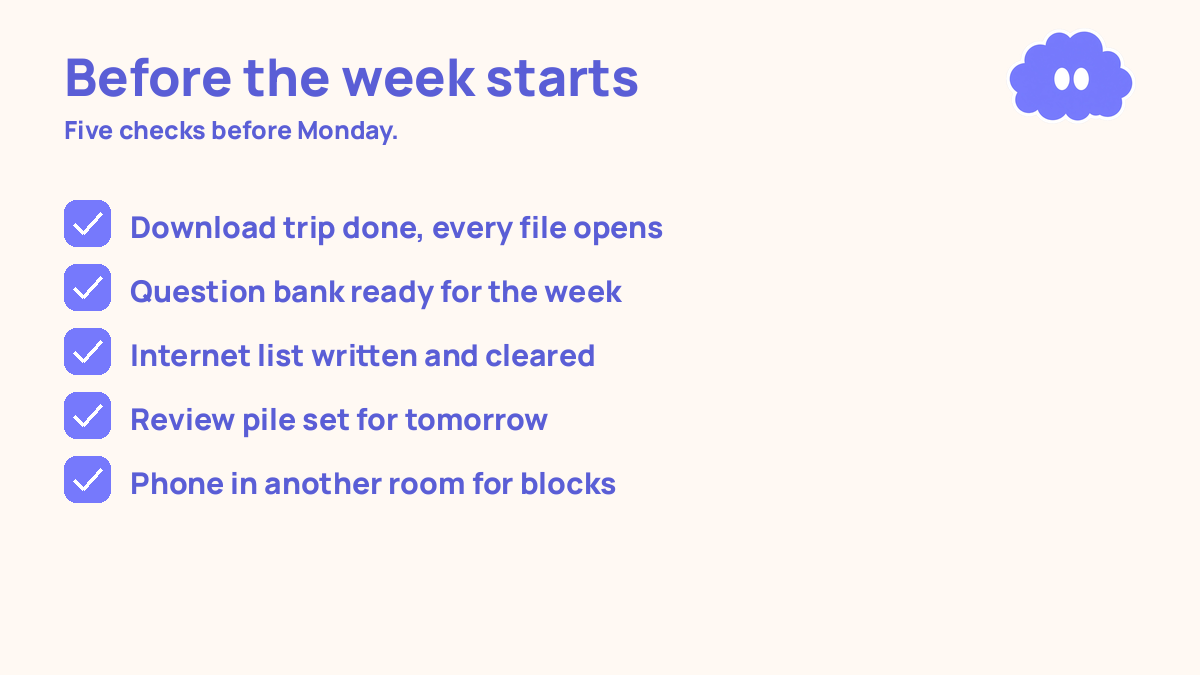
Downloadable infographic spec: one vertical image, title “Study with no internet”, with the five steps — download weekly, build a paper question bank, study in blocks and test yourself, review yesterday first, keep an internet list — and the weekly review checklist, in Thynq cream, Cloud Purple, Dark Purple and pink, with the cloud mascot. Text taken word-for-word from this article.
What this system is not
It is not a promise that you will never need the internet, and it is not a claim that offline study is better than online study. It is a system for the situation you are actually in: a weak connection, a missing connection, or data that runs out. What it promises is simpler: a week of steady work that does not depend on a signal, and an honest check of what you actually remember.
Sources
- Dunlosky, J., et al. (2013). Psychological Science in the Public Interest, 14 (1), 4-58. Only practice testing and distributed practice received a high utility rating.
- Cepeda, N. J., et al. (2006). Psychological Bulletin, 132(3), 354-380.
- Rowland, C. A. (2014). Psychological Bulletin, 140(6), 1432-1463. Testing beat restudying (g = 0.50); with feedback the effect was larger (g = 0.73) than without it (g = 0.39).
- Karpicke, J. D. & Blunt, J. R. (2011). Science, 331(6018), 772-775. Students who felt most confident after re-reading did worst a week later; students who tested themselves did best.
- Ward, A. F., et al. (2017). Journal of the Association for Consumer Research, 2(2). Evidence is mixed — a later replication found no effect — so “phone in another room” is a practical system, not a proven fact.
For the general system this one sits inside, read self-study system for online learners.
Questions
Can I study properly with no internet at all?
Yes, if you plan around it. Download lessons and questions when you do have a connection, then study offline from paper and saved files. The learning happens offline; the internet is only for collecting material.
What do I do when the internet drops in the middle of a lesson?
Stop the video and switch to offline work you already have ready: yesterday’s questions, your notes, or a practice set. Do not sit and wait for the signal.
How do I review without an app or an online quiz?
Use paper. Write questions on one side of a card and answers on the other, then test yourself from memory. Testing yourself is one of the two techniques learning researchers rated highest in a 2013 review by Dunlosky and colleagues.
How often should I go online to collect new material?
Once or twice a week is enough for most students. One short trip to a place with a connection — a library, a campus, a friend’s house — to download the next week’s lessons and upload any work.