The direct answer
Put your phone in another room on silent, use a timer that is not on your phone, and write your one task on paper before you start studying. Then strip your home screen to nothing but the tools you need, silence every notification that is not from a real person who needs you now, and give every phone check a job. That is the whole setup. It needs no app, no subscription, and no willpower, because it works by distance, not discipline.
Why willpower loses to the phone
Be honest about what happens in a study session. You sit down with a plan. Ten minutes in, you feel a small itch — boredom, a hard question, a moment of not knowing what to do next. Your hand moves to the phone before you have decided to pick it up. Thirty seconds becomes twenty minutes, and the session is gone.
So stop fighting the phone at arm’s length. Move it. A phone in another room is a phone you have to stand up and walk to fetch. Most impulses last less than a minute — if fetching the phone takes longer than the impulse, the impulse dies.
The system in short
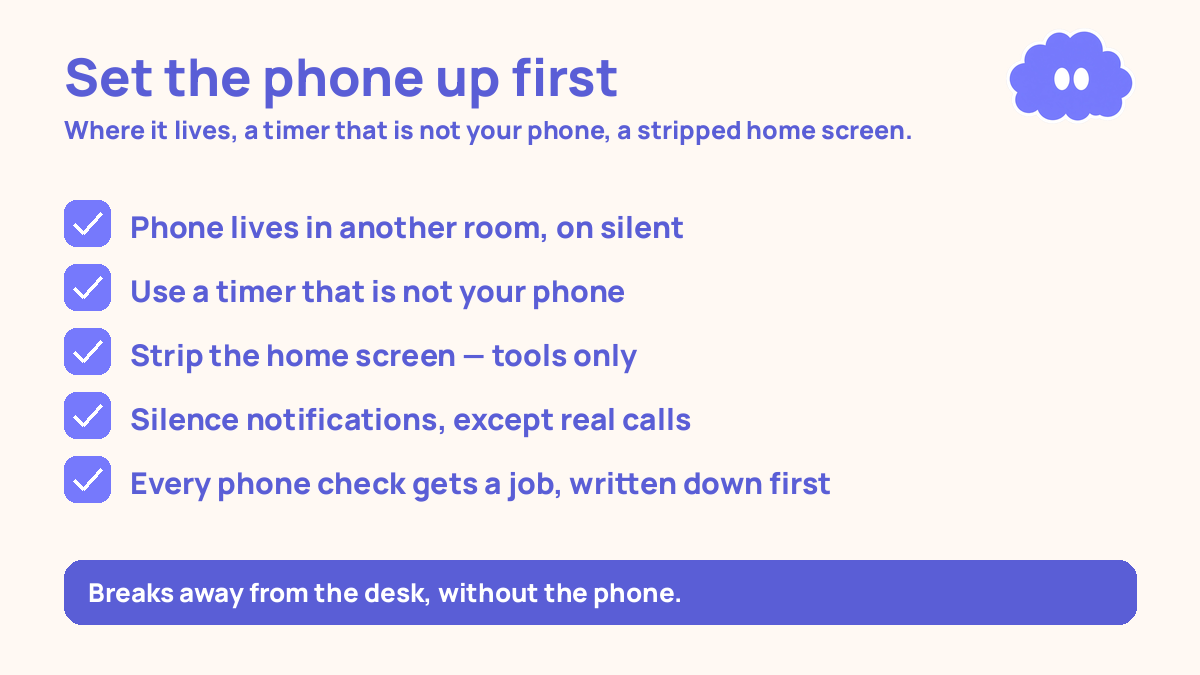
- Decide where the phone lives during study: another room, on silent. That is the default, every session.
- Use a timer that is not on your phone: a kitchen timer, a watch, or a timer on your laptop.
- Strip the home screen: remove social apps, news, and games from the first screen. Keep only tools.
- Silence notifications: turn off everything except calls from real people who might need you now.
- Give every phone check a job: write down what you are picking the phone up for before you pick it up.
- Take breaks away from the desk, without the phone. The phone stays in its place during breaks too.
- At the end of the day, count how many times the phone broke a session, and where it was when it did.
Step 1: Give the phone a home during study
Pick one place where the phone goes when you study, and use that place every time. Another room is best — a kitchen counter, a hallway shelf, a drawer in a different room. If you live in one room, put it in a bag at the far end of the room. The point is effort: fetching it must take more effort than the impulse is worth.
Put it on silent, not vibrate. Vibrate is still a notification — your brain hears the buzz and wonders who it is. If you are waiting for one genuinely important call, tell that person to call twice, and let the second call be the one that matters.
Do this before you sit down, not after. If the phone is on your desk when you start, the first hard question will send your hand to it. Phone away first, then desk, then task.
Step 2: Get a timer that is not your phone
A timer on your phone is a timer that loses, because the timer lives on the same device as your messages. You open the phone to set the timer, and the lock screen shows you three notifications. You check one. The session has not started and it is already broken. Use a kitchen timer, a watch, or a laptop timer with messaging apps closed — closed, not minimised.
The classic cycle, from Francesco Cirillo in the late 1980s, is 25 minutes of work, a 5-minute break, and a longer break after four rounds. The 25-minute length was Cirillo’s practical choice, not a number derived from cognitive science. If 25 minutes feels too short, try 50-minute blocks instead.
Step 3: Strip the home screen
Your home screen is a menu, and right now it is a menu of distractions. Every app icon is a small invitation. Remove the invitations.
Take every social app, news app, video app, and game off the first screen. Move them into a folder on the last screen with a dull name. Do not delete the apps themselves if you use them outside study — just make them hard to reach. A boring home screen is a home screen you put down again.
What stays on the first screen: the phone app, messages from real people, a clock, and any tool you genuinely use for study. Nothing with a feed. Nothing with a red badge that promises something new. Turn off the badges too.
Step 4: Silence the notifications
Notifications are other people and other companies deciding when you pay attention. During study, you decide. Turn off notifications for every app that is not a real person who might need you right now. If it comes from an app, a big group chat, a news feed, a game, or a shop, it goes off. Mute the groups during study.
Turn off the lock-screen previews too. A lock screen that shows you the first line of every message is a feed you did not ask for. Do not rely on a focus mode or do-not-disturb setting alone. Those help, but they are settings on the same device, and settings can be switched off in two taps when the itch arrives.
Step 5: Give every phone check a job
Sometimes you genuinely need the phone during study: a word to look up, a fact to check, a message to send. The danger is not the check — it is the check that has no job and becomes a scroll.
So give every check a job before you pick the phone up. Say it out loud, or write it down: “I am picking up the phone to look up the definition of osmosis.” Then do that one thing, put the phone back, and return to your work. If you catch yourself doing something else, stop. Put the phone down mid-scroll. It feels rude to yourself, and that is the point — it breaks the trance.
Step 6: Breaks without the phone
The break is where this setup usually falls apart. You work well for 25 minutes, the timer rings, and you pick up the phone “just for the break.” Five minutes of scrolling is not a break. It is a new distraction, and it follows you into the next round.
Take the break away from the desk, and leave the phone where it was. Stand up, get water, look out of a window, stretch. The break is for your body and your eyes, not for your feed. After four rounds, take a longer break of 15 to 30 minutes — eat, walk, rest properly. That is when you can check your phone if you want to.
A worked example: a study evening with the new setup
You get home at 5pm. Yesterday, your phone was on the desk and you studied for twenty minutes out of three hours. Today you try the setup.
4:55pm — Set it up. You mute the two noisy group chats. You put the phone on the kitchen counter, on silent. You take the kitchen timer and a paper notebook to your desk.
5:00–5:25 — Round 1. You write one line in the notebook: “Answer the 10 questions on cell division from memory.” Halfway through, you cannot remember the definition of a term. You write it in the notebook instead of reaching for the phone. You finish questions 1 to 4 and check them against your notes.
5:30–5:55 — Round 2. Questions 5 to 8. You feel the itch to check your phone once — a small tug, nothing more. You notice it, you keep working. The itch passes in under a minute.
6:00–6:25 — Round 3. Questions 9 and 10, then you look up the two terms from your notebook — one phone check, with a job, and the phone goes back to the kitchen counter. Three rounds, ten questions answered. The setup did the work.
When it goes wrong
You set the phone in another room, then go and get it “just to check one thing.” The check had no job. Next time, write the job down before you stand up: one sentence, in the notebook, saying what you are fetching the phone for. If you cannot write the job in one sentence, you do not have a job — you have an itch.
You stripped the home screen, but you open the apps from search instead. Search is a back door. If you keep opening an app through search during study, move it into the folder on the last screen and log out of it during study hours. Logging in again takes effort, and effort is the defence.
You need your phone for study and it keeps pulling you into other apps. Keep the phone face down and out of reach between uses, and use it only for the one tool you need. Better: move the tool off the phone — notes on paper, a kitchen timer, a cheap calculator.
You silence notifications, but you keep checking anyway, out of habit. The fix is the count: at the end of each day, write down how many times you picked the phone up during study. The count makes the habit visible, and the number drops fast once you can see it.
Weekly review checklist
Copy this list and use it each week:
- How many sessions this week started with the phone in another room, and how many with it on the desk?
- How many times did the phone break a session, and what was I doing when I reached for it?
- Which notifications broke through, and can I silence them?
- Which apps did I open from search after removing them from the home screen?
- What one change will I make next week: a better phone home, a separate timer, a cleaner home screen, or a job for every check?
Downloadable infographic spec: one vertical image, title “Phone setup for focus”, with the seven steps — phone in another room on silent, timer not on the phone, home screen stripped to tools only, notifications silenced except real people, every check has a job, breaks away from the desk without the phone, count the breaks at the end of the day — and the line “distance works better than willpower”, in Thynq cream, Cloud Purple, Dark Purple and pink, with the cloud mascot. Text taken word-for-word from this article.
What this system is not
It is not a promise that you will never get distracted again, and it is not a claim that phones are bad. Phones are useful. What this system does is put the phone back in its place during study: a tool you pick up for a job, not a feed that picks you up whenever you pause. It is also not a substitute for a study method. A phone in another room does not teach you biology. What you do in the 25 minutes still matters — test yourself from memory rather than re-reading.
Sources
- Dunlosky, J., et al. (2013). Improving students’ learning with effective learning techniques. Psychological Science in the Public Interest, 14(1), 4-58. Only practice testing and distributed practice received a high utility rating; rereading was rated low.
- Roediger, H. L., & Karpicke, J. D. (2006). Test-enhanced learning. Science, 311, 249-255. Students who recalled a passage remembered more a week later than students who restudied it, though restudiers felt more confident immediately.
- Cirillo, F. — Pomodoro Technique, late 1980s. Classic cycle: 25 minutes work, 5 minutes break, longer break after four. The 25-minute length was Cirillo’s practical choice, not a number derived from cognitive science.
For the session structure this setup protects, read the phone focus system for distracted students and the Pomodoro technique for students. If starting is the hard part, how to stop procrastinating study shrinks the first step until it is too small to put off.
Questions
What is the simplest phone setup for focus?
Phone in another room on silent, a timer that is not on your phone, and one task written on paper before you start. Everything else — home screen, notifications, app limits — supports that setup, but the distance is the part that does the work.
Do I need a focus app to stop my phone distracting me?
No. A focus app runs on the same device as the thing distracting you, and you can switch it off in two taps. Distance works better: a phone in another room takes effort to fetch, and that effort breaks most impulses before they start.
What if I need my phone for study — notes, a timer, or a calculator?
Use something else where you can: a paper notebook, a kitchen timer or watch, and a cheap calculator. If one study tool truly lives on your phone, open only that tool, put the phone face down when you are not using it, and keep it out of reach between uses.
How do I stop checking my phone during breaks?
Take the break away from the desk and leave the phone where it was. A break is five minutes of standing up, water, and a window — not five minutes of scrolling. If the phone is in your hand during the break, the break becomes the session.