
The direct answer
To use the working student study planner, enter your shifts, your commute time and your sleep window, then add your deadlines and let the planner fill the free time left with study. Study goes into blocks of the length you choose, with 10-minute breaks, up to 45 minutes on work days and 3 hours on days off.
The planner is free, needs no sign-up, and saves your plan in your browser. It blocks travel either side of every shift, adds 30 minutes to get ready and a 60-minute wind-down after work, and keeps the first 30 minutes after waking and the hour before bed free of study. What is left is honest study time, not wishful thinking.
The system in short
- Enter your shifts for each weekday, including overnight shifts.
- Add your commute time and your sleep window, and let sleep move around the shifts.
- Choose your study block length and check the daily limits the planner sets.
- Add your deadlines, earliest first, and let the planner check them day by day.
- Read the week grid and the list view, then print it or download it as an image.
- Review every week: update the shifts, log what happened, and switch on tired-day mode when you need it.
Step 1: Enter your shifts for each weekday, including overnight shifts
Open the working student study planner and start with the week you actually have, not the week you wish you had. Enter a shift for each weekday you work, with its start and finish times. If your shifts change every week, enter this week’s shifts and redo them when the next rota arrives.
Overnight shifts work the same way as day shifts. Enter 22:00 to 06:00 and the planner reads it as finishing at 6 am the next morning. Do not split it into two shifts and do not round it to midnight. The planner needs the real finish time because sleep, travel and the wind-down all hang off it.
Step 2: Add your commute time and your sleep window, and let sleep move around the shifts
Next, add your commute time each way. This is the step most students skip, and it is the one that matters most. A four-hour shift with 30 minutes of travel each way is not a four-hour block. It is a five-hour block, plus 30 minutes to get ready before you leave. The planner blocks the shift with travel either side, so the study it offers you starts after you are actually home, not when the shift ends on paper.
Then add your sleep window. Sleep is placed first and moves around early and late shifts. Give it the sleep you actually need. Eight hours is the figure the tool’s example week uses, and it is a sound starting point.
The planner also adds a 60-minute wind-down after work by default: the shower, the food and the change of gear between work and everything else. The first 30 minutes after waking and the hour before bed stay free of study as well.
Step 3: Choose your study block length and check the daily limits the planner sets
Now choose the length of your study blocks. The planner fills the free time left after shifts, travel, sleep and wind-down with blocks of the length you choose, with 10-minute breaks between them. A 45-minute block suits most students on a work day: long enough to do real work, short enough to finish before the next commitment. A 25-minute block suits a tired day or a short gap between two fixed blocks.
The planner sets a daily limit to start with: 45 minutes on work days and 3 hours on days off. Those limits are deliberately low. A work day that offers 45 minutes of study is a day you can repeat all week, while a work day that promises two hours is a day you will skip by Wednesday. Start with the default limits for two weeks and only raise them if every block is happening.
Gaps under 25 minutes are left alone. A 15-minute gap between a shift and a class is not a study slot. It is travel, food or rest.
Step 4: Add your deadlines, earliest first, and let the planner check them day by day
Deadlines go in next, and the order matters. Add the earliest deadline first, because the planner checks deadlines day by day from today, using this week as the pattern, and later deadlines are checked against everything due before them.
For each deadline, enter the date and the work it needs, in hours if you can estimate them. If you cannot estimate the hours, work backwards from the size of the task: an essay of 1,500 words needs roughly three drafting sessions of 45 minutes plus one session to check and submit.
If a deadline cannot be met with the study time your shifts leave, the planner shows that early. That is the point of the check. A warning three weeks out gives you time to ask for fewer hours, to move the heavy work to a day off, or to start the task a week earlier. When the planner flags a deadline, treat it as a message to act now, not as a reason to study longer that evening. The next step when the numbers say you need fewer hours in a deadline week is How to ask your boss for study time.
Step 5: Read the week grid and the list view, then print it or download it as an image
The planner gives you two views of the same week: a week grid and a list view. Read the grid first. It shows the shape of the week at a glance: shifts, sleep, travel, wind-down and study blocks in their places. Look for the two shapes that cause trouble: a study block squeezed between two fixed blocks with no break, and a day with study in every gap and no rest anywhere.
Then read the list view. It is the day-by-day version of the same plan, and it is the one to follow during the week. Print it, or download it as an image and keep it on your phone.
Check the weekly total before you commit to the week. In the tool’s example week, 40 hours of shifts with 30 minutes of travel each way and 8 hours of sleep still leaves just under 10 hours of study: 45 minutes on each work day and 3 hours on each day off.
Step 6: Review every week and switch on tired-day mode when you need it
A study plan is a weekly habit, not a one-off document. Spend ten minutes at the same time each week, ideally the day the new rota arrives, updating the shifts and checking what actually happened.
Tired-day mode is the feature to reach for when the week goes wrong. It swaps the full study blocks for one 20-minute review, so the day still counts without draining you. In the tool’s example week, turning tired-day mode on drops the total from about 9.8 hours to about 7.7 hours, while days off keep their full blocks. That is the right trade: a tired Tuesday gives up 25 minutes, not the whole week. Use it on the day you feel tired, not after three tired days in a row. The same point is made in How to study when you are tired after work: a short review on a tired day beats a long session that never happens.
If you study on your lunch break as well, keep that separate from the planner’s blocks. A 20-minute lunch break session is a bonus, not part of the weekly total. How to study on your lunch break shows how to use that time well.
A worked example: a 40-hour shift week with two days off
Your situation: Second-year student, full-time job in a warehouse, 40 hours a week. Shifts Monday to Friday, 9 am to 5 pm, with 30 minutes of travel each way. Sleep 11 pm to 7 am, 8 hours a night. Two deadlines: a 1,500-word essay due in two weeks and an exam in five weeks. Weakest subject is the essay topic, organisational behaviour.
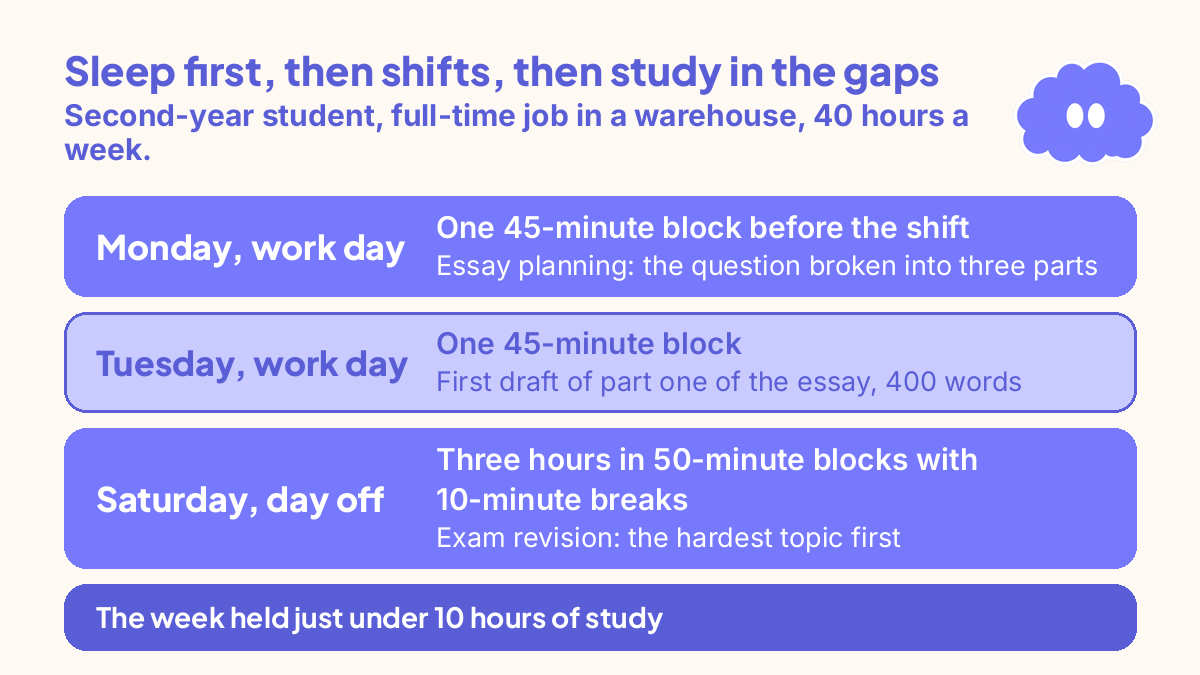
- Monday, work day, 7.30 to 8.15 am: One 45-minute block before the shift. Essay planning: the question broken into three parts, with one line of evidence for each part, from memory.
- Monday, 6.30 pm: Home at 5.30, wind-down until 6.30. No study in the wind-down hour. Evening free.
- Tuesday, work day, 7.30 to 8.15 am: One 45-minute block. First draft of part one of the essay, 400 words, written without notes open.
- Wednesday, work day, 7.30 to 8.15 am: One 45-minute block. First draft of part two, 400 words, then the misses from Tuesday checked and fixed.
- Thursday, work day, 7.30 to 8.15 am: One 45-minute block. First draft of part three, 400 words, then the whole draft read once for gaps.
- Friday, work day, 7.30 to 8.15 am: One 45-minute block. The draft checked against the question, references added, and the essay submitted two days early.
- Saturday, day off, 9.00 am to 12.00 pm: Three hours in 50-minute blocks with 10-minute breaks. Exam revision: the hardest topic first, questions from memory, then marked.
- Sunday, day off, 9.00 am to 12.00 pm: Three hours in the same pattern, on the second-hardest exam topic, then the week’s review.
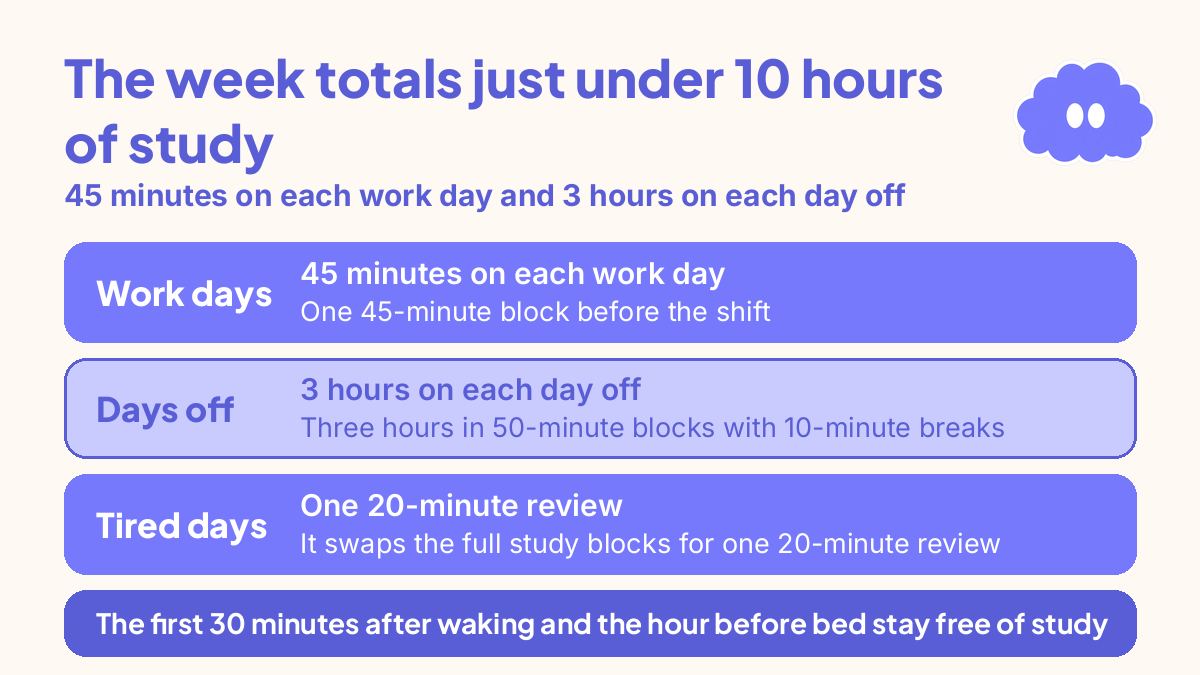
The week held just under 10 hours of study: 45 minutes on each work day and 3 hours on each day off. The essay was submitted early and the exam revision started five weeks out.
When it goes wrong
Your shifts change every week and the plan is out of date by Wednesday. Rebuild the plan the day the new rota arrives, in ten minutes. Enter the new shifts first, then check the deadlines again, because a changed rota changes which deadlines still fit. Study system for students who work weekends covers the same rebuild for a rota that never settles.
The planner says a deadline cannot be met. Do not add study hours to fix it. Ask for fewer hours that week, move the heavy work to a day off, or start the task a week earlier. If none of those is possible, tell your tutor early.
You keep skipping the morning block and studying after work instead. The morning block is the plan. If it keeps failing, move it to the lunch break for a week, or swap it to the day off, and see which one actually happens. How to study in one hour a day is built around a single daily hour and may fit better.
Tired-day mode is on every day. That is information, not failure. Either the shifts have grown, the sleep window is too short, or the block length is too long. Check the sleep window first, then the daily limit, then the shifts. Three tired days in a row means the week needs rebuilding, not more tired-day mode.
The week grid looks full but nothing gets done. Check the travel time and the wind-down. A plan that forgets 30 minutes of travel each way promises an hour a day that does not exist.
Weekly review checklist
- Did the study blocks happen, and at the times the planner set, or did they slide?
- How many hours did I study this week, and how does that compare with the planner’s total?
- Did any deadline move closer without the work moving with it?
- Did tired-day mode get used, and was it one day or the whole week?
- Are next week’s shifts entered, with the real travel time and sleep window?
- Is there a deadline in the next two weeks that needs fewer work hours or an earlier start?
Downloadable infographic spec: one vertical image, title “How to use the working student study planner”, with the six steps from “The system in short” and the six review questions above, in Thynq cream, Cloud Purple, Dark Purple and pink, with the Cloud mascot. Text taken word-for-word from this article.
What this system is not
It is not a way to study 15 hours a week on a 40-hour shift pattern. The planner shows the time your shifts actually leave, and that number is smaller than most students hope, which is the point. It is not a promise that every deadline will fit: some weeks the honest answer is that a deadline needs fewer work hours or an earlier start, and no planner can fix that by itself. It does not replace your rota, your course handbook or a conversation with your manager. And it does not make tired days disappear. It gives them a 20-minute review instead of a skipped day, which is a smaller promise and one you can keep.
Sources
- Thynq working student study planner (tool page on thynq.org). The planner’s shift, sleep, travel, wind-down, deadline and tired-day features described in this article.
- Dunlosky, J., et al. (2013). Improving students’ learning with effective learning techniques. Psychological Science in the Public Interest, 14(1), 4-58. Practice testing and distributed practice rated high, which supports short tested blocks across work days.
- Cepeda, N. J., et al. (2006). Distributed practice in verbal recall tasks. Psychological Bulletin, 132(3), 354-380. Spaced practice beat massed practice, which supports 45-minute blocks across the week.
For the wider working-student system behind this one, start with How to study with a full-time job.
Questions
How does the working student study planner handle overnight shifts?
Enter the shift as it is, for example 22:00 to 06:00, and the planner reads it as finishing the next morning. Sleep is placed first and moves around the early or late shift, and the shift is blocked with travel either side plus 30 minutes to get ready. Study never lands in the hour before bed or the first 30 minutes after waking.
How many hours of study does the planner give me each week?
It depends on your shifts, travel and sleep, but the planner starts with a daily limit of 45 minutes on work days and 3 hours on days off. In the tool’s example week, 40 hours of shifts with 30 minutes of travel each way and 8 hours of sleep still leaves just under 10 hours of study for the week.
What happens if I miss a day or feel too tired to study?
Use tired-day mode. It swaps the full study blocks for one 20-minute review, so the day still counts without draining you. In the tool’s example week, turning tired-day mode on drops the total from about 9.8 hours to about 7.7 hours, while days off keep their full blocks.
Does the planner check my deadlines?
Yes. Deadlines are checked day by day from today, using this week as the pattern, and later deadlines are checked against everything due before them. If a deadline cannot be met with the study time your shifts leave, the planner shows that early, while you still have time to ask for fewer hours or move the work.