The direct answer
To use an exam countdown to stay on track, turn the days left into a counted number of 25-minute sessions, then give each topic its share. Count your study days to the day before the exam, multiply by your minutes a day, and divide by 25, rounding down. Forty-three days means little; 62 sessions means everything.
A countdown in days is a comfort, not a plan: “43 days left” sounds like plenty, and it is easy to spend the first 30 of them doing nothing. A countdown in sessions is honest: every session you skip is a session a topic loses. This system turns the date on the calendar into a number you can work with, and then spends that number, one session at a time.
The system in short
- Put every exam and its date in the countdown, and check the dates are right.
- Count your study days, not your calendar days, and set your minutes a day.
- Turn the study days into 25-minute sessions, and write the number down.
- List every topic, and give each one its share of the sessions.
- Work the sessions in order, hardest topics first, and log each one done.
- Check the countdown every week, and change the plan when the number moves.
Step 1: Put every exam and its date in the countdown, and check the dates are right
Start by listing every exam you have, with its date, and put them all in the countdown. The exam countdown takes as many exams as you have: the next exam gets the big countdown, and the rest sit underneath in date order. Add them all now, because a countdown that only shows the first exam hides the second one, and the second one is usually the one that catches students out.
Check every date against your own timetable, not against a memory. The countdown has presets for the common exams, checked against the official sources: the JCQ key dates for June 2027 for GCSE and A-level, and the College Board and ACT dates for SAT and ACT. GCSE and A-level use the first exam day on the common timetable, so your own first paper may be later.
Tell someone the dates: a parent, a tutor, a friend. A date nobody else knows is easy to move in your head.
Step 2: Count your study days, not your calendar days, and set your minutes a day
A countdown in calendar days flatters you: 43 days left sounds like six weeks of study, but it is not. Count your study days instead. The countdown counts the days from today up to the day before the exam, using only the weekdays you ticked. The number that comes back is the days you really have.
Then set your minutes a day honestly: the minutes of focused study you can do on a study day. Fifty minutes is a good starting point: two 25-minute sessions with a break. Do not set 180 minutes because the plan needs it: a plan that needs three hours a day from a student who has one hour fails in week one.
If you study different amounts on different days, use the lowest honest number, not the average: a plan built on 50 minutes a day survives a 30-minute day, and a plan built on 90 minutes does not survive a 60-minute one.
Step 3: Turn the study days into 25-minute sessions, and write the number down
This is the step that turns the countdown into a plan. The countdown multiplies your study days by your minutes a day and divides by 25, rounding down so the number is never flattering. Thirty-one study days at 50 minutes a day is 1,550 minutes, which is 62 sessions. Write that number down, in big writing, where you study: 62 sessions is the budget, and everything after this step is spending it.
The rounding down matters: the countdown never counts a part-session, because a 0.4 session does not exist. The number is honest in a way days are not: a day can be wasted and still counted, but a session is either done or not done. If the number feels small, that is the point: the job is smaller than the days suggested.
Check the number against your topics now. If you have 36 topics and 62 sessions, the red and amber topics take 30, with 32 to spare. If you have 50 topics and 62 sessions, each topic gets one session, with 12 to spare: no topic gets a second pass, and the plan needs more days, more minutes, or fewer topics.
Step 4: List every topic, and give each one its share of the sessions
List every topic from the syllabus, the past papers, and your lecture headings, and rate each one red, amber, or green: red for the topics you cannot do, amber for the ones you can do with help, green for the ones you know. Then give each topic its share: two sessions for a red topic, one for an amber, and one short review for a green. A red topic needs a learning session and a testing session; an amber topic needs one testing session.
Write the list as a table: topic, colour, sessions, done. The table is the plan and the log: each session done gets a tick. If the sessions do not cover the list, change the plan now: add a study day, add 25 minutes a day, or move a green topic to a single review. The countdown links to the revision planner with the exam date filled in.
Work the red topics first, not last. Students who start with green topics feel busy and learn nothing; students who start with red topics feel slow and learn everything.
Step 5: Work the sessions in order, hardest topics first, and log each one done
A session has a shape: 25 minutes, one topic, one job. The job is either learning (read once, close the book, write what you remember, check) or testing (questions from memory, marked, misses noted). A session is not reading: reading without testing fills the hours and leaves nothing behind. Every session ends with something written down: the answers, the misses, or the questions you still cannot answer.
Do the sessions in the order the table says, hardest first, and log each one the moment it is done: one line with the date, the topic, and the job. If a session is skipped, the log shows a blank, and the blank is the truth: a skipped session is a session a topic loses, and the table shows which one.
Take a 5-minute break after each session, and a longer break after four. Six to ten sessions a day is sustainable in the final week, but not for weeks on end. The Pomodoro technique uses the same 25-minute rhythm.
Step 6: Check the countdown every week, and change the plan when the number moves
Spend ten minutes every week on three numbers: the sessions left, the topics left, and the sessions each remaining topic needs. If the sessions left are more than the topics need, the spare sessions go to the reddest topics. If they are fewer, change the plan now: add a study day, add 25 minutes, or cut the weakest topics to a single review each.
The weekly check catches two failure modes early. The first is the slow start: if two weeks in, the sessions done are half the sessions planned, the plan was too big, and the fix is to cut the minutes a day to a number you can keep. The second is the hidden exam: if a second exam sits two days after the first, its sessions need their own share, and the table needs two lists.
End the check by writing next week’s sessions into the diary, with the topic each one is for.
A worked example: 43 days, 62 sessions, 36 topics
Your situation: Year 11 student, first GCSE paper on Tuesday 8 June 2027. You open the countdown on Monday 26 April 2027, study five days a week, 50 minutes a day, and have 36 topics across your subjects, the weakest in biology and chemistry.
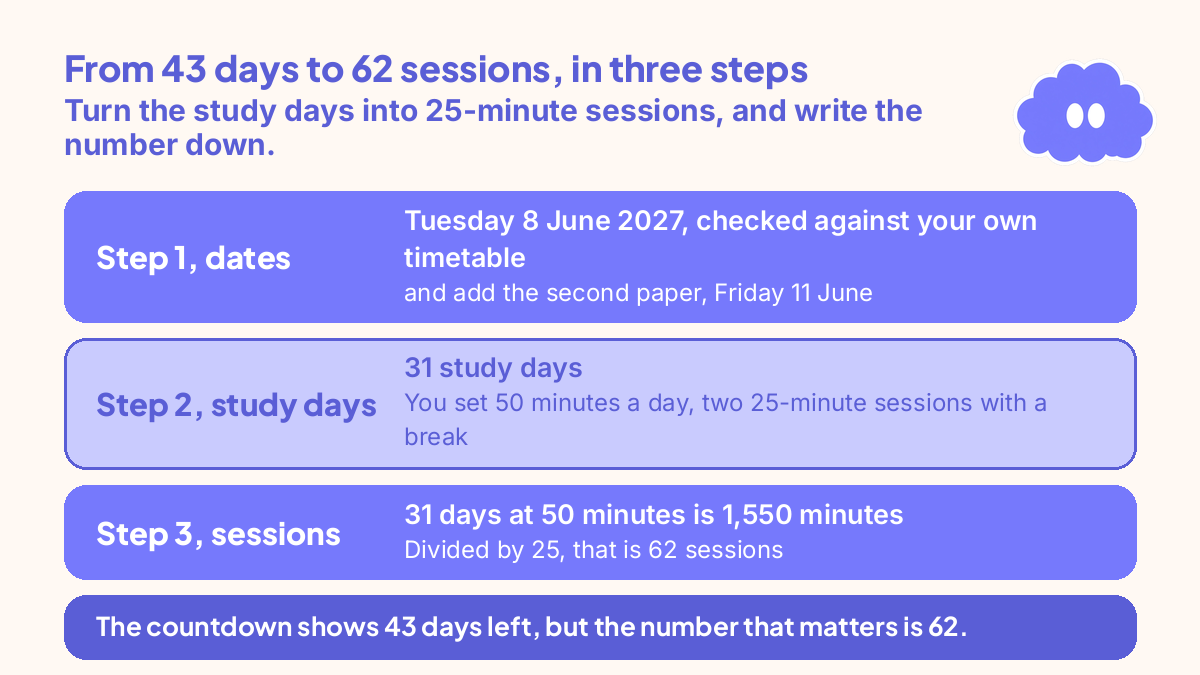
- Step 1, dates: You put the exam in the countdown: Tuesday 8 June 2027, checked against your own timetable, and add the second paper, Friday 11 June, so it is not hidden.
- Step 2, study days: The countdown counts from today to the day before the exam, using only the weekdays you ticked, Monday to Friday: 31 study days. You set 50 minutes a day, two 25-minute sessions with a break.
- Step 3, sessions: 31 days at 50 minutes is 1,550 minutes. Divided by 25, that is 62 sessions. You write “62” above your desk: the countdown shows 43 days left, but the number that matters is 62.
- Step 4, topics: You list the 36 topics and rate them: 8 red, 14 amber, 14 green. Red topics get two sessions each (16), amber topics get one each (14), and green topics get one short review each: 30 sessions for the red and amber topics, with 32 to spare for second passes, past papers, and the second exam.
- Weeks 1 to 3: The red topics go first, one a day, learning then testing. By the end of week 3, 6 of the 8 red topics are amber, and the log shows 30 sessions done.
- Weeks 4 to 5: The amber topics, one a day, testing from memory, and the two remaining red topics get their second sessions. Four spare sessions go to timed practice questions. The log shows 50 sessions done, and no red topics are left.
- Week 6, the last week: The final sessions go to timed past papers, one a day, marked the same day, with the misses re-tested the next morning. The last two days are light review.
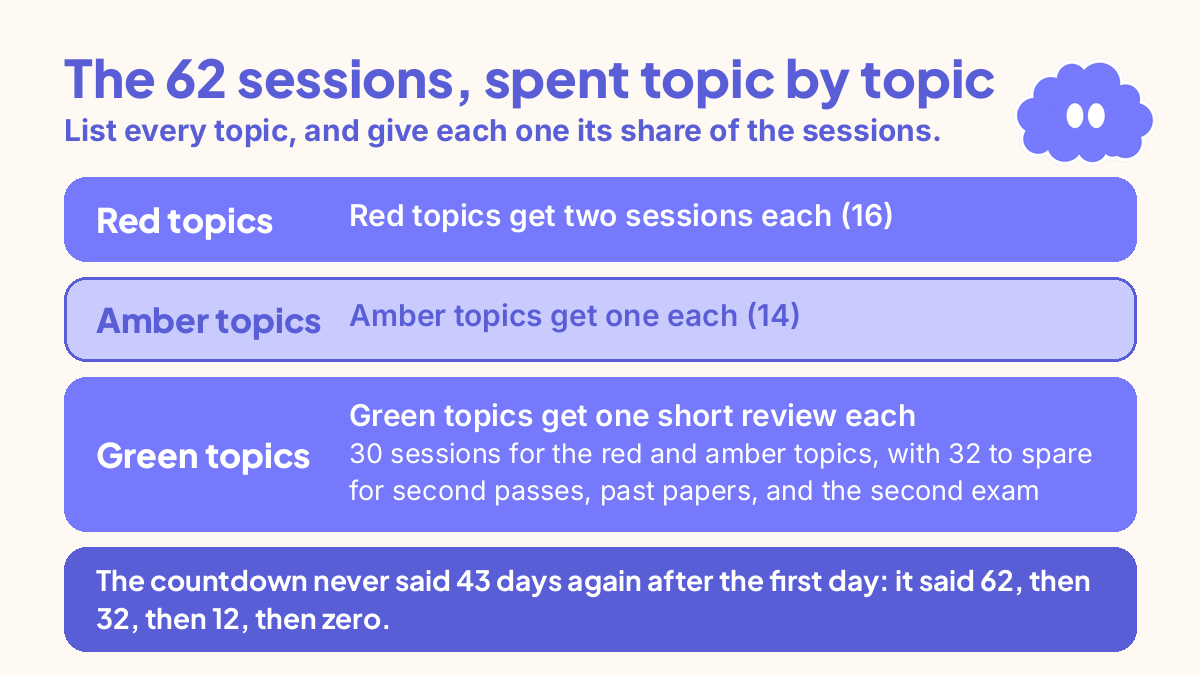
The plan worked because the number was counted early, the red topics went first, and the spare sessions were kept for the second pass. The countdown never said 43 days again after the first day: it said 62, then 32, then 12, then zero.
When it goes wrong
The countdown shows fewer sessions than topics. Change one of the three numbers: add a study day each week, add 25 minutes a day, or cut the weakest topics to a single review each. Do not change the exam date in your head: the fix is in the plan, not in the number.
You skip sessions and the number does not move. The countdown counts down the days whether you study or not, and the sessions left fall whether you use them or not. A skipped session is gone, not saved for later. Log the skip and give the topic that lost the session the next one.
You spend all the sessions on green topics. It feels productive, and it is not. Green topics need 10 minutes of recall, not a full session. Move the sessions to the red topics, one at a time, until each one turns amber.
A second exam hides behind the first. Put every exam in the countdown on the first day. If the second exam is two days after the first, its sessions need their own share, and its topics need their own list.
You count calendar days instead of study days. Forty-three days left is not 43 study days, and a plan built on 43 days runs out of sessions in week four. Count the study days and set the minutes honestly.
Weekly review checklist
- How many sessions are left, and how many topics are left?
- Does each remaining topic have enough sessions, or does the plan need to change?
- Did I log every session this week, and which topics turned from red to amber?
- Did the sessions go to the reddest topics, or to the green ones?
- Is there a second exam hiding behind the first, with its own sessions?
- What are next week’s sessions, and which topic is each one for?
Downloadable infographic spec: one vertical image, title “How to use an exam countdown to stay on track”, with the six steps from “The system in short” and the six review questions above, in Thynq cream, Cloud Purple, Dark Purple and pink, with the Cloud mascot. Text taken word-for-word from this article.
What this system is not
It is not a way to make more time: the countdown counts the time you have, and no system adds days to the calendar. It is not a revision method on its own: the sessions work because they test you from memory, and a session spent rereading is a session wasted. It does not replace your timetable, your syllabus, or your teacher’s advice. And it does not guarantee a pass; it guarantees that you know, every week, how many sessions you have left, and what each one must do.
Sources
- Thynq exam countdown. The tool page on thynq.org, read 20 November 2026. Supports the tool description in this article: the live countdown, the 25-minute session count, the JCQ, College Board and ACT presets, multiple exams, and the link to the revision planner.
- Dunlosky, J., et al. (2013). Improving students’ learning with effective learning techniques. Psychological Science in the Public Interest, 14(1), 4-58. Practice testing and distributed practice rated high, which is why every session tests from memory.
- Cepeda, N. J., et al. (2006). Distributed practice in verbal recall tasks. Psychological Bulletin, 132(3), 354-380. Spaced practice beat massed practice, which supports spreading the sessions across the study days instead of cramming them.
For the wider exam system behind this one, start with How to retake an exam.
Questions
How do I work out how many study sessions I have before an exam?
Count your study days from today to the day before the exam, using only the days you can actually study. Multiply those days by the minutes you study each day, then divide by 25, rounding down. That number is the sessions you really have.
What is the best exam countdown for students?
The one that turns the countdown into sessions, not just days. A countdown that says 43 days left tells you nothing about the work; one that says 62 focus sessions, with 36 topics to cover, tells you exactly what each session must do. The Thynq exam countdown does this, and links each exam to the revision planner.
How many focus sessions a day should I do before an exam?
Two to four sessions a day, of 25 minutes each, is realistic for most students: 50 to 100 minutes of focused work. Six to ten sessions a day is possible in the final week, but not for weeks on end. Count the sessions you can sustain, not the ones you wish you could do.
What do I do if the countdown shows I do not have enough sessions?
Change one of the three numbers: the days, the minutes, or the topics. Add a study day each week, add 25 minutes a day, or cut the weakest topics to a single review each. Do not change the exam date in your head: the fix is in the plan, not in the number.