The direct answer
To cite a book in Harvard style, write (Author, Year) in your text and add one full entry to your reference list: Author, A. (Year) Title of book. Edition if not the first. Place: Publisher. The title goes in italics. Every detail you need sits on the title page and the page behind it.
A book is the easiest source to cite well and the easiest to get wrong: the details are printed in the book itself, and the template never changes, but students copy details from the cover, guess the year, or cite the editor instead of the author.
The system in short
- Check which Harvard your university wants before you write anything.
- Collect the six details the reference needs, from the title page.
- Write the in-text citation as you draft, beside every fact the book gave you.
- Build the reference list entry from one template, with the title in italics.
- Handle the awkward cases: no author, editors, editions, and many authors.
- Run the five-minute check, then let the tool build the list.
Step 1: Check which Harvard your university wants
Harvard is a family of styles, not one rulebook. Most UK and Australian universities follow Cite Them Right, but your university’s own guide always wins. Open it and find its book page. Note three things: whether it wants the place of publication, how it writes the edition, and how many authors it names before et al.
The place of publication varies most. Cite Them Right no longer asks for it, so the current form is: Author (Year) Title. Publisher. Older guides still ask for: Author (Year) Title. Place: Publisher. Both are Harvard, but mixing them in one list is wrong. Pick your guide’s form and use it for every book.
The edition is the second thing to check. The citation generator writes it as “2nd edn.”, while many guides write “2nd ed.”. Either is fine if your guide accepts it, but do not leave the edition out when you used a later one: a reader following your reference to the first edition will find different page numbers. If your handbook names APA or MLA instead of Harvard, stop: the rules here do not apply.
Step 2: Collect the six details the reference needs, from the title page
A book reference needs six details, and a missing one is the most common reason a reference loses marks. First, the author, from the title page, not the cover, which sometimes shows an editor or the writer of the foreword. Second, the year, from the title page or the copyright page: use the year of the edition you read, not the year the book was first published. Third, the title, exactly as printed, including any subtitle. Fourth, the edition, if it is not the first. Fifth, the place of publication, if your guide asks for it. Sixth, the publisher.
Write the six details on one line, in the order the template uses them, and keep that line next to your notes. The line is the reference, half built, and it stops the most common error in student essays: writing first and hunting for the details after, when the book is back in the library. If you read an e-book, the same details sit on the title screen: use the edition you read, and if it has no page numbers, note that now.
Step 3: Write the in-text citation as you draft, beside every fact the book gave you
The in-text citation is the same for every book: the author’s surname and the year, in brackets, beside the fact the book gave you. “Grix and Watkins (2010) argue that information skills are a system, not a talent.” Or: “Information skills are a system, not a talent (Grix and Watkins, 2010).” Write it as you draft, beside every fact, not at the end: a citation added later is usually wrong about the page.
Add a page number when you quote directly, or when the fact sits on one page of a long book: (Grix and Watkins, 2010, p. 45). A page number is not required for a general idea, but it is required for a quotation. Copy the words exactly, use quotation marks, and give the page: a quotation without a page number cannot be checked.
With three authors, name all three in the text the first time, then use et al. after that. With four or more, use the first author’s surname and et al. from the start: (Grix et al., 2010). The reference list follows the same rule. The tool follows it automatically.
Step 4: Build the reference list entry from one template, with the title in italics
The reference list entry follows one template: Author, A. (Year) Title of book. Edition if not the first. Place: Publisher. The title goes in italics; nothing else does. The entry sits in alphabetical order by the author’s surname.
For the worked example, a book by Jonathan Grix and Gerald Watkins, published in 2010, the entry reads: Grix, J. and Watkins, G. (2010) Information skills: finding and using the right resources. Palgrave Macmillan. Note the initials, the year in brackets, the title in italics with a lower-case subtitle, and the publisher at the end with no place, because Cite Them Right no longer asks for one. If your guide asks for the place, the entry ends “Basingstoke: Palgrave Macmillan” instead.
For a book with an edition, the template adds the edition after the title: Bassey, M. (1999) Case study research in educational settings. 2nd ed. London: Open University Press. The chapter in an edited book follows a different template, because it cites the chapter author, not the editor; do not use this template for a chapter.
Step 5: Handle the awkward cases
Four cases cause most of the lost marks. First, no author: use the editor as the author, with (ed.) after the name, or use the organisation that published the book. If no author or editor can be found, move the title into the author position, keep it in italics, and alphabetise by the title’s first main word. Never invent an author.
Second, an edited book with no single author: cite the editor, with (ed.) for one and (eds.) for more than one. If you used one chapter, cite the chapter author instead. Third, a later edition: give the edition number, and use the year of the edition you read, not the year of the first edition.
Fourth, an e-book: reference it as a printed book if it has publication details and page numbers, which most do. If it has no page numbers, use the chapter or section heading in your in-text citation instead. The website citation guide covers sources that change after publication; a book does not change, which is why it needs no access date.
Step 6: Run the five-minute check, then let the tool build the list
Before you submit, spend five minutes checking every book reference. First, does each entry have all six details? Second, is the title in italics, and nothing else? Third, is the year the year of the edition you read? Fourth, does every in-text citation have a matching entry, and does every entry have at least one in-text citation? Fifth, is the list in alphabetical order, with et al. used the same way in the text and in the list?
Then let the citation generator build the list. Choose Harvard, choose Book, and type the six details into the fields that appear. The tool shows only the fields Harvard needs for a book, builds the entry in the template above, and keeps the list in your browser, with copy, print, and export. Check the output against your guide once, especially the edition and the place, and then trust it: the tool’s job is the punctuation, and yours is the details.
A worked example: citing a book in an essay on information skills
Your situation: Second-year student, essay on how students find and use sources. You used one book throughout: Grix and Watkins (2010), Information skills: finding and using the right resources, published by Palgrave Macmillan. You also used one chapter from an edited book and one website, and the essay is due on Friday.
- Monday, 20 minutes: You open your university’s referencing guide and find its book page: Cite Them Right, no place of publication, edition written as “2nd ed.”. You write the template on a sticky note.
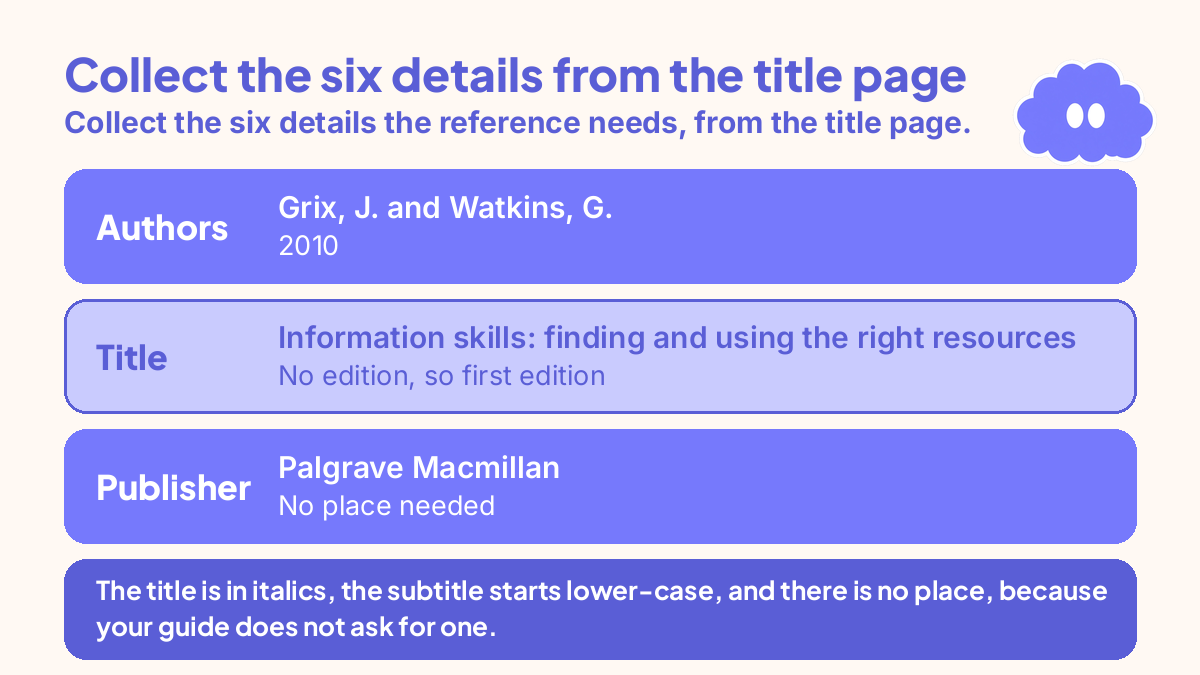
- Monday, 10 minutes: You open the book’s title page and copy the six details: Grix, J. and Watkins, G.; 2010; Information skills: finding and using the right resources; no edition, so first edition; no place needed; Palgrave Macmillan. You write them on one line, next to your notes.
- Tuesday, while drafting: Every fact from the book gets its citation as you write it. “Grix and Watkins (2010) argue that finding sources is a system with steps, not a talent.” One direct quotation gets a page number: (Grix and Watkins, 2010, p. 23).
- Wednesday, 15 minutes: You build the reference list entry from the template: Grix, J. and Watkins, G. (2010) Information skills: finding and using the right resources. Palgrave Macmillan. The title is in italics, the subtitle starts lower-case, and there is no place, because your guide does not ask for one.
- Thursday, 5 minutes: You run the check: all six details are there, the title is in italics, the year is the edition you read, and the in-text citations match the entry. You also check the chapter and website references against their own templates, so the three entries do not get mixed up.
- Friday, 5 minutes: You put the details into the citation generator, choose Harvard and Book, and let it build the entry. It matches yours exactly. You copy it into the reference list and submit.
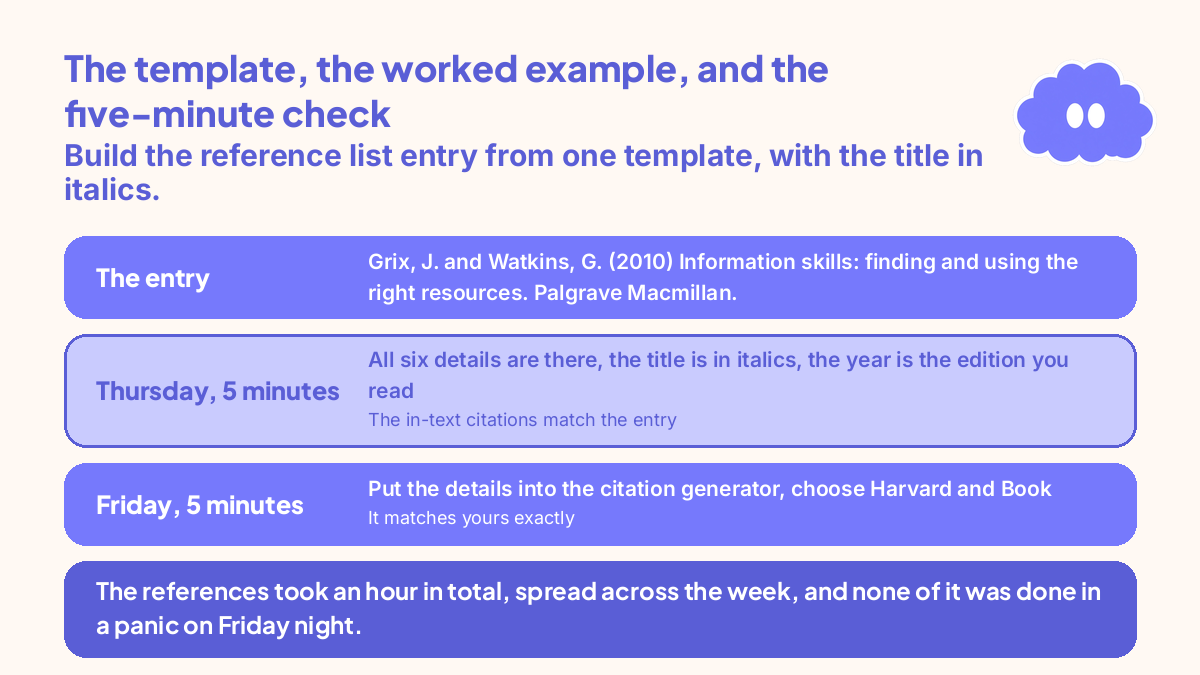
The references took an hour in total, spread across the week, and none of it was done in a panic on Friday night.
When it goes wrong
You cite the editor instead of the author. Check the title page: the author is the person who wrote the book, and the editor is the person who put it together. If you used the whole book, cite the author. If you used one chapter, cite the chapter author, not the editor, using the chapter template.
You guess the year. The year of the edition you read sits on the copyright page, behind the title page. Do not use the year of the first edition, or the year you bought the book.
You copy the details from the cover. The cover is marketing, not referencing: the name on it can be an editor or the writer of the foreword. The title page is the source.
You mix two forms of Harvard in one list. Some entries have the place, some do not; some write “2nd ed.”, some write “2nd edn.”. Pick your guide’s form and use it for every book. The five-minute check catches this, if you run it.
Your reference list has an entry with no in-text citation. Every entry must be cited in the text, and every in-text citation must have an entry. A book you read but never cited does not belong in the reference list.
Weekly review checklist
- Have I checked which Harvard my university wants, including the place and the edition?
- Have I collected all six details for each book, from the title page?
- Did I write the in-text citation as I drafted, beside every fact the book gave me?
- Is the title in italics, and is the entry in the template’s order?
- Have I handled the awkward cases: no author, editors, editions, and many authors?
- Did I run the five-minute check, and does the tool’s output match my guide?
Downloadable infographic spec: one vertical image, title “How to cite a book in Harvard style”, with the six steps from “The system in short” and the six review questions above, in Thynq cream, Cloud Purple, Dark Purple and pink, with the Cloud mascot. Text taken word-for-word from this article.
What this system is not
It is not a substitute for your university’s referencing guide, which always wins where it differs from this article. It is not a way to cite a book you have not read: the six details come from the title page of the book in your hand, not from a search result. It does not cover APA or MLA, which use different templates; the tool builds those, but this article is Harvard only. And it does not make referencing interesting; it makes it routine, so an hour spread across the week replaces a panicked Friday night.
Sources
- Thynq citation generator. The tool page on thynq.org, read 20 November 2026. Supports the tool description in this article: four source types, three styles, the book fields, and the Harvard book template, including the “edn.” form and the place field.
- University of Newcastle, Cite Them Right Harvard style sheet. Read November 2026. Supports the Cite Them Right Harvard book form and the worked example: Grix, J. and Watkins, G. (2010) Information skills: finding and using the right resources. Palgrave Macmillan.
- University of Leeds, Book: Leeds Harvard referencing examples. Read November 2026. Supports the edition form and the Bassey worked example: Bassey, M. (1999) Case study research in educational settings. 2nd ed. London: Open University Press.
For the full system behind this method, start with How to build a study system that fits your life.
Questions
How do I cite a book in Harvard style?
Write (Author, Year) in your text, then add one full entry to your reference list: Author, A. (Year) Title of book. Edition if not the first. Place: Publisher. The title goes in italics. Collect the author, year, title, edition, place and publisher from the title page before you write, and check which version of Harvard your university uses first.
What do I do if a book has no author in Harvard style?
Use the editor as the author, with (ed.) after the name, or use the organisation that published the book. If no author or editor can be found, move the title into the author position, keep it in italics, and alphabetise the entry by the title’s first main word. Never invent an author.
Do I need the place of publication for a book in Harvard style?
It depends on your guide. Cite Them Right no longer asks for the place, so many universities now want Author (Year) Title. Publisher, with no place. Older guides and some universities still ask for Place: Publisher. Check your university guide first, and use one form throughout.
How do I cite a book with more than three authors in Harvard style?
In the reference list, name up to three authors, then write et al. from the fourth author onwards. In the text, use the first author’s surname and et al., for example (Grix et al., 2010), for four or more authors. With three authors, name all three in the text the first time, then use et al. after that.