The direct answer
Turn a lecture recording into notes with AI: transcribe the recording on your phone, ask the AI to draft Cornell-style notes from the transcript — a cue column, a notes column and a summary — then check that draft against the lecture slides and your memory before you study from it. Study by covering the notes and answering the cues from memory, and re-test them next day, in 3 days and in 7 days.
You missed the lecture, or you sat through it and wrote nothing. Either way you have a recording — on your phone, or a class recording your teacher shared — and a blank page. The recording is an hour long, and re-listening to the whole thing feels like doing the lecture twice. Most students in this spot do one of two things: they never listen again, and the recording sits on their phone until exam week; or they re-listen at double speed and write down whatever catches their ear, which gives them a pile of half-sentences.
There is a third way, and it uses the tools already in your hand. Your phone can turn speech into text. A free AI chat app can turn that text into structured notes. Neither of them can be trusted on its own, and that is the whole point of this system: AI drafts, you check. The draft does the heavy lifting — the typing, the sorting, the cue questions — and the checking is where the learning happens. Checking is not an extra step. Checking is the study.
This system is for students studying alone, with recorded lectures and no usable notes. It fits with the cornell-notes-system-for-students, which explains the Cornell layout this system produces, and with how-to-study-video-lectures-properly, which covers how to watch a lecture actively. Those two are about the lecture itself. This one starts after the lecture, from the recording.
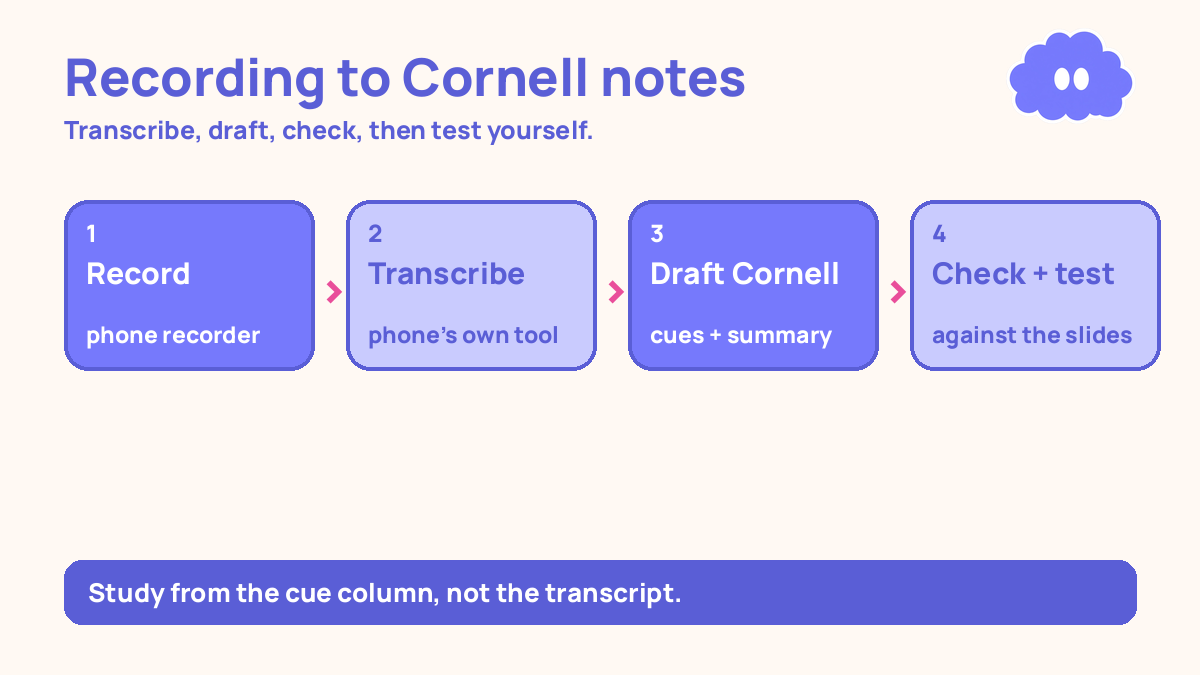
The system in short
- Get the recording: record the lecture on your phone, or get the class recording.
- Transcribe it: turn the recording into text with your phone’s own transcription, or a free transcription app.
- Ask AI to draft Cornell notes from the transcript: cue column, notes column, one-paragraph summary.
- Check the draft against the slides and your memory, and listen again to the parts AI got wrong.
- Study from the cue column by testing yourself, and re-test on day 1, day 3 and day 7.
Step 1: Get the recording
You need the whole lecture, not a clip. If you were in the room, record it on your phone. Put the phone on the desk near the teacher, not in your bag, and check before the lecture starts that it is recording and that you have enough storage — an hour of audio is roughly 60 MB, and a phone with 200 MB free will stop halfway through. If your teacher records the class and shares it, download that copy instead. A class recording is usually cleaner than a phone recording, because the microphone is near the teacher.
Do not skip this step by planning to record “next time”. The system needs a recording. If the lecture has already happened and nobody recorded it, the honest move is to borrow a classmate’s notes or ask the teacher for the slides, and start from those. This system cannot rebuild a lecture that does not exist.
One rule for recording: check the audio before you leave the room. Play back ten seconds. If you hear the teacher clearly, you are done. If you hear chairs and the air conditioner, move the phone closer next time. A recording you cannot hear is worse than no recording, because it looks like you have the material and you do not.
Step 2: Transcribe the recording
Transcription is turning speech into text. Your phone already does it. On most phones, opening the recording in the voice recorder app shows a transcript button, and the transcript appears in a few minutes. If your phone does not do this, a free transcription app will — search for one, record or upload the audio, and get the text back. You do not need a paid tool. A free one is enough for a lecture, because you are going to check its work in step 4 anyway.
Do not clean the transcript up by hand yet. It will be messy. It will have the teacher’s “um” and “so, right”, it will miss a word here and there, and it will get some technical terms wrong. That is normal, and it does not matter yet. What matters is that the words are in text form, because AI cannot draft notes from an audio file the way it can from text.
Save the transcript somewhere you can find it again — a notes app, or a document on your phone. Name it with the lecture topic and the date, so it does not sit next to twenty files called “Recording 7”. If the lecture was an hour, the transcript will be around 8,000 to 9,000 words. That is a lot of words, and that is the point: the next step turns 9,000 words into two pages of notes.
Step 3: Ask AI to draft Cornell notes from the transcript
This is the step AI is for: turning a long transcript into a short, structured draft. Cornell notes have three parts — a wide notes column on the right, a narrow cue column on the left, and a summary at the bottom. The cue column holds questions. The notes column holds the answers in short points. The summary is two or three sentences on what the lecture was about. That is the whole format, and it is the format you ask the AI to produce.
Open a free AI chat app — the one already on your phone — paste the transcript, and ask for this, in your own words: “Turn this lecture transcript into Cornell notes. Notes column: short bullet points, only what the teacher said. Cue column: one question for each main point. Summary: two sentences on what this lecture was about. Do not add anything that is not in the transcript.”
Two things about that request matter. First, “only what the teacher said” tells the AI not to invent. AI chat apps add extra facts when you do not stop them — a definition from somewhere else, an example the teacher never gave. You do not want those in your notes, because you will study them as if the teacher said them. Second, asking for cue questions now, at the drafting stage, means the notes come out ready to test yourself from. You do not have to write the questions later.
If the transcript is too long to paste in one go — some free apps cut off after a few thousand words — split it into two or three parts and ask for notes on each part, then ask for one summary at the end. The draft does not need to be beautiful. It needs to be short, in the right shape, and made only from the transcript.
What AI is for here, and only here: transcribing, drafting notes, drafting cue questions. That is the list. It is not for deciding what matters in the lecture, and it is not for writing the work you will hand in. Those are your jobs.
Step 4: Check the draft against the slides — and listen again to the parts AI got wrong
This is the step most students skip, and it is the step the whole system depends on. An AI draft is a draft. Transcription makes mistakes, and AI summaries make mistakes on top of them. A name spelled wrong, a number changed, a step in a process flipped around. If you study from an unchecked draft, you are memorising someone else’s mistakes.
Checking takes about ten minutes, and it has a fixed order. First, open the lecture slides next to the draft. Go through the draft point by point and ask one question about each: does this match the slide? If the slide says one thing and the draft says another, the slide wins. Fix the draft. Second, check the numbers and the names — dates, formulas, quantities, people’s names. These are the things transcription garbles first, and they are the things that cost marks when they are wrong. Third, check the summary at the bottom. Does it say what the lecture was actually about, or did the AI pick a side detail and make it the headline? Rewrite it if it did.
Then listen again to the parts AI got wrong. This is not re-listening to the whole lecture. It is listening to one section — two or three minutes — where the draft and the slides disagree, or where the transcript is clearly garbled, or where you know the topic is hard. Play it at normal speed, or slightly slower. Listen until you can say, in your own words, what the teacher actually said there. Then fix the note by hand.
This listening step is the real learning in this system. The transcription and the draft did the typing for you. But when you listen to a hard section again, check it against the slide, and write the correction yourself, you have done the work that makes the note yours. A note you checked is a note you understand. A note you never checked is a note you copied.
If you find a part you cannot make sense of even after listening twice, mark it. Write “ASK — do not understand this part” in the margin and ask the teacher or a classmate. Do not leave a confused note in your notes and hope the exam skips it. A marked gap is a question. An unmarked gap is a surprise.
Step 5: Study from the cue column, by testing yourself
Now the notes are ready, and the studying starts. Do not study from the notes column. Study from the cue column.
Cover the notes column with your hand or a piece of paper. Read one cue question. Answer it out loud, from memory, in your own words. Then uncover the notes and check. If you got it right, move to the next cue. If you got it wrong, read the note, cover it again, and answer the same question again. That is the whole method, and it is the method with the strongest evidence behind it.
In a 2013 review, Dunlosky and colleagues looked at ten common study techniques, and only two received a high utility rating — practice testing and distributed practice. Re-reading was rated low. Summarisation was rated low too. That matters here, because a student with AI notes is holding a summary. Reading that summary again and again feels like studying, and it is the weakest way to use it. The notes are not the study. The cue questions are.
The evidence is specific about how testing works best. Across 61 studies, testing yourself beat restudying by a medium amount, and the advantage was larger when the test came with feedback than without it (Rowland, 2014). Uncovering the notes and checking is the feedback. A test without checking is only half a test — you walk away not knowing which answers were wrong, and the wrong ones stay wrong. The same review found that recall formats — short answers, like answering a cue question out loud — beat recognition formats like multiple choice as practice. So answer the cue in your own words. Do not just recognise the right answer when you see it. Say it.
It will feel worse than re-reading. That feeling is not evidence. In one study, students who recalled a passage remembered more a week later than students who restudied it, even though the restudiers felt more confident immediately after studying (Roediger & Karpicke, 2006). Feeling fluent right after re-reading is not the same as remembering a week later. On exam day, a week later is what counts.
Re-test the cues on a schedule. Test them the day after the lecture, then in 3 days, then in 7 days. That 1-3-7 pattern is a practical starting schedule, not a research rule — the research says spacing beats cramming, and the right gap grows with how long you need to remember the material. A cue you get right three times in a row, across a week, is a cue you can drop from the daily pile. A cue you keep missing goes back into the pile for the next round, and you listen to that section of the recording again. That is the loop: test, check, re-test, and let the failures tell you which parts of the lecture to hear again.
A worked example: a biology lecture on photosynthesis, 55 minutes, no notes taken
This is a worked example, with the article’s own numbers — not a real student, and not a promise of a grade.
You missed a 55-minute biology lecture on photosynthesis. A classmate shared the class recording. You have the lecture slides. You have a phone with a voice recorder and a free AI chat app. It is Tuesday, and the exam is in three weeks.
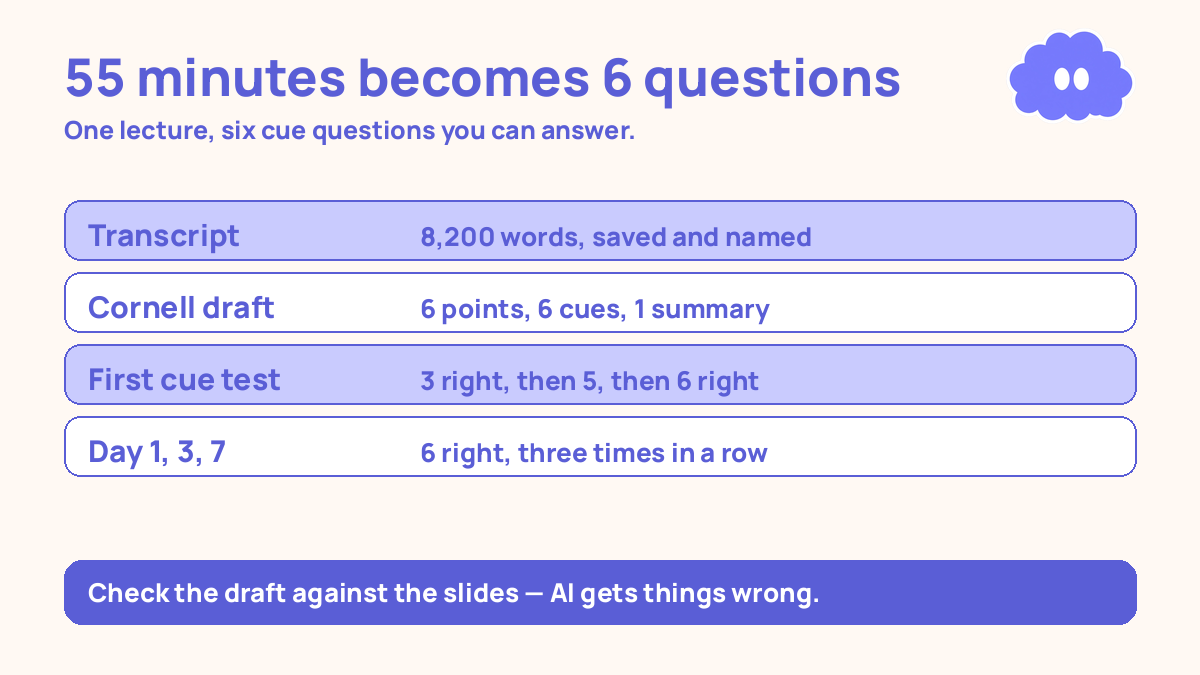
Tuesday, 4.00 pm — get the recording and transcribe it (15 minutes). You download the class recording and run it through the transcription on your phone. The transcript comes back at 8,200 words. It is messy. The word “chlorophyll” appears as “chloro fill” in three places. The numbers are mostly right. You save it as “Biology — photosynthesis — Tuesday” in your notes app.
Tuesday, 4.15 pm — draft the Cornell notes with AI (10 minutes). You paste the transcript into the AI chat app and ask for Cornell notes: short bullet points only from the transcript, one cue question per main point, a two-sentence summary. The draft comes back with 6 main points in the notes column, 6 cue questions, and a summary. One of the cue questions asks about a step the teacher never mentioned. You note it — that is for step 4.
Tuesday, 4.25 pm — check the draft against the slides (10 minutes). You open the slides next to the draft. Four of the six points match the slides. One point says the light-dependent reactions happen in the stroma — the slide says the thylakoid membrane, so the draft is wrong and you fix it. The cue question about the step the teacher never mentioned gets deleted. You listen to the section on the Calvin cycle again, two minutes at normal speed, because the transcript there is garbled and the slide alone does not explain it. You rewrite that point in your own words. The summary says the lecture was about plant nutrition. You rewrite it: the lecture was about how plants turn light into chemical energy.
Tuesday, 4.35 pm — first cue test (10 minutes). You cover the notes column and answer the 6 cue questions out loud. First try: 3 right, 3 wrong. You read the three wrong ones, cover them again, and answer them again. Second try: 5 right. The one still wrong is the Calvin cycle — the same part you listened to again. You listen to it once more, 90 seconds, and answer the cue correctly.
Wednesday, Thursday, and the following Tuesday — re-test. You re-test the 6 cues on Wednesday (day 1): 5 right. On Friday (day 3): 6 right. The following Tuesday (day 7): 6 right, fast. Total time after the first day: about 5 minutes each time. The cues that were right three times in a row leave the daily pile. The lecture is now six questions you can answer, not 55 minutes of audio you are afraid to open.
| Step | Time | What you did | What you had at the end |
|---|---|---|---|
| Get the recording | 5 min | Downloaded the class recording | One 55-minute recording, audio checked |
| Transcribe it | 10 min | Ran it through the phone’s transcription | An 8,200-word transcript, saved and named |
| Draft Cornell notes with AI | 10 min | Pasted the transcript, asked for cues, notes and a summary | 6 main points, 6 cue questions, 1 summary |
| Check against the slides | 10 min | Matched each point to a slide, fixed 1 error, deleted 1 invented cue | 6 checked points, summary rewritten in your words |
| First cue test | 10 min | Answered 6 cues from memory, checked, re-answered the wrong ones | 3 right first try, 5 right second try, 6 right after re-listening |
| Re-test day 1, day 3, day 7 | 5 min each | Answered the 6 cues from memory | 6 right, three times in a row, across a week |
When it goes wrong
You trust the AI draft without checking it. This is the most common failure, and it is silent. The draft looks clean and complete, and the errors are inside it — a wrong number, a flipped step, a cue question about something the teacher never said. If you study from it, you memorise the mistakes. Check the draft against the slides every time, even when it looks right. Checking is the study.
You re-read the AI notes instead of testing yourself from the cues. Re-reading was rated low utility, and summarisation was rated low too. An AI note is a summary. Reading it five times is the weakest way to use it. Cover the notes column, answer the cue out loud, then check. The test is the study.
You paste the whole transcript and accept whatever comes back. AI chat apps add things when you do not stop them. If the draft contains a point you cannot find in the transcript or the slides, delete it. Your notes should contain only what the teacher said. Anything else is a guess wearing a neat format.
You listen to the whole lecture again instead of the hard parts. Re-listening to an hour because one section was wrong is a waste of the hour. Find the section, listen to two or three minutes, fix the note. If you cannot find the section, the transcript is your map — search it for the word you remember, and the timestamp is usually right next to it.
You skip the re-tests because the first test went well. Getting 6 out of 6 on the first day feels like the lecture is learned. It is not. A week later is what counts, and the students who restudied felt confident immediately too, then remembered less a week later. Do the day 1, day 3 and day 7 re-tests. Five minutes each. That is the whole cost of keeping the lecture.
You let AI write the work you hand in. The notes are for studying. If a class asks you to write an essay, a lab report or an answer in your own words, AI writing it is not studying, and it is not your work. Use AI to draft questions and explain a hard paragraph. Write the answer yourself.
Weekly review checklist
Copy this list and use it each week:
- How many lectures did I turn into checked Cornell notes this week, and how many recordings are still sitting untranscribed on my phone?
- Did I test myself from the cue column for every lecture, and did the score rise between the first test and the day-7 re-test?
- Which cue questions did I keep getting wrong, and did I listen to those sections of the recording again?
- What one change will I make next week: transcribe the same day, check faster, or re-test on time instead of skipping day 3?
Downloadable infographic spec: one vertical image, title “Turn lecture recordings into notes with AI”, with the five steps — record it, transcribe it, draft Cornell notes with AI, check the draft against the slides, test yourself from the cues — and the rule “AI drafts, you check” in Thynq cream, Cloud Purple, Dark Purple and pink, with the cloud mascot. Text taken word-for-word from this article.
What this system is not
It is not a way to skip lectures, and it is not a promise of a grade. A recording plus an AI draft is not the same as being there — the questions other students asked, the part the teacher repeated twice because it matters, the moment the room went quiet. This system is for the lectures you already missed or already sat through with no notes, and it turns a recording into a checked set of notes and six questions you can answer. It does not write your work, it does not replace listening to the hard parts, and it does not guarantee anything about the exam. What it does is smaller and more useful: it makes the recording something you actually use, instead of a file you are afraid to open.
Sources
- Dunlosky, J., et al. (2013). Psychological Science in the Public Interest, 14(1), 4-58. Only practice testing and distributed practice rated high utility; rereading rated low; summarisation rated low.
- Rowland, C. A. (2014). Psychological Bulletin, 140(6), 1432-1463. Across 61 studies, testing beat restudying, and the advantage was larger with feedback (g = 0.73) than without it (g = 0.39). Recall formats (short answer) beat recognition (multiple choice) as practice.
- Roediger, H. L., & Karpicke, J. D. (2006). Psychological Science, 17(3), 249-255. Students who recalled a passage remembered more a week later than students who restudied it, even though the restudiers felt more confident immediately after studying.
Questions
Can AI notes from a lecture recording replace going to the lecture?
No. AI notes can only repeat what was said, and both transcription and AI summaries make mistakes. Listening to the hard parts yourself is what turns the words into understanding. Use AI to draft notes, then check the draft against the slides and your memory before you study from it.
What do I do when the transcription is wrong?
Go back to the recording and listen to that section yourself. Transcription apps garble names, numbers and technical terms first. Mark the wrong part, listen to it again at a slower speed, and fix the note by hand. Do not let a wrong transcript become a wrong note you study from.
How do I study from AI-made notes?
Study from the cue column, not the notes column. Cover the notes, read a cue question, answer it out loud from memory, then uncover and check. Testing yourself this way beats restudying the notes — it was the strongest method in a 2013 review of ten common study techniques by Dunlosky and colleagues.
How long does this take per lecture?
About 45 minutes after the recording exists: 15 minutes to transcribe and tidy it, 10 minutes to draft the Cornell notes with AI, 10 minutes to check the draft against the slides, and 10 minutes for a first round of cue testing. Checking is part of the time, not extra — an unchecked draft is not a note, it is a guess.