The direct answer
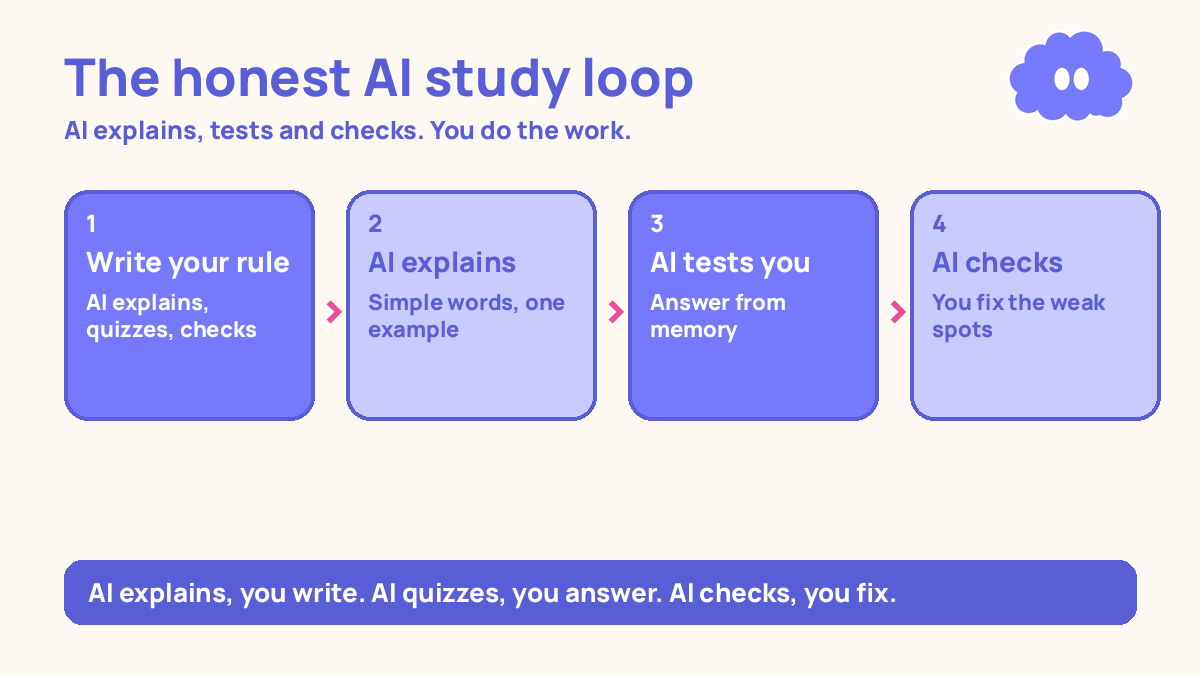
Use AI to explain things to you, to test you, and to check work you wrote yourself — never to produce work you submit as your own. The line is simple: AI explains, you write. AI quizzes, you answer. AI checks, you fix. If an AI tool wrote the words, the ideas, or the answers you hand in, that is cheating, and it also teaches you nothing.
You already know AI can write an essay in ten seconds. The question is what it does to your learning when it does, and what happens when your teacher finds out.
Why the line feels unclear
AI tools sit in the same place as your notes and your textbooks now. You ask a question and they answer, politely and instantly. That makes them feel like a tutor. But a tutor does not write your essay for you, and a tutor does not sit your exam. The tool will do both if you ask it to, and it will not warn you.
That is the trap. The first time you paste in an assignment and get back a finished answer, it feels like you solved the problem. You did not. In a 2013 review, Dunlosky and colleagues rated ten common study techniques, and only two received a high utility rating: practice testing and distributed practice. Re-reading was rated low. Reading an AI-written answer is re-reading with extra steps. Courses also have different rules, and some treat AI-written work as plagiarism — so check the rules first, before you build a habit around a tool you cannot use.
The system in short
- Write your own rule before you open the tool: AI may explain, quiz, and check. AI may not write, solve, or answer for you.
- Use AI to explain: ask for a simple explanation, an example, and a question that tests whether you understood it.
- Use AI to test you: ask for questions on a topic, answer from memory, then ask it to mark you and explain the mistakes.
- Use AI to check your work: paste in something you wrote, and ask what is weak, what is missing, and what to fix — then fix it yourself.
- Keep a short record: what you asked the AI, and what you wrote yourself. If a teacher ever asks, you can show your work.
Step 1: Write your rule before you open the tool
Before you use AI for a piece of work, write one line in your notebook: what the AI is allowed to do here, and what it is not. For a maths problem set, the rule might be: “AI can explain the method and check my answers. It cannot solve the problems.” For an essay: “AI can explain the topic and check my draft. It cannot write any paragraph.”
Write it down, because the moment you are stuck, the temptation is to widen the rule. Stuck is exactly when the rule matters most. A rule written in your notebook is harder to quietly change. This is also where you check your course rules. If your teacher or course says AI is not allowed for this piece of work, the rule is simple: do not use it.
Step 2: Use AI to explain — then explain it back
This is the best use of AI for study. When you do not understand something, ask the AI to explain it in simple words, with one example. Then close the AI and explain it back in your own words, out loud or on paper. If you cannot, you did not understand it yet — ask a follow-up question about the exact part that is unclear.
Explaining why each step works, in your own words, is a moderate-utility technique in Dunlosky’s review, and a 2018 meta-analysis by Bisra and colleagues, covering about 5,917 learners, found a moderate average benefit (g = 0.55) from prompting self-explanation. It works best for principle-based material — physics, maths, medicine — and the evidence for grammar is weak. The original study behind it was small: Chi and colleagues (1989) watched 8 physics students, and the best problem-solvers generated far more explanations per example. A promising pattern, not a guarantee.
Step 3: Use AI to test you
Testing yourself from memory is the strongest study method in the research base, and AI is a good question-writer. Ask it to write ten questions on a topic you have studied, at the level of your course. Answer them from memory, without looking at your notes. Then paste your answers back and ask it to mark them and explain every mistake.
The marking matters. In a 2014 meta-analysis, Rowland found that testing beat restudying by a medium amount (g = 0.50), and that the benefit was larger with feedback (g = 0.73) than without it (g = 0.39). A quiz with no marking is only half the system. Ask for the feedback explicitly: “Mark each answer, say what is wrong, and tell me what the right answer should include.” Keep the good questions in your own question bank, and test yourself on them again after a gap — a practical starting schedule is to review after one day, then after three days, then after seven days. The AI wrote the questions, but the learning is in answering them from memory.
One warning: AI questions can be too easy, or on the wrong topic, or just wrong. Check them against your course material. If an answer the AI marks as correct disagrees with your notes, trust your notes and ask your teacher.
Step 4: Use AI to check your work — not to write it
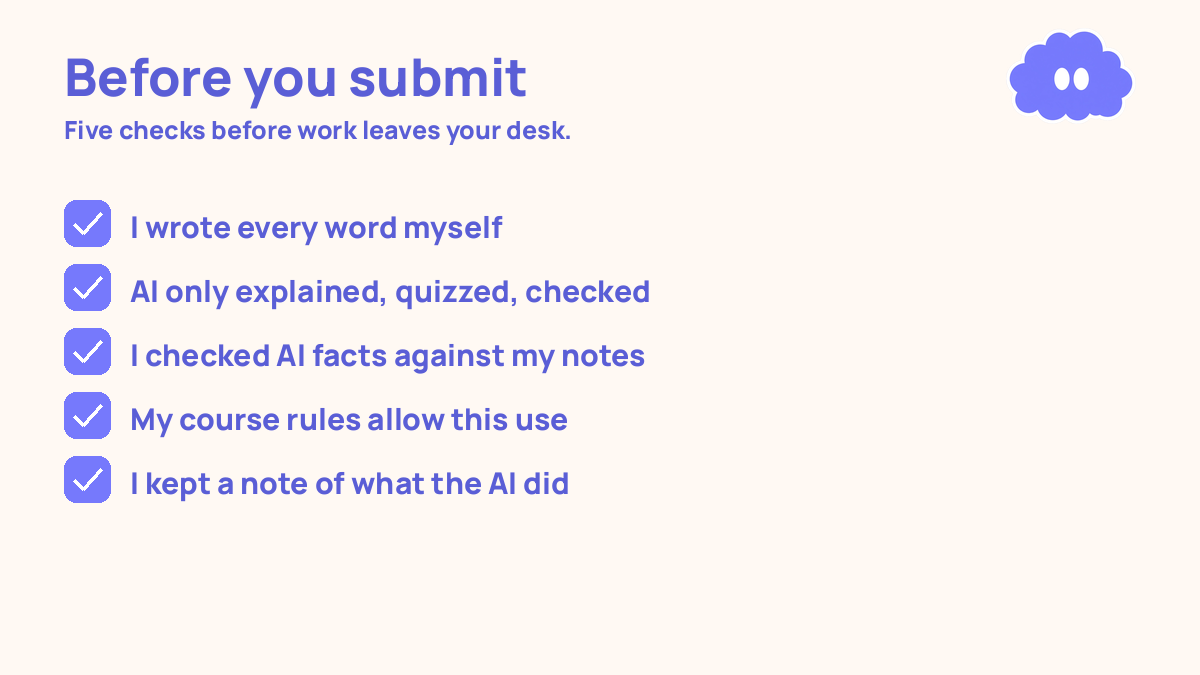
Write your draft first, on your own. Then paste it in and ask the AI what is weak: “What is the weakest argument here? What is missing?” Then close the AI and fix it yourself. The AI’s job is to find the problems. Your job is to solve them.
But if the AI rewrites the paragraph, the words stop being yours, and you stop learning how to write them. Ask for a list of problems, not a new version. For maths and science, the same rule holds: solve the problem first, then ask the AI to check your working. “Here is my solution. Where did I go wrong?” Do not ask it to solve a problem you have not attempted. An untouched problem solved by AI is a problem you still cannot solve.
Step 5: Keep a record, and know your course rules
Keep a short log. For each piece of work, write one line: what you asked the AI to do, and what you did yourself. “Asked AI to explain supply and demand and quiz me. Wrote the essay myself.” That is enough. If a teacher ever asks how you used AI, you have an answer, in your own words.
Read your course rules at the start of term, not the night before a deadline. Rules differ: some courses ban AI entirely, some allow it for study but not for assessed work, some allow it with a written note. If you are unsure, ask your teacher.
A worked example: an evening with AI, used honestly
You have two hours in the evening, and a biology topic — cell division — to learn for a test next week. You also have an essay draft to improve.
| Time | What you do | AI’s job | Your job |
|---|---|---|---|
| 6:00–6:20 | Learn the topic | Explains cell division in simple words, with one example | Listen, take notes in your own words |
| 6:20–6:35 | Test yourself | Writes 10 questions on cell division | Answer from memory, no notes |
| 6:35–6:50 | Mark and fix | Marks your answers, explains the 3 you got wrong | Re-study the 3 weak points, re-answer them |
| 6:50–7:00 | Break | Nothing | Stand up, water, rest |
| 7:00–7:30 | Improve your essay draft | Lists what is weak: unclear sentences, missing evidence | Rewrite the weak parts yourself |
| 7:30–7:45 | Plan tomorrow | Nothing | Write tomorrow’s AI rule and one question to ask your teacher |
| 7:45–8:00 | Review | Writes 5 quick questions on yesterday’s topic | Answer from memory |
Total: 2 hours. The AI explained, questioned, marked, and checked. You wrote the notes, answered the questions, fixed the mistakes, and rewrote the draft. Every piece of work that leaves your desk is yours.
When it goes wrong
The AI writes your essay and you hand it in. You may get away with it, or you may not. Either way, you did not learn the material, and the next test will show it. Fix it now: rewrite the essay yourself.
The AI gives you a wrong answer and you trust it. This will happen. AI tools sound confident about things they have invented, including references that do not exist. Check every important fact against your course material. Never cite a reference the AI gave you without checking that it exists.
You stop thinking and start copying. You ask the AI a question, read the answer, and move on — and an hour later you remember nothing. The fix is the rule from Step 2: after every AI explanation, explain it back in your own words before you move on. If you cannot, you did not learn it.
You use AI for everything and your own writing gets worse. Writing is a skill, and skills fade when you stop practising them. The fix: write first, every time, before you open the tool.
Weekly review checklist
Copy this list and use it each week:
- What did I ask the AI to do this week, and what did I do myself?
- Did I explain anything back in my own words, or did I only read AI answers?
- Did I test myself with AI-written questions, and did I get feedback on my answers?
- Did any AI answer disagree with my notes — and did I check which one was right?
- What one change will I make next week: a stricter rule, more testing, or less copying?
Downloadable infographic spec: one vertical image, title “AI helps, you learn”, with the five steps and the weekly review checklist, in Thynq cream, Cloud Purple, Dark Purple and pink, with the cloud mascot. Text taken word-for-word from this article.
What this system is not
It is not a promise that AI will never get you in trouble, and it is not a tutor. It is a system for using a powerful tool without letting it do your learning for you. What it promises is simpler: a clear line you can hold, and a way to use AI every day while the work that counts stays yours.
If you want to check whether you really know a topic, read how to check your own understanding when studying alone. And if the course itself keeps slipping, the system for finishing it is how to finish an online course.
Sources
- Dunlosky, J., et al. (2013). Psychological Science in the Public Interest, 14(1), 4-58. Only practice testing and distributed practice received a high utility rating; rereading was rated low.
- Rowland, C. A. (2014). Psychological Bulletin, 140(6), 1432-1463. Testing beat restudying (g = 0.50); with feedback the effect was larger (g = 0.73) than without it (g = 0.39).
- Bisra, K., et al. (2018). Educational Psychology Review, 30(3), 703-725. Prompting self-explanation produced a moderate average benefit (g = 0.55) across about 5,917 learners.
- Chi, M. T. H., et al. (1989). Cognitive Science, 13(2), 145-182. A small study of 8 physics students: the best problem-solvers generated far more explanations per example. A pattern, not proof.
For the general system this one sits inside, read self-study system for online learners.
Questions
Is using AI for study cheating?
Not by itself. Asking AI to explain a topic, quiz you, or check work you wrote is study. Asking it to write an essay you submit as your own is cheating — and it teaches you nothing. Check your course rules, because they differ.
Can AI help me understand a topic I am stuck on?
Yes. Ask it to explain the idea in simple words, give an example, and then explain it back in your own words. Explaining why each step works is a moderate-utility technique, with a moderate average benefit in a 2018 meta-analysis.
What if the AI gives me a wrong answer?
It will, sometimes. Treat every AI answer as a draft to check, not a fact. Check it against your course material or your notes. If the AI and your notes disagree, trust your notes and ask your teacher.
How do I use AI to test myself?
Ask it to write questions on a topic, answer them from memory without looking, then ask it to mark your answers and explain what you got wrong. Rowland (2014) found testing with feedback (g = 0.73) beat testing without it (g = 0.39).